
Drafts replies in your voice
Blueberry generates suggested responses based on the conversation so the draft sounds like the user rather than a generic template.

Blueberry drafts replies to your iMessages in your own voice and lets you send them from the macOS menu bar. Designed to help with unread messages without sending anything automatically.
Blueberry is a macOS app that drafts replies to unanswered iMessages in the user's own voice. It is positioned as a way to make it easier to respond to people you have not replied to yet.
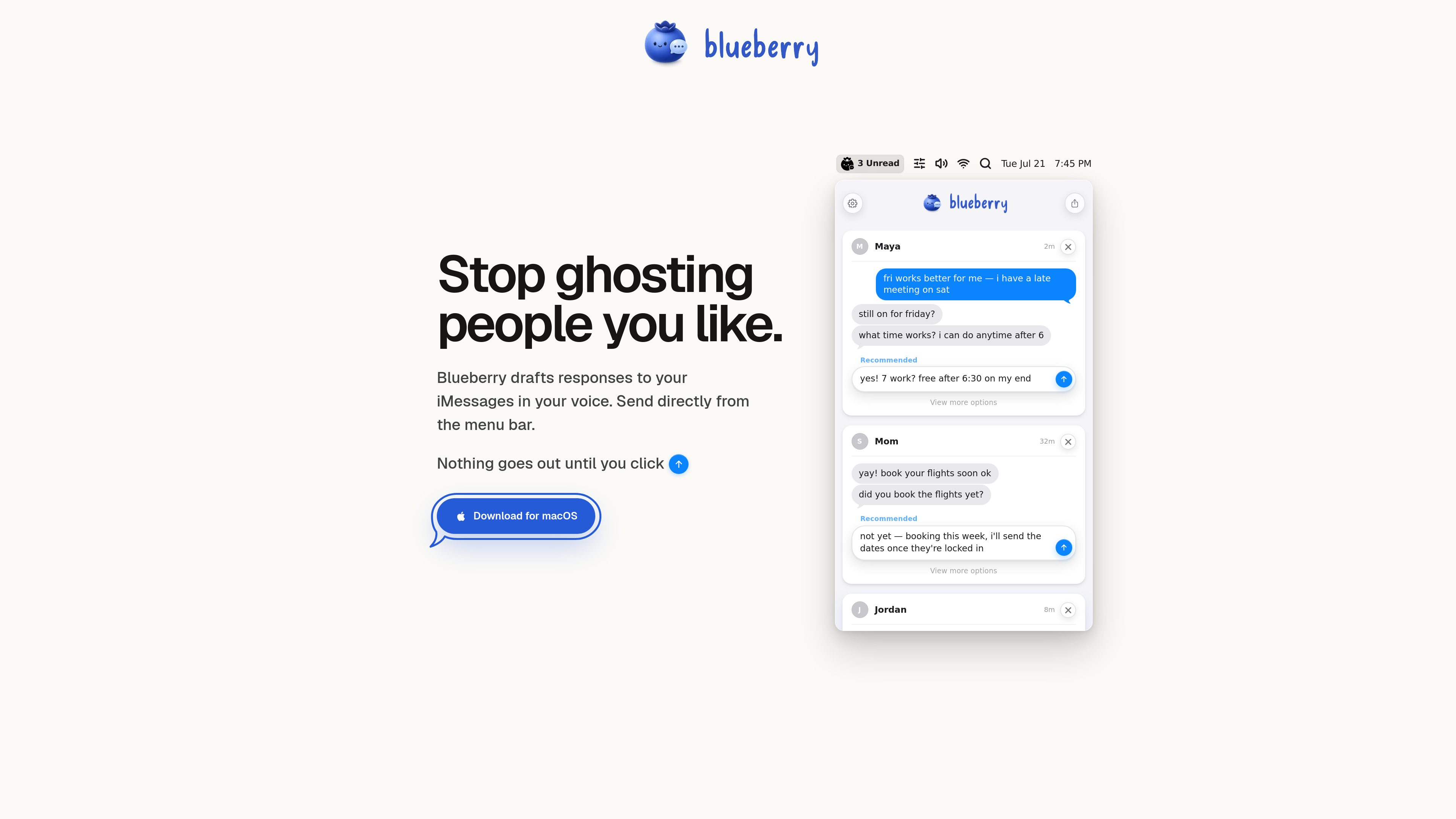
The app works from the menu bar and shows a suggested response before anything is sent. The page explicitly says nothing goes out until you click, so the user stays in control of the final message.
Blueberry generates suggested responses based on the conversation so the draft sounds like the user rather than a generic template.
The homepage frames the product around unread or unanswered iMessage threads, making it a focused tool for catching up on message replies.
Replies can be reviewed and sent from the menu bar, which keeps the workflow lightweight and easy to reach while working on a Mac.
Blueberry does not send messages automatically; the user clicks to send after reviewing the draft.
The site presents Blueberry as a macOS download, which makes the platform support explicit even though other compatibility details are not listed.
Use Blueberry when you have several unread iMessages and want a quick starting draft instead of writing from scratch.
The demo shows messages about weekend availability and timing, suggesting the app can help with everyday coordination and scheduling replies.
A family-message example on the homepage shows that the app is not limited to one message style and can draft replies for different relationships.
If you tend to leave conversations unanswered, Blueberry provides a low-friction way to turn an inbox of messages into sendable drafts.
Blueberry drafts suggested replies for your iMessages in your voice and lets you review them before sending.
No. The homepage says nothing goes out until you click, so sending stays manual.
The site presents Blueberry as a download for macOS.
The homepage examples show everyday personal conversations, including plans, updates, and family messages.
The pricing page is not accessible from the collected source and returns a 404, so pricing information is not confirmed on the public site.
Traffic data is for reference only.
| May | 0 |
|---|---|
| Jun | 0 |
| Jul | 0 |
Traffic analytics are not available yet.
Traffic analytics are not available yet.

salesviking.io
AI sales assistant for real-time call guidance and closing more deals

gemini.google.com
Google Gemini is an AI assistant for writing, planning, brainstorming, and everyday tasks, available on the web and in mobile apps for iOS and Android, with availability limited by device, language, and country.

perfectassistant.ai
A ChatGPT-based productivity add-in for Microsoft Office

heylemon.ai
AI voice assistant for writing and tasks on Mac

goldfish.sh
Goldfish is an AI memory app for Mac that helps you reply, write, summarize, and continue with the context already around you.

gemini.google
Google Gemini is Google’s AI assistant for writing, planning, brainstorming, and everyday tasks, with creative, research, and Google app workflows available on supported plans.