
Text-to-image and image editing
Generate images from text prompts, and in some flows upload an image to enhance, remix, or reimagine it with AI.

Bing Image Creator is Microsoft’s AI image generation tool on Bing. Create images from text prompts or uploaded images, with templates and editing tools for fast visual work.
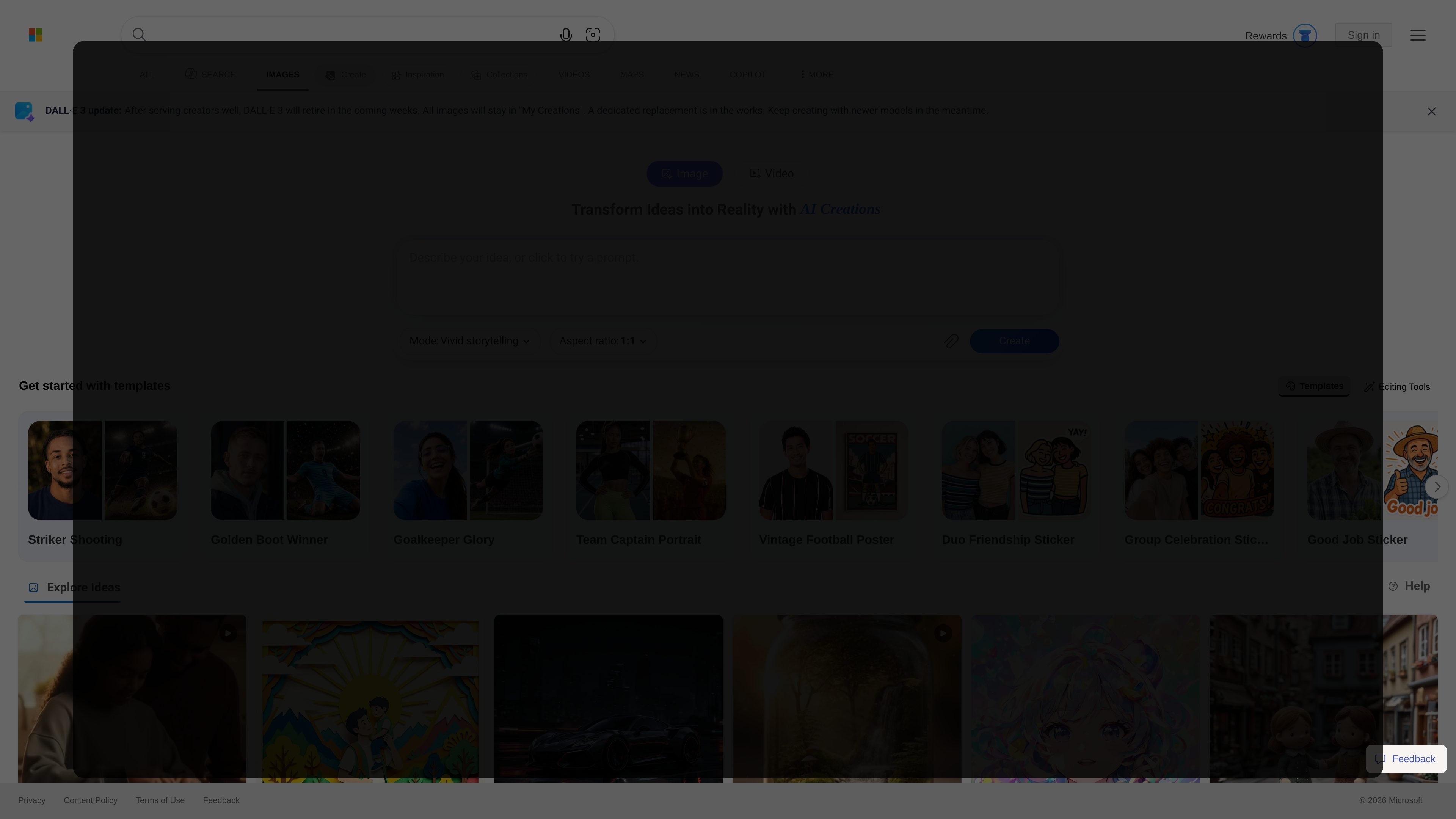
Bing Image Creator is Microsoft’s AI image generation tool on Bing. It turns text prompts and uploaded images into new visuals, and the source describes it as a free feature for quick image creation and image editing.
The product page also shows adjacent creation workflows such as templates, editing tools, and Bing Video Creator. Access is tied to a Microsoft Account, and the help text says Microsoft Entra ID accounts are not supported for Image Creator use.
Generate images from text prompts, and in some flows upload an image to enhance, remix, or reimagine it with AI.
Choose between image modes such as vivid and natural, detailed and dynamic, and stylized illustration to steer output style.
Select from multiple aspect ratios and set the image quantity when creating images.
Use templates and preset prompts for common themes such as stickers, portraits, posters, styles, and character concepts.
Apply editing tools including Background Remover, Image Retouch, Image Expander, and Image Enhancer.
Access Bing Video Creator alongside image creation, with separate fast and standard creation behavior and mobile access noted in the source.
Use text prompts to generate concept art, illustrative scenes, or other visual drafts when you need a fast starting point for creative work.
Upload an image and use the editing flow to remake, remix, or refine an existing visual instead of starting from scratch.
Start from a preset template for common needs like stickers, portraits, posters, or style experiments when you want a guided workflow.
Remove backgrounds, retouch visuals, expand an image, or improve quality with the built-in image tools.
Use Bing Video Creator on mobile when you want to turn a text prompt into an AI-generated video and manage creations through the Bing app.
Bing Image Creator is a free AI-powered image generation and editing tool that turns text prompts and uploaded images into visuals. It is also described as supporting image enhancement, remixing, and reimagining.
You can use it by signing in with a Microsoft Account (MSA). The help text says it is not available to users signed in with a Microsoft Entra ID, which is typically a work or school account.
The source shows a website at bing.com/images/create and says the Bing mobile app can be used for Image Creator in the app. It also notes that video creation is currently only available on mobile through the Bing app.
The page shows multiple image-generation modes and model options, including DALL-E 3, GPT-4o, and MAI-Image-2e. It also notes that selecting DALL-E 3 or MAI-Image-2e generates multiple images and counts as one creation, while GPT-4o generates one image.
The page offers up to 10 free creations in Fast mode and unlimited creations in Standard mode for image generation. It also shows that fast creations can be replenished later and that some advanced creation access may be unlocked by signing in.