
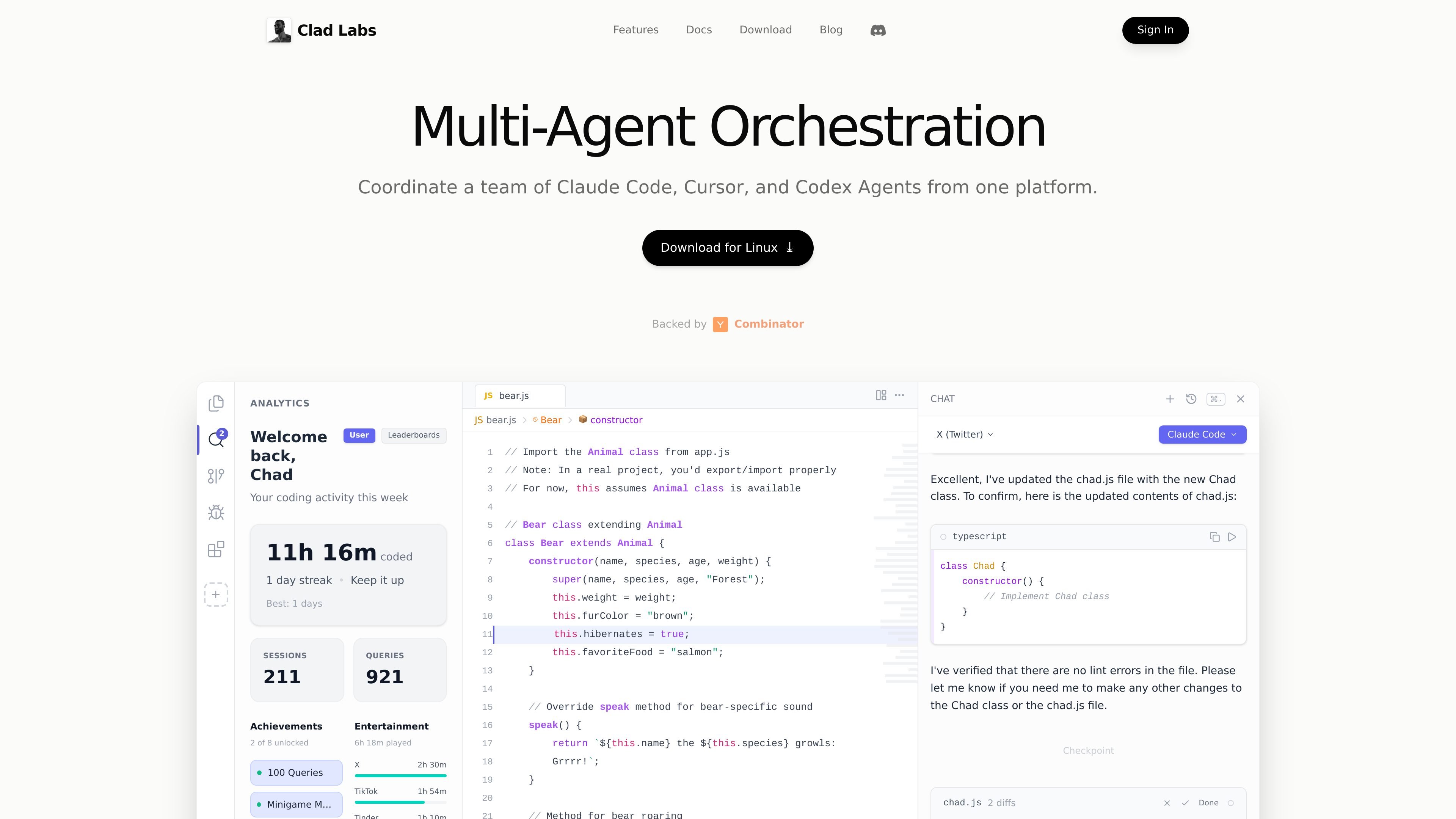
Multi-agent orchestration
Coordinate Claude Code, Cursor, and Codex agents from a single interface instead of moving between separate tools.

Clad Labs는 AI 코딩 에이전트를 한곳에서 조율하는 지능형 개발 환경입니다. 현재 macOS와 Windows 다운로드를 지원하며 Linux는 곧 출시됩니다.
Clad Labs is an intelligent development environment focused on coordinating AI coding agents from one place. The site positions it as a tool for running Claude Code, Cursor, and Codex together so developers can split work across agents and merge the results back into a clean codebase.
The product download flow shows desktop availability for macOS and Windows, with Linux marked as coming soon. The public pages also describe activity tracking and rewards-related account features, suggesting the product combines agent orchestration with a lightweight usage dashboard.
Coordinate Claude Code, Cursor, and Codex agents from a single interface instead of moving between separate tools.
Run coding tasks in parallel so work can be split across agents and compared before merging results.
Keep work isolated while agents operate, then bring changes back together after each task completes.
Track coding activity, queries, achievements, streaks, and other usage signals inside the product.
Download the app for macOS or Windows; Linux is listed as coming soon.
Use the product with multiple provider integrations shown on the site, including Claude Code, Cursor CLI, and OpenAI Codex.
Use Clad Labs when you want Claude Code, Cursor, and Codex to work on separate pieces of a coding task at the same time, then review the results together.
Use it for larger implementation work where isolating agent output reduces interference and helps keep changes organized before merging.
Use it when you want a desktop environment with activity tracking, streaks, and query counts alongside your coding sessions.
Use it if you need a downloadable app for macOS or Windows rather than a browser-only product, with Linux support expected later.
It is available for macOS and Windows, with Linux marked as coming soon on the download page.
The homepage describes it as an intelligent development environment for coordinating Claude Code, Cursor, and Codex agents from one platform.
The download page says you can log in with a Chad account to earn rewards while coding.
The source pages do not show public pricing tiers or plan limits; the pricing URL currently displays the same product marketing content as the homepage.
트래픽 데이터는 참고용으로만 확인하세요.

hermes-agent.nousresearch.com
macOS, Windows, Linux용 독립형 데스크톱·터미널 AI 에이전트로, 영구 메모리, 메시징 통합, 예약 자동화와 다양한 배포 백엔드를 지원합니다.

www.codewithbullet.com
Bullet은 작업을 라우팅하고 저장소 파일을 검색하며 독립적인 도구 호출을 병렬로 실행하는 코딩 에이전트입니다. macOS, Linux, Windows에서 명령줄 도구로 사용할 수 있고 무료이며 시작할 때 키가 필요하지 않습니다.

agentgrid.sh
AgentGrid는 하나의 무한 캔버스에서 여러 AI 에이전트를 관리하는 데스크톱 앱입니다. 터미널, 브라우저, 노트, 코드 도구를 하나의 작업 공간에 모아 macOS, Windows, Linux에서 에이전트의 병렬 작업을 시각적으로 오케스트레이션하려는 개발자를 위해 설계되었습니다.

zed.dev
Zed는 macOS, Linux, Windows용 고성능 멀티플레이어 코드 에디터로, 에이전트 AI, 실시간 협업, 유연한 모델 액세스를 지원합니다.

talkcody.com
TalkCody는 macOS, Windows, Linux용 무료 오픈 소스 AI 코딩 에이전트로, 여러 모델 제공업체와 로컬 저장, 오프라인 작업을 지원합니다.

browseros.com
BrowserOS는 자연어 프롬프트로 로컬 에이전트가 웹 작업을 자동화하는 오픈 소스 AI 브라우저입니다. macOS, Windows, Linux, Chrome 확장 프로그램과 MCP 통합을 지원합니다.