
Single router endpoint
Send requests through one URL instead of managing multiple upstream API keys. The homepage frames this as simpler setup and account management for individual users and teams.
YesCode is an API router for AI model access with billing and user management. It helps developers and technical teams consolidate upstream access, routing, and live spend tracking in one place.
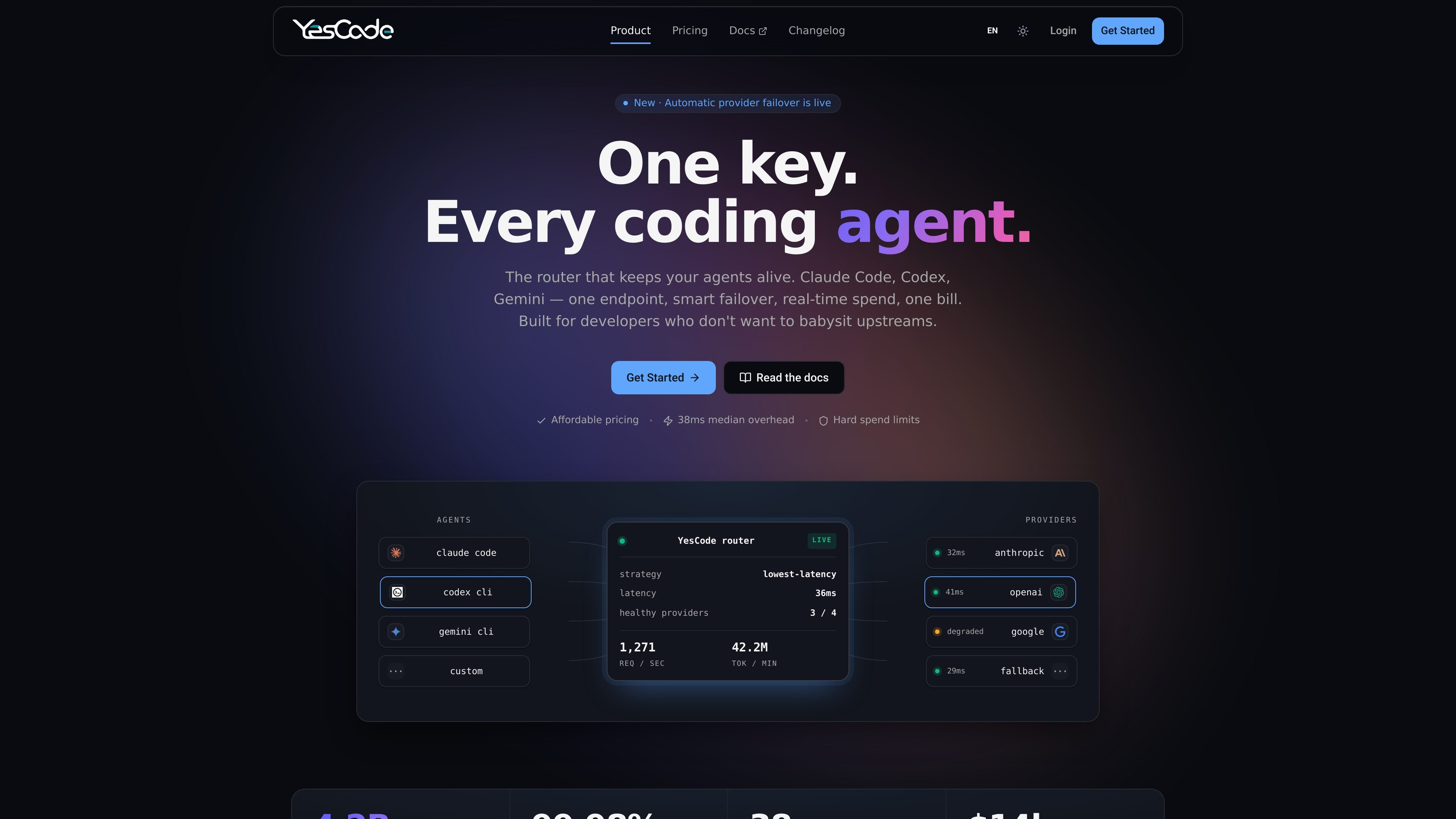
YesCode is an API router for AI model access with billing and user management built in. The site positions it as a way for developers and technical teams to use one URL, one bill, and live spend tracking instead of managing separate upstream accounts and delayed usage reports.
The product routes requests to upstream providers, automatically fails over when a provider is slow or returns errors, and shows usage details in a dashboard with tokens, cache hits, and dollar cost. The homepage and pricing page also show support for individual usage, team quotas, and paid subscription or pay-as-you-go billing.
Send requests through one URL instead of managing multiple upstream API keys. The homepage frames this as simpler setup and account management for individual users and teams.
Route calls to the fastest healthy upstream by default, with options to override per key using cheapest, pinned, or round-robin behavior.
Automatically reroute when a provider slows down or returns 5xx errors, so the failover happens before the client notices.
Track tokens, cache hits, and dollar cost live in the dashboard. The pricing and homepage copy both emphasize real-time spend visibility.
Set daily and weekly caps for spend control. The team plan copy also mentions per-seat quotas and shared workspace controls.
Use the same platform for individual work or team billing. The site describes one-person usage with a personal key and team usage with pooled spend and audit tools.
Use YesCode when you want a single API endpoint for AI model access instead of maintaining separate keys and bills for multiple upstream accounts.
Use the router for coding agents or CLI clients that need low-latency routing and automatic failover during active sessions.
Use the dashboard and caps to monitor live spend, control usage, and share costs across a team or workspace.
Use PAYGO when you want usage-based billing without committing to a larger subscription plan up front.
Use the team-oriented setup when you need pooled spend, per-seat quotas, and audit-oriented collaboration on a shared account.
YesCode routes requests through a single base URL and sends them to the fastest healthy upstream by default. The docs also say you can override routing per key with cheapest, pinned, or round-robin behavior.
The product positioning on the site is for developers and technical teams using API access, including workflow support for Claude Code, Codex, Gemini CLI, or a custom client. The terms describe both shared resource pool access and dedicated resource group usage for teams.
The pricing page shows paid subscription plans and a PAYGO option. It also states that subscriptions are generally non-refundable, with a full refund within 24 hours of purchase noted on the pricing page.
The site says you can start by dropping the base URL into a supported client or your own client. The homepage describes this as a one-command setup and says the service can be spun up quickly.
YesCode says it provides real-time usage tracking, including tokens, cache hits, and dollar cost in the dashboard. The pricing page also emphasizes that no usage is billed twice.