
Intelligent text correction
The page describes text correction as one of its core capabilities, indicating that the product is used to check and fix language issues in drafts.

秘塔写作猫 is a Chinese and English writing assistant for text correction, rewriting, polishing, auto-continuation, smart image support, and online document editing.
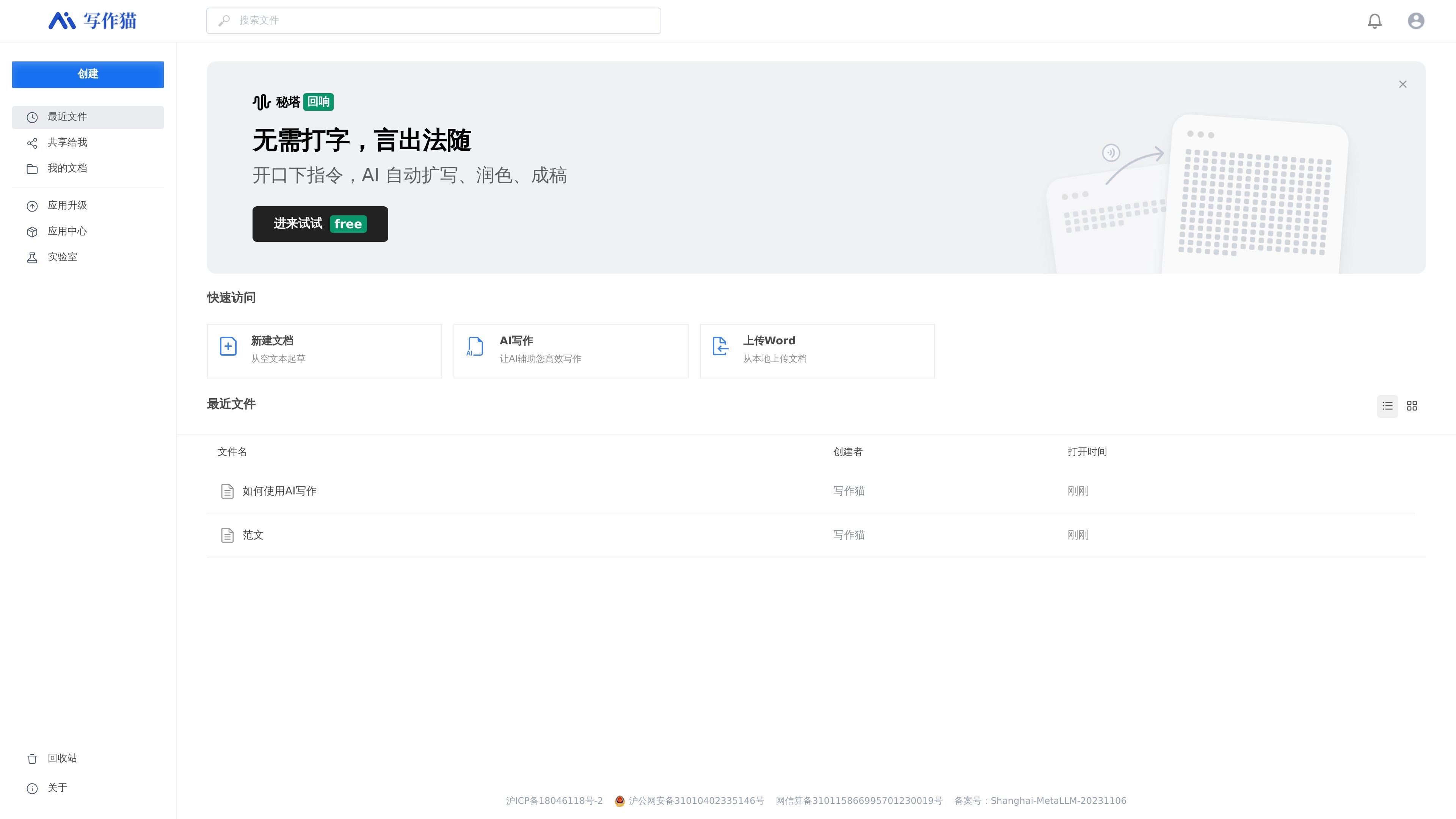
秘塔写作猫 is a Chinese and English writing assistant platform designed to help users complete correction, rewriting and polishing, auto-continuation, and smart image support within the same workflow. The homepage copy emphasizes that it lets users “write without typing,” using voice or command-style actions to have AI automatically expand, polish, and turn drafts into finished text.
From the provided pages, it is mainly centered on online document writing scenarios, supporting creating a blank document, drafting from empty text, uploading a Word file to keep processing it, and offering document management entry points such as recent files, my documents, and move-location controls. The visible content focuses more on writing assistance and document editing workflows than on standalone plugins or complex integration details.
The page describes text correction as one of its core capabilities, indicating that the product is used to check and fix language issues in drafts.
Supports rewriting and polishing, making it suitable for adjusting existing content to be clearer, smoother, or closer to the intended expression.
The homepage directly mentions “auto-continuation” and “AI auto-expansion,” which can help users generate follow-up text from existing content.
The page description includes “smart image support,” showing that the product handles not only text but also image-related support for content.
The homepage provides entry points such as “New Document,” “Draft from blank text,” and “Upload Word,” supporting both starting from scratch and importing documents for continued editing.
The page shows document management entries such as “Quick Access,” “Recent Files,” and “My Documents,” indicating a workspace for online writing and file organization.
Start from a blank page, use the AI writing flow to outline ideas, and then ask for expansion or completion when the draft needs momentum.
Upload an existing Word document and use the platform to continue editing, revising, or polishing the file instead of rewriting it manually.
Use the correction and rewriting tools to clean up grammar, phrasing, and overall clarity in Chinese or English text before sharing it.
Work through a draft with AI-assisted continuation when you already have a partial article, note, or prompt but need more content to finish it.
Keep related files organized with recent files, my documents, and move-location controls while iterating on multiple writing tasks.
秘塔写作猫 is a Chinese and English writing assistant platform, suitable for writing scenarios that need text correction, rewriting and polishing, auto-continuation, and smart image support.
From the page information, it offers entry points such as “New Document,” “Draft from blank text,” and “Upload Word,” which means you can either start writing directly or import a local document to continue processing it.
The homepage copy explicitly mentions “AI auto-expansion, polishing, and finalizing,” so it is suitable for drafting, expanding, and organizing text content.
The visible pages do not provide a full client list, browser extension details, or third-party integration information; the shown content mainly focuses on the web-based writing workflow.
The pricing page shows security verification, login, and browser compatibility prompts, but the provided text does not show explicit price, plan, or limit details.