
AI-assisted video editing
Upload rough footage or start from a recording, then let the AI add b-roll, subtitles, transitions, music, and other edits before manual refinement.

Vmaker AI is a web-based video creation and editing platform for turning footage, text, audio, or documents into publish-ready videos with AI subtitles, clipping, and screen recording.
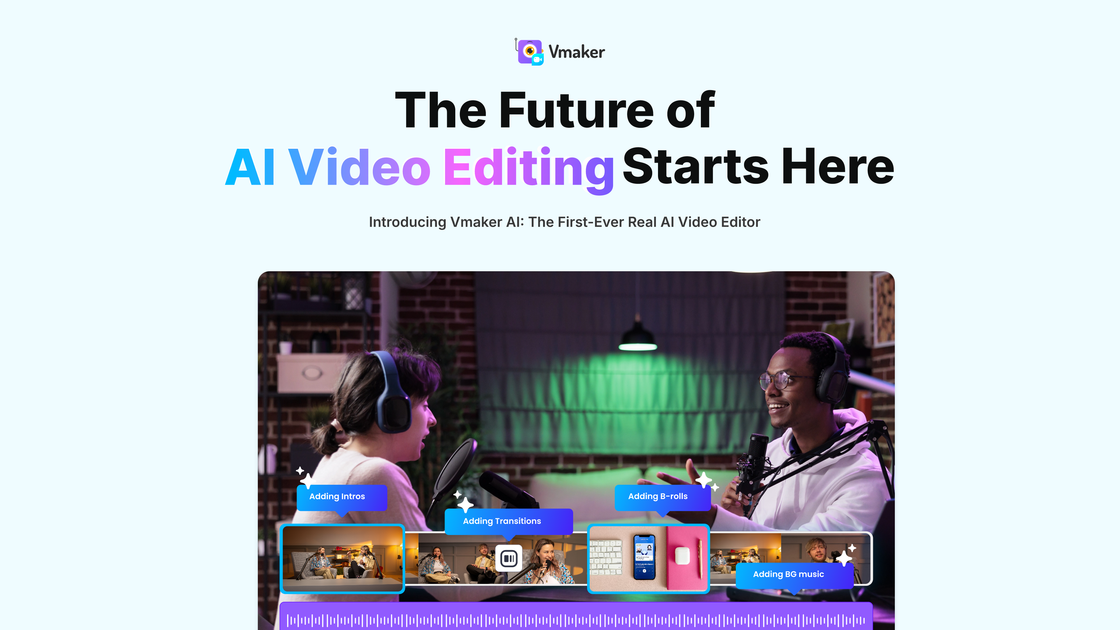
Vmaker AI is a DIY video creation and editing platform focused on helping users turn raw footage, text, audio, or documents into publish-ready videos. The product combines AI-assisted editing with a manual timeline editor so users can automate repetitive work and then refine the result when needed.
Across the source pages, Vmaker AI is positioned around common video workflows: generating videos from prompts, converting long recordings into short social clips, adding subtitles, recording screen and webcam footage, and exporting edited videos in high-quality formats. The site also shows a free Lite plan alongside paid plans for heavier use, as well as separate tools for subtitles and clipping long videos into shorts.
Upload rough footage or start from a recording, then let the AI add b-roll, subtitles, transitions, music, and other edits before manual refinement.
Turn long-form content into short clips for social platforms, with AI reframing and automated clip generation for formats like shorts, reels, and TikTok videos.
Generate subtitles automatically in more than 35 languages, with style and animation options and support for translating captions.
Create videos from text prompts, audio, documents, or existing video, using AI avatars and voice options where supported in the product pages.
Record screen and webcam in the browser and bring those recordings into the editor for finishing and publishing.
Use timeline editing tools, color adjustments, speed controls, silence removal, background removal, and other manual editing controls after the AI pass.
Creators can upload a rough cut, let the AI add b-roll, subtitles, transitions, and music, and then polish the result in the editor before publishing.
Podcasters, educators, and social media teams can turn a long recording into multiple short clips for shorts, reels, TikTok, and similar formats.
Teams that need accessible captions can auto-generate subtitles, adjust styles, and translate captions for content in multiple languages.
Users who want to make videos without starting from scratch can create content from text prompts, audio, documents, or existing video.
People recording tutorials, walkthroughs, or demos can capture screen and webcam footage, then edit the recording into a finished video.
Yes. The source describes Vmaker AI as a DIY video-making platform for recording, editing, generating videos, and adding AI subtitles. It also provides free tools for subtitle generation and long-video-to-short-video clipping.
Yes. The pricing page shows a free Lite plan and paid plans such as Starter, Teams, and Enterprise. The free plan has limited exports and includes a watermark on exported videos.
The source shows a workflow of uploading or recording a video, letting the AI auto-edit it, and then customizing and exporting it. The AI editor page also describes output at up to 4K on export.
The subtitle page says you can upload a video, click the Subtitles button, and the AI will generate captions. It also says you can upload SRT files.
The source does not provide a complete, authoritative list of supported export destinations or file formats. It does show direct publishing to YouTube, Instagram, and TikTok on some pricing plans.