
Inbox scanning
Connect Gmail, Outlook, or IMAP inboxes so Tailride can monitor incoming mail and extract invoices without forwarding them to another address.

Tailride is invoice and receipt automation software for collecting documents from inboxes, web portals, receipts, and bank statements. It helps individuals, finance teams, and accounting firms organize invoices and route them into accounting workflows.
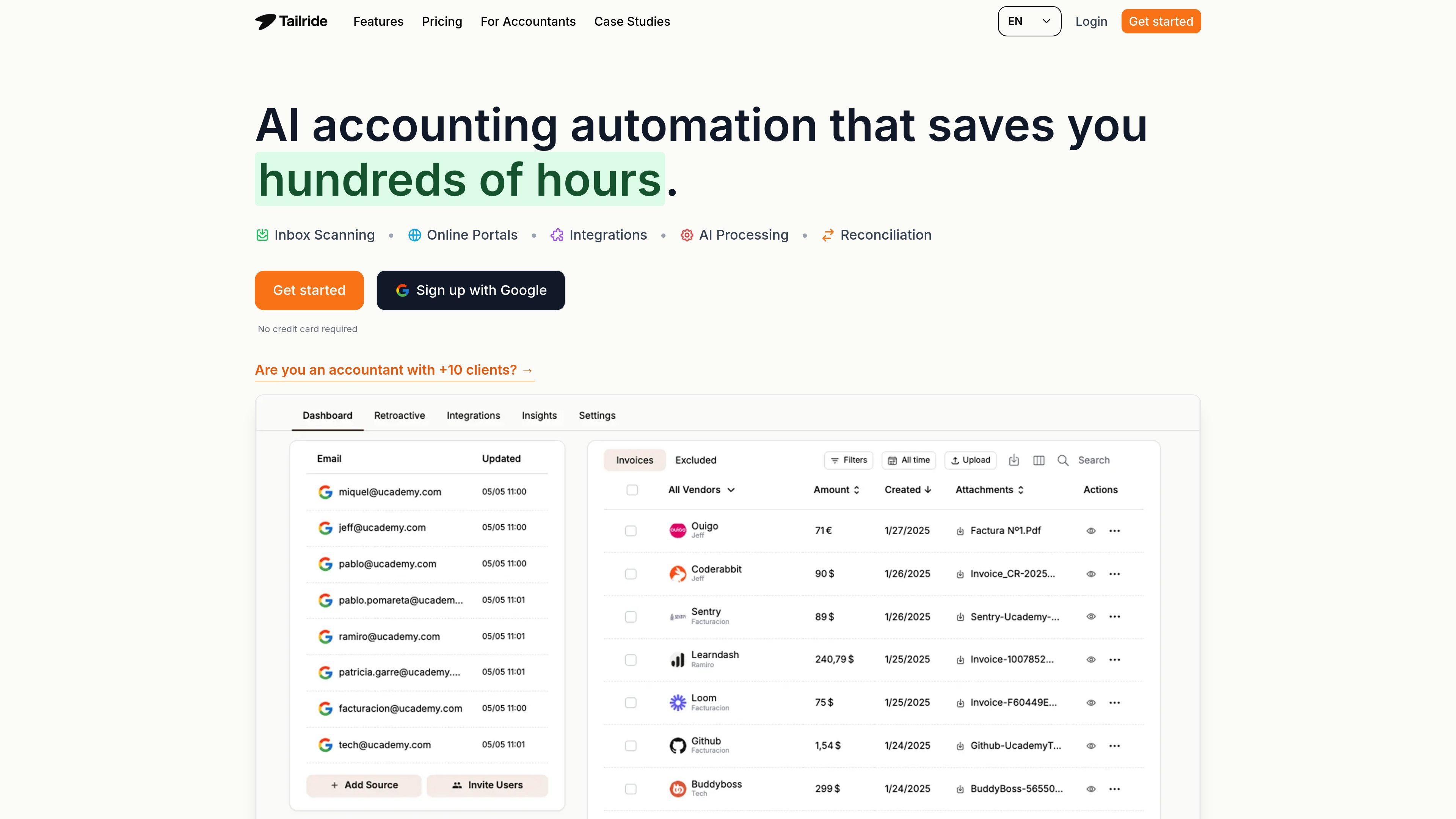
Tailride is invoice and receipt automation software that collects documents from email inboxes, online portals, paper receipts, and bank statements. It is built to reduce manual invoice handling by extracting invoice data, organizing files, and sending them into accounting or storage workflows.
The product connects directly to Gmail, Outlook, and IMAP inboxes, supports retroactive searches for past invoices, and offers browser-based portal extraction, AI-based processing rules, and reconciliation against bank data. A pricing page and a dedicated accountant page show that the platform is available on subscription plans and also offers a free tier and practice-oriented plans for firms with multiple clients.
Connect Gmail, Outlook, or IMAP inboxes so Tailride can monitor incoming mail and extract invoices without forwarding them to another address.
Search back through past mail to collect older invoices, with time ranges such as this month, this quarter, this year, all time, or a custom range.
Use the browser extension to pull invoices from portals such as Amazon, Meta Ads, Adobe, Notion, Microsoft, and ChatGPT, then store them on the dashboard.
Route extracted invoices to accounting tools or storage destinations such as QuickBooks, Xero, Google Drive, Google Sheets, OneDrive, and Business Central.
Apply AI rules to classify documents, set due dates, adjust tax rates, tag personal expenses, and exclude or reclassify specific senders or document types.
Upload bank statements in PDF or CSV format so Tailride can compare transactions with invoices and identify missing records.
Monitor connected inboxes to find invoices as they arrive, including messages with PDF attachments, images, invoice text in the email body, or links behind a URL.
Use the browser extension to retrieve invoices from web services that do not email them, then collect them in one dashboard for later export.
Scan historical mail by month, quarter, year, or custom range when you need to catch up on missing records or close a reporting period.
Upload bank statements and compare them with captured invoices to identify missing expenses and reconcile transactions.
Manage invoices across multiple client accounts from a single dashboard, with support for unlimited team members and firm-level workflows.
Yes. The pricing page says you can upgrade or downgrade at any time, with prorated billing applied to the change.
If you exceed your invoice limit, Tailride still works, but you cannot process additional invoices until the next billing cycle begins or you move to a higher plan.
Yes. The pricing page says Tailride offers a free tier with up to 10 monthly invoices that you can use indefinitely.
Tailride supports annual billing discounts and also offers monthly pricing on the pricing page, with additional add-ons such as Email Routing and one-time credit bundles.