
Interactive Syllabus Mapping
Turns a syllabus into a visual map that shows how topics connect, making the course structure easier to follow.

SophistAI is a web-based study companion that turns a course syllabus into an interactive knowledge map. It helps students understand topic relationships, review material, and track study progress while preparing for exams.
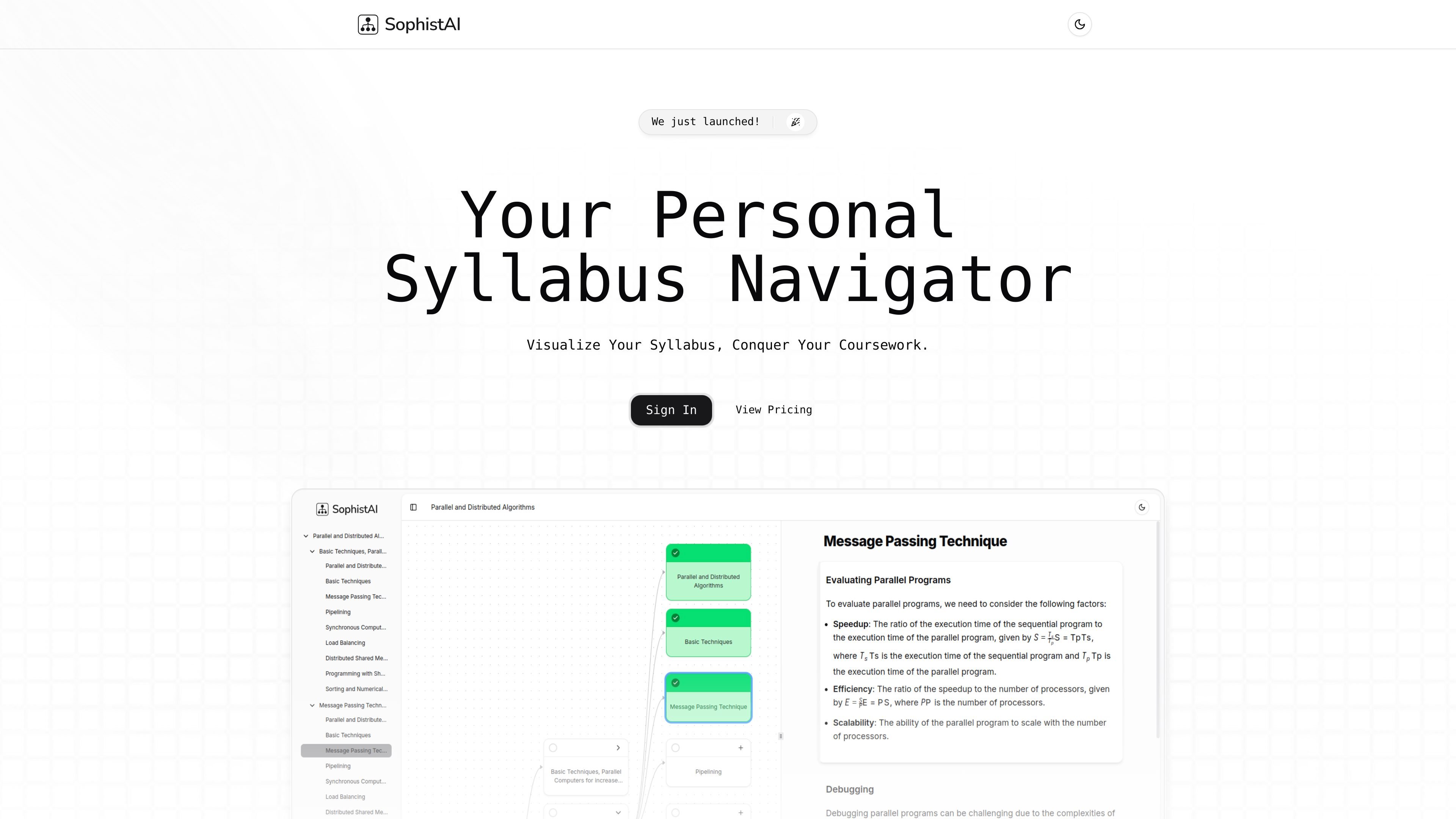
SophistAI is a personal syllabus navigator that turns course materials into an interactive knowledge map. It is designed to help students organize a syllabus, see how topics relate, and study with a clearer view of the overall course structure.
The product focuses on three main workflows shown on the site: visualizing a syllabus, getting instant explanations for specific topics, and tracking study progress across the map. The result is a study companion for people who want a structured way to work through coursework and exam preparation.
Turns a syllabus into a visual map that shows how topics connect, making the course structure easier to follow.
Provides immediate explanations for topics on the syllabus so students can clarify concepts while studying.
Shows study progress in a visual format so users can see what has been covered and what still needs attention.
Lets users explore topics in more depth without losing the larger course context.
Updates progress across related parts of the map automatically, reducing manual tracking work.
Helps users keep their place within the course structure while moving between topics.
A student can upload or work from a course syllabus and quickly see how the topics connect before starting a study plan.
When a concept is unclear, the user can ask for an instant explanation without leaving the syllabus context.
A student preparing for exams can check visual progress to identify which parts of the syllabus need more attention.
While moving through a detailed chapter or topic, the user can drill deeper and still keep the overall course structure in view.
The homepage indicates you can upload a syllabus and then use SophistAI to generate an interactive study map, but it does not specify the exact input formats or import steps.
SophistAI presents coursework as a connected knowledge map so you can see how topics relate within the overall syllabus.
The homepage says you can expand or customize the syllabus map, but it does not describe the available controls or limits in detail.
Progress is shown visually and updates across related topics as you work through the map, helping you see what to focus on for exams.
The source materials do not provide a documented help channel, so the safest next step is to use the site’s sign-in or pricing links to look for current support options.