
Feature flag creation and rollout
Create feature flags as part of a TypeScript workflow, then use them to test changes in production before wider rollout.

Reflag is a TypeScript feature-flagging product for engineering teams. It helps teams test features in production, roll them out safely, and clean up stale flags over time.
Reflag is a feature flagging product for TypeScript teams. Its home page describes it as “feature flags on autopilot,” and the feature pages frame it as a way to test features in production, roll them out safely, and then remove the flags when they are no longer needed.
The product’s core value proposition is to reduce the ongoing maintenance work that usually comes with feature flags. Alongside flag creation and rollout, Reflag emphasizes self-cleaning behavior such as stale flag detection, AI-assisted code removal, and auto-archiving, plus an agent-ready workflow for code created by AI tools or other agents.
Create feature flags as part of a TypeScript workflow, then use them to test changes in production before wider rollout.
Define typed flags so teams can work with feature management in a TypeScript codebase instead of ad hoc runtime toggles.
Move through the lifecycle shown on the product pages: create, type, rollout, and clean up.
Detect stale flags, remove code with AI assistance, and archive flags automatically to reduce cleanup work.
Support agent-created code with an agent-ready flagging flow that assigns work, flags changes, reviews them, rolls them out, and then cleans them up.
Reference Linear and Slack alongside docs and migration pages, indicating a product that sits in an engineering workflow rather than a standalone admin tool.
Use Reflag when you want to ship a feature behind a flag, observe it in production, and widen exposure only after the implementation is validated.
Use the self-cleaning workflow when stale flags and leftover code tend to accumulate after launches or experiments.
Use the agent-ready flow when code is generated or modified by AI agents and you need a structured path from assignment to review, rollout, and cleanup.
Use Reflag in a TypeScript engineering stack where typed flags and developer-oriented workflows matter more than a separate non-technical admin console.
Reflag is a feature-flagging product for TypeScript projects. The source pages focus on creating flags, rolling them out, and cleaning them up over time.
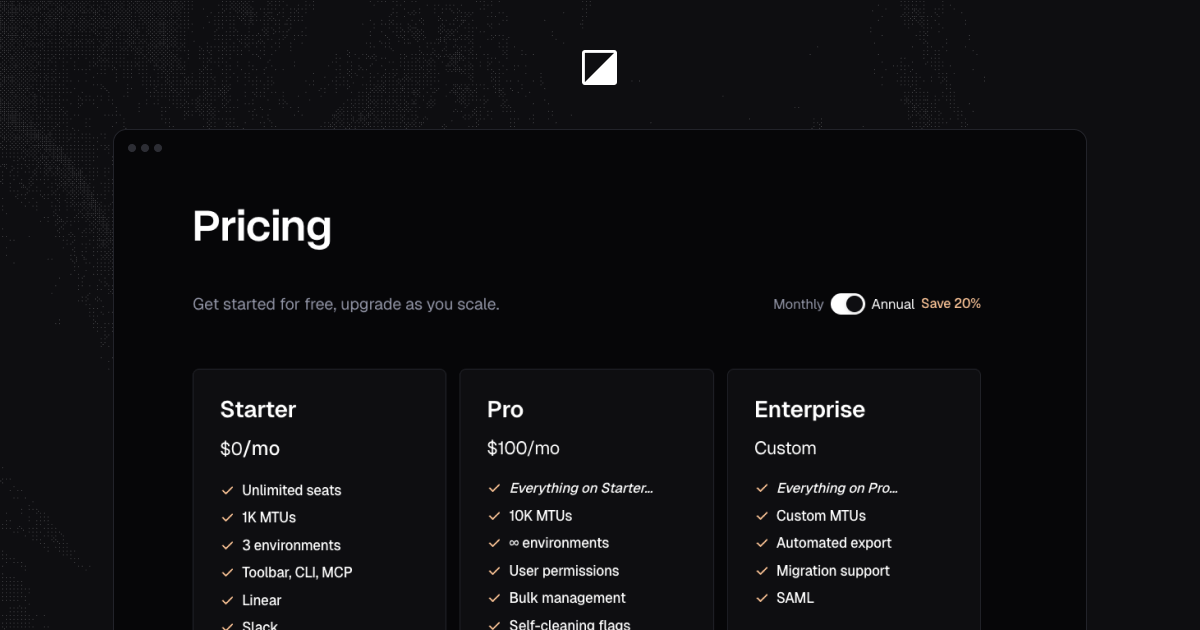
The pricing page says you can get started for free and upgrade as you scale, but it does not show specific prices or plan limits in the provided text.
The product pages reference Linear and Slack, but the provided text does not spell out the full integration setup or a complete list of supported tools.
Reflag’s self-cleaning pages describe stale flag detection, AI code removal, and auto-archiving as part of flag cleanup.