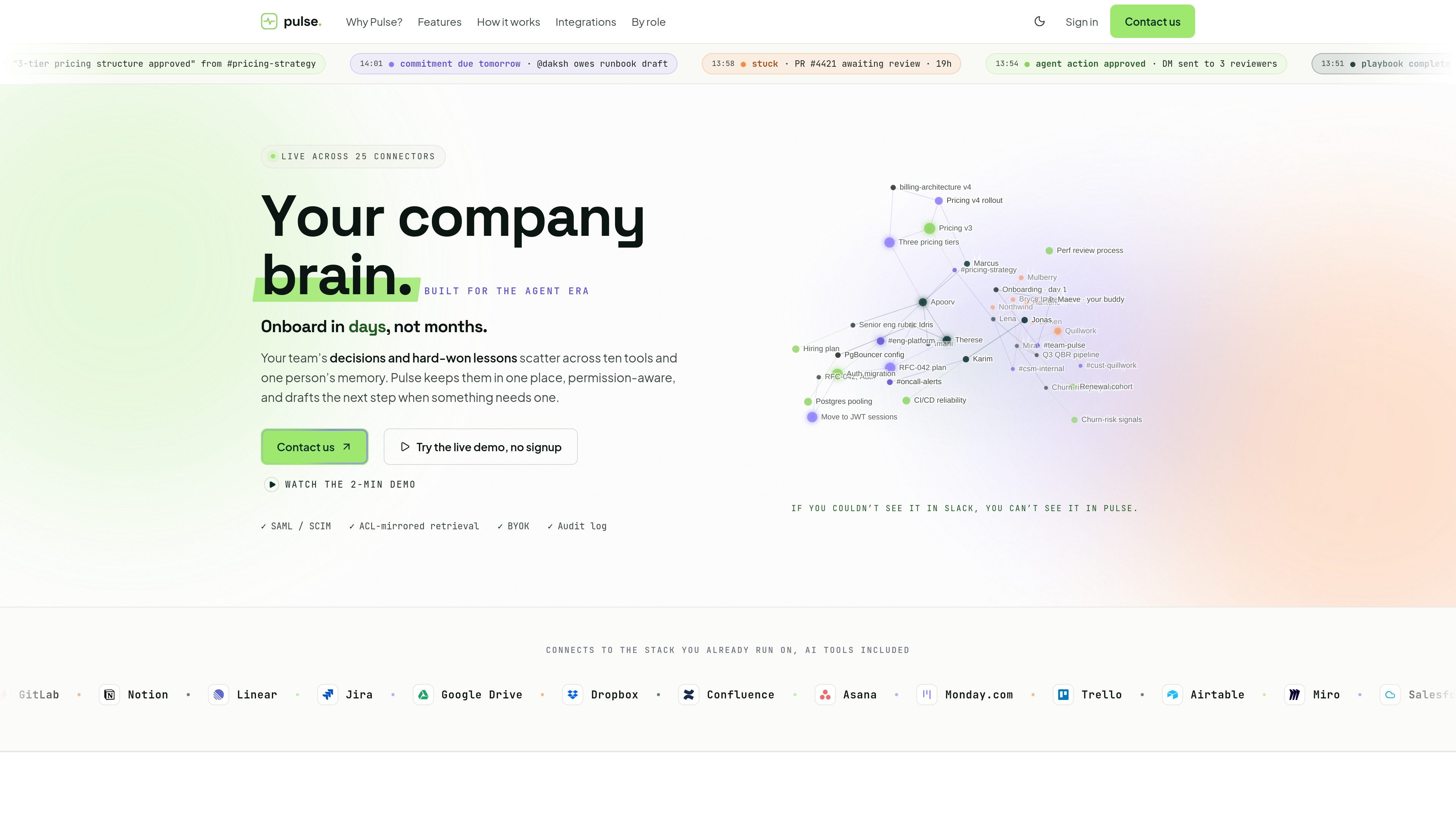
Pulse connects team tools into one permission-aware graph, then answers questions in plain English with citations. Built for teams of 5 to 500.

Pulse

What Pulse is

Pulse is a company memory and workflow product that connects the tools a team already uses into one permission-aware graph. It is designed to capture decisions, commitments, lessons, and work context so people can ask questions in plain English and get answers with citations.

The product is built for teams of 5 to 500 and is presented as a live demo rather than a self-serve signup flow. The site emphasizes that Pulse only shows users what they can already access in the connected tools, while also helping surface what is stuck, what changed, and what needs attention next.

Core capabilities

Unified company graph

Pulse connects data from work tools, meetings, and AI surfaces into a shared company graph. The home page describes it as one brain for decisions, commitments, lessons, and context across Slack, GitHub, Notion, Linear, Jira, Drive, Confluence, CRM tools, email, meetings, and AI assistants.

Cited answers and deep research

The product supports plain-English questions with citations on every sentence, plus deep research that shows its work as it goes. That makes answers traceable instead of opaque, which matters when the question is about a decision, commitment, or past incident.

Decision and work-memory capture

Pulse keeps track of decisions, ownership, and stuck work so people can find the right context without re-reading threads. The home page describes it as watching for what changed and what needs attention, then surfacing stalled items before they become missed deadlines.

Approval-gated agent actions

The product can draft follow-up work but does not send it without approval. Examples on the site include drafting Slack DMs, Linear tickets, kickoff docs, invites, and reports, with a human review step before anything leaves the system.

Role-based surfaces

Pulse is built around role-specific surfaces such as Home, Ask, Search, Map, People, and Voice. The use-cases page shows different seats seeing the same company graph through different workflows and daily views.

Permission-aware connectors

Integrations are read-only by default and ACL-mirrored at retrieval, with writes handled as separate consented actions. The integrations page also notes connector-specific streams such as PRs, issues, documents, calendar events, transcripts, and CRM records rather than full exports.

Practical use cases

  • Decision lookup for leaders

    Founders and CEOs can use Pulse to retrieve the rationale behind pricing, staffing, board decisions, and other cross-functional choices without relying on memory or asking the same person again. The site shows a founder using Ask and Map to turn scattered context into a board-ready report with citations.

  • Delivery and dependency tracking

    Engineering managers can use the product to spot stalled PRs, unanswered reviews, and dependencies that are slowing delivery. The home page and use-cases page both emphasize surfaced blockers, commitments due soon, and context that helps manage execution.

  • Plan-to-reality reviews

    Product managers can use Pulse to compare plans, estimates, and shipped results by pulling together notes, issues, docs, and meeting context. The site describes outputs such as structured reports and briefings grounded in the sources the team already uses.

  • Focused daily work surface

    Senior individual contributors can use the daily Home view to stay focused on what is due, what is stuck, and what changed without continuously switching tools. That makes Pulse useful as a quiet work surface rather than only a question-answering layer.

  • Customer context and renewal signals

    Customer success teams can use the graph to see when a champion leaves, a renewal risk appears, or a customer context changes across tools. The integrations and use-cases pages point to CRM, email, and meeting context as the inputs for those alerts.

Pros and Cons

Pros

  • Connects to a broad set of common work tools, including code, docs, tasks, CRM, meetings, and email.
  • Answers are cited, which makes it easier to verify where a statement came from.
  • Permissions are reflected at retrieval, reducing the risk of exposing content a user could not already see in the source system.
  • Agent actions are approval-gated, so the product drafts work without automatically sending it.
  • The interface is organized around practical surfaces such as Home, Ask, Search, Map, People, and Voice, which helps different roles use the same underlying data.

Cons

  • The public site does not show self-serve pricing, so buyers need to book a demo to evaluate fit and commercial terms.
  • Some capability detail is still partial on the public pages, especially around workflow depth, setup, and platform boundaries beyond the listed connectors.

FAQ

What systems can Pulse connect to?

Pulse is designed to work across the tools your team already uses, including Slack, GitHub, GitLab, Notion, Linear, Jira, Google Drive, Confluence, Salesforce, Microsoft 365, Gmail, Zoom, and more. The integrations page also shows support for meeting transcripts through Granola, Fireflies, and Zoom.

Is Pulse meant for one team role or the whole company?

Pulse presents a role-shaped view of the same company graph. The use-cases page shows examples for founder/CEO, engineering manager, product manager, senior IC, and customer success, with each seat seeing the same underlying data through a different lens.

How do people evaluate Pulse before buying?

The pricing page says Pulse offers a founder-led live demo. It shows a private sandboxed workspace with a slice of your docs and channels, or a public demo workspace if you prefer not to share data yet.

How does Pulse handle permissions and actions?

Pulse says reads are ACL-mirrored at retrieval, meaning it only shows people what they can already see in the connected tools. Writes are opt-in and approval-gated, and drafts wait for human approval before anything is sent.

Is pricing listed publicly?

The source material does not show self-serve pricing. The pricing page is set up as a live demo request rather than a published pricing table.

Quick Facts

Category
AI knowledge base / company memory
Primary users
Teams of 5 to 500
Access model
Founder-led live demo
Permissions
ACL-mirrored reads; approval-gated writes
Main surfaces
Home, Ask, Search, Map, People, Voice
Website
pulsehq.tech