
Virtual try-on image generation
Upload a product shot or flat lay, then generate fashion imagery around the garment with AI models, poses, locations, and camera styles selected to match the brand.

Provamoda is an AI fashion photography tool that turns product shots or flat lays into model-led images for e-commerce stores. It also supports prompt-based edits, style controls, and video generation from stills.
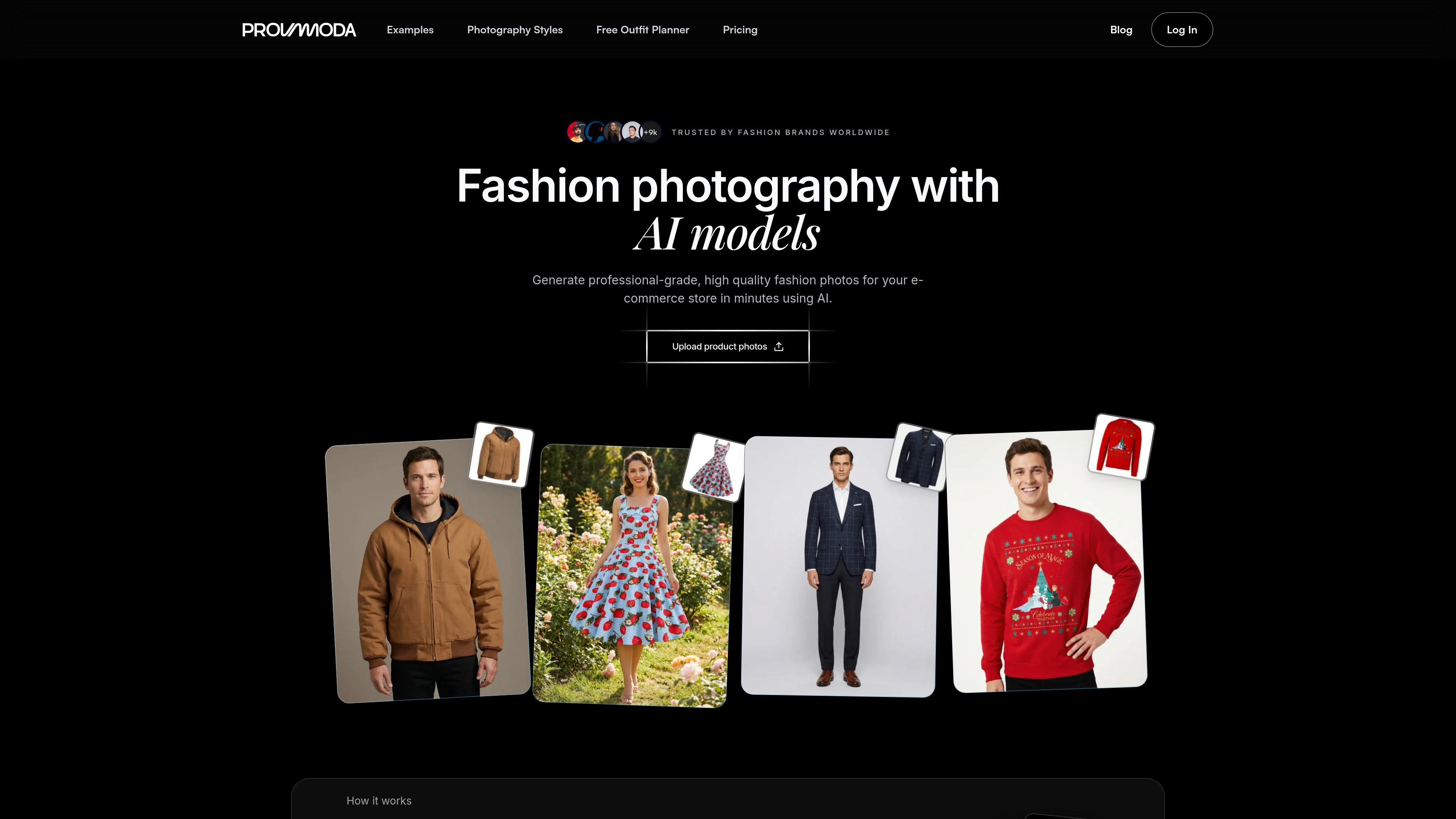
Provamoda is an AI fashion photography tool for generating product and campaign images from garment photos. The site describes a workflow that starts with a product shot or flat lay, then lets users choose a model, pose, setting, and camera style before producing export-ready images.
It is positioned for fashion e-commerce teams that need consistent visual content without arranging studio shoots, model bookings, or repeated reshoots. The product pages also show style guides, example outputs, prompt-based editing, and image-to-video generation as part of the workflow.
Upload a product shot or flat lay, then generate fashion imagery around the garment with AI models, poses, locations, and camera styles selected to match the brand.
Create campaign-ready images in a few clicks, review the results, and export high-resolution assets for stores and ads.
Adjust images with natural-language instructions such as changing sleeve length, shirt color, or background without using traditional editing software.
Generate fashion videos from still images by selecting a hero shot and describing the motion you want for social formats.
Use brand-consistency options and custom presets to keep the visual style aligned across generated images.
Produce different model types, backgrounds, front and back views, and accessory-focused looks, including support for multiple models in one image.
Use the tool to turn a flat lay or simple product shot into a fashion image for a product page, including a model, pose, and background that fit the brand.
Create on-brand visuals for seasonal launches or new collections without arranging a traditional shoot, then export finished assets for store updates and ads.
Start from a still image and generate motion clips for Reels, TikTok, or Stories when a product campaign needs short-form video.
Adjust individual details such as sleeve length, shirt color, or background when a photo needs a quick revision instead of a full reshoot.
Show accessories such as belts with the item kept accurate while the surrounding model, outfit, and scene are rebuilt around it.
Provamoda generates AI fashion photos from product shots or flat lays. The workflow shown on the site is to upload a product photo, choose a model, pose, setting, and style, then generate, review, and export the images.
The pricing page shows one-time payment plans with credits that can be used for images, with higher tiers adding video generation and higher-resolution output.
The site shows support for fashion models, different backgrounds, top and bottom garments, accessories, front and back views, and high-resolution output. It also shows prompt-based image editing and video generation from images.
The source material does not describe a dedicated team-collaboration workflow or account structure. It does show brand-consistency options and custom presets, which suggest the tool is designed to keep a shared visual style consistent.
The site highlights style guides for many fashion photography categories and examples across studio, outdoor, editorial, e-commerce, runway, streetwear, and other looks, so it appears aimed at fashion brands that need on-brand product imagery rather than general-purpose editing.