
Create or import a resume
Create a resume from scratch or begin by importing an existing resume PDF, then continue editing in the browser.

OpenResume is a free, open-source web app for building resumes and checking how a PDF resume is parsed for ATS readability. Create from scratch or import a PDF; data stays local in your browser.
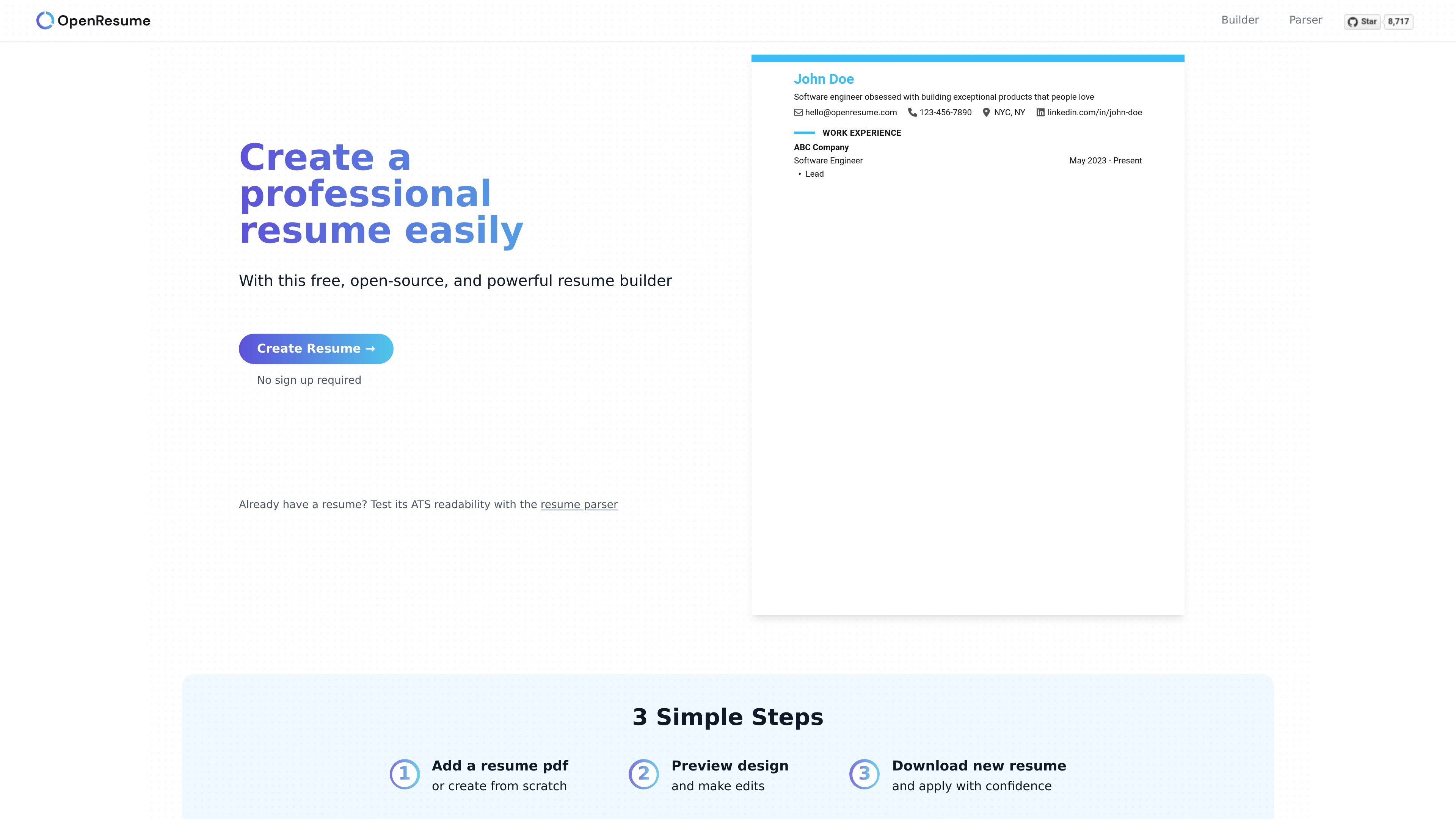
OpenResume is a free, open-source resume builder and parser for people who want to create a modern professional resume in the browser or test how an existing resume PDF is read by ATS-style systems. The product combines a guided resume creation flow with a parsing playground for checking whether uploaded resumes are easy to extract and read.
The builder is designed around U.S. resume best practices and uses a simple three-step workflow: add a PDF or start from scratch, preview and edit the design, then download the finished resume. The site also emphasizes privacy, stating that resume data is stored locally in the browser rather than in a user account.
Create a resume from scratch or begin by importing an existing resume PDF, then continue editing in the browser.
Follow a simple three-step flow: add a PDF or start from scratch, preview and edit the design, then download the finished resume.
Use the built-in parser playground to test how a resume PDF is read and to inspect extracted fields such as profile, education, work experience, and skills.
Store resume data locally in your browser instead of in a remote account, which gives the user direct control over the information entered.
Work within a format aligned with U.S. resume best practices, including a single-column layout and core sections rather than broad customization options.
Export a completed resume after editing so it can be used for job applications.
Create a polished resume from scratch with a guided flow that keeps the layout aligned to common U.S. resume conventions.
Upload an existing resume PDF and check how well the parser extracts key fields, which helps spot formatting issues that may affect ATS readability.
Use the parser playground to compare example resumes and understand which formatting patterns are easier for the parser to interpret.
Edit and download a finished resume after previewing the design, so it is ready for job applications without leaving the browser.
Work on a resume without creating an account, which is useful for people who want to avoid storing personal data in a separate service.
OpenResume can be used without signing up. The site says it stores data locally in your browser, so resume information stays on your device unless you choose to share it another way.
The homepage says OpenResume is a free, open-source resume builder. The pricing page returns a 404, so the available evidence supports that it is offered free of charge, but not any specific paid or enterprise plans.
OpenResume has a resume parser playground that lets you upload a PDF or test example resumes to see how well the parser extracts information such as name, email, work experience, education, and skills.
OpenResume says it is designed for the U.S. job market and works well with top ATS platforms such as Greenhouse and Lever. Its parser and formatting guidance are intended to help users check whether a resume is readable by ATS software.
Yes. The site describes a workflow where you can import an existing resume PDF, or create one from scratch if you do not already have a resume.