
Workflow-aware agents
Onetab AI says it learns your data, process, and SOPs so agents can follow the way a team already works instead of forcing a generic template.

Onetab AI is a web-based AI agent and workflow automation platform for teams across multiple business tools, with planning, execution, verification, and audit logs.
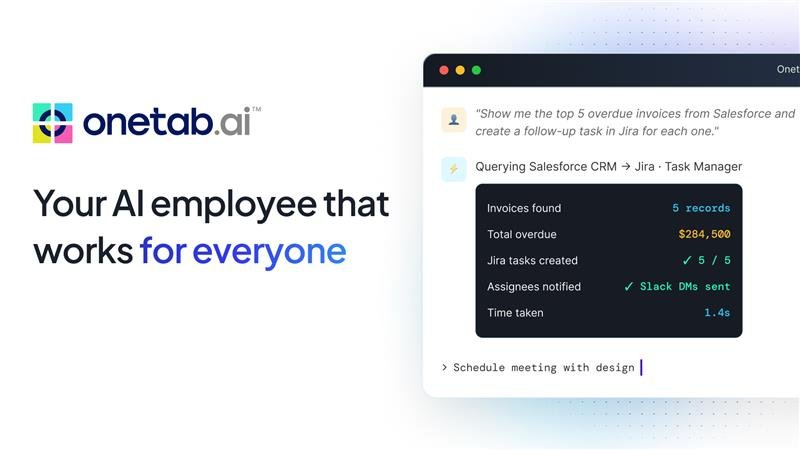
Onetab AI is an AI agent and workflow automation platform built to work across the tools a team already uses. The home page describes it as one surface for email, CRM, spreadsheets, helpdesk, docs, calendar, chat, and issue trackers, with agents that learn a team's data, process, and SOPs.
The product is positioned around delegated work rather than simple chat. An agent can break a request into steps, act inside connected tools, verify its result, and return a plain-language summary with a full action log. The site shows examples in operations, sales, support, and people and HR, and the pricing page offers trial-based plans plus a contact-sales enterprise option.
Onetab AI says it learns your data, process, and SOPs so agents can follow the way a team already works instead of forcing a generic template.
The product describes a four-step loop where the agent plans the task, acts in connected tools, verifies the result, and reports what it did.
The site highlights connected work across email, CRM, spreadsheets, helpdesk, docs and wikis, calendar, chat, and issue trackers from a single surface.
Teams can scope access tool by tool, choose read-only or read-write permissions, and require human approval for risky actions such as sending, deleting, or paying.
The platform records a searchable log of reads and writes, with action replay and exportable audit history.
Pricing and navigation pages point to modules and developer resources for workflows, prompts, templates, API documentation, CI/CD documentation, and app hooks.
Triage incoming requests, update trackers, and route work to the right owner while keeping status boards current.
Enrich new leads, log calls, and draft follow-ups after meetings so reps spend less time on manual CRM updates.
Pull order history, draft grounded replies, and escalate harder cases with the relevant account context attached.
Provision accounts, schedule intro calls, and answer policy questions from internal docs during employee onboarding.
Use the platform's agent loop to map a process, connect tools, and pilot one workflow before expanding further.
Onetab AI is presented as an all-in-one platform that combines AI agents with workflow automation. The site describes it as a way to automate work across the tools a team already uses.
The pricing page says there is a 14-day trial for Starter, Pro, and Business plans. The enterprise option is contact sales.
The platform says agents can plan a task, act inside connected tools, verify results against source data, and then return a summary with an action log.
The site shows workflows for operations, sales, support, and people and HR. It also presents separate solution areas for departments such as HR & Staffing, Sales, IT, Marketing, and Customer Service.
The source does not list all supported integrations in detail. It does say the platform connects with the tools a team already uses and offers unlimited tools and integrations on several plans.