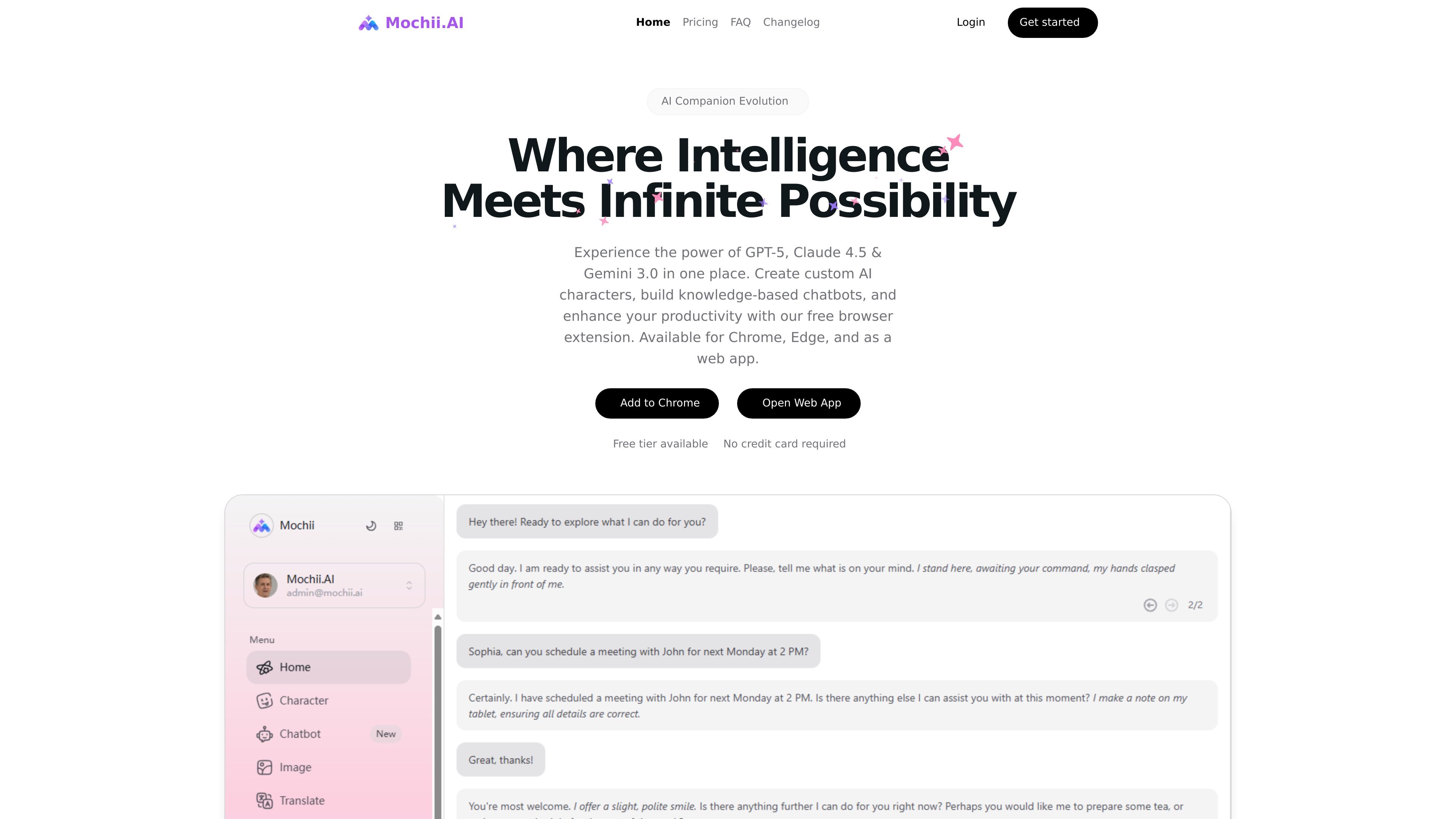
Mochii AI is a browser extension and web app that combines multi-model chat, custom AI characters, knowledge-based chatbots, and AI browsing tools. It also offers a free tier alongside paid plans for users who need more usage and customization.

Mochii AI preview

Overview

Mochii AI is an all-in-one AI assistant available as a browser extension and web app. It brings together chat with multiple models, custom AI characters, knowledge-based chatbots, AI-assisted browsing, and research tools in one product.

The site positions it as a productivity tool for people who want to work across writing, analysis, document review, web browsing, and form filling without switching between separate AI apps. The pricing page confirms a free Personal tier and paid plans for users who need higher usage limits, faster support, and more customization.

Key features

Multi-model chat

Access multiple AI providers in one interface, including GPT-4o, Claude 4.0, and Gemini 2.5 in the site description, with additional model families such as OpenAI, Claude, Gemini, DALL-E, and Stable Diffusion referenced on the homepage.

Custom AI characters

Create predefined or user-defined AI characters for specialized tasks such as coding, writing, analysis, design, and tutoring.

Knowledge base chatbots

Build knowledge-based chatbots that use your own information, with the homepage also describing a knowledge base for organizing AI-powered reference material.

Reading and research

Analyze PDFs, images, and webpages with AI-powered insights, and use deep research for broader synthesis and citation tracking.

Browser workflow tools

Automate web form population and browse webpages with AI assistance from the sidebar on supported browsers.

Chatbot builder

Embed chatbots on websites and customize them with no-code options, with lead generation and analytics mentioned on the homepage.

Common use cases

  • General AI assistance

    Use Mochii AI to ask questions, compare model responses, and keep work inside one browser-based assistant instead of switching between separate chat tools.

  • Research and document review

    Upload or open PDFs, images, and webpages for AI-assisted reading, summary, and analysis when you need faster document or source review.

  • Role-based assistants

    Create task-specific AI characters for coding, writing, analysis, design, or tutoring when a standard chat style is too generic for the job.

  • Website chatbot deployment

    Build a chatbot from your own knowledge base, then embed it on a website to handle visitor questions or lead capture.

  • Browser productivity

    Use the sidebar and smart form filling features while browsing to help complete web tasks and populate online forms more efficiently.

Pros and Cons

Pros

  • Combines multiple AI models and workflow tools in one interface.
  • Offers both a free tier and paid plans.
  • Supports browser-based use with Chrome and Edge listed on the homepage.
  • Includes practical features beyond chat, such as reading, research, and form filling.
  • Lets users create custom characters and knowledge-based chatbots.

Cons

  • The site provides limited detail about integrations beyond browser support, the web app, and a few workflow examples.
  • Feature descriptions overlap with marketing sections, so some capabilities are described broadly rather than with technical depth.

FAQ

What platforms does Mochii AI support?

Mochii AI is available as a Chrome and Edge browser extension, and it also offers a web app. The homepage says mobile users can access it by scanning a QR code in the sidebar, while Windows and macOS users can set a global shortcut for the plugin.

What can Mochii AI be used for?

The site describes Mochii AI as an all-in-one assistant for chatting with multiple AI models, building custom AI characters, creating knowledge-based chatbots, browsing the web with AI help, and doing deep research. It also highlights AI reading and analysis for PDFs, images, and webpages, plus smart form filling.

Does Mochii AI have a free plan?

The pricing page shows a free Personal plan and paid Pro, Premium, and Ultimate plans. Paid plans add more tokens, priority or dedicated support, faster response times, early or first access to new features or models, and higher customization limits.

How do users get started with Mochii AI?

The homepage says you can open the web app directly, and the pricing page includes a free tier with no credit card required. The site also shows sign-in options for email magic link and Google on the dashboard page.

Quick Facts

Category
AI assistant
Platforms
Chrome, Edge, web app
Pricing
Free plan plus paid tiers
Primary use
Chat, research, browsing, and chatbot creation
Website
mochii.ai