
Local file organization
Organize downloads, rename files based on content, and extract data from PDFs into Excel while keeping operations on-device.

Ishi is a local-first desktop AI app for organizing files, previewing changes before execution, and handing approved workflows to AgenticFlow Cloud. Privacy-conscious automation with optional BYOK.
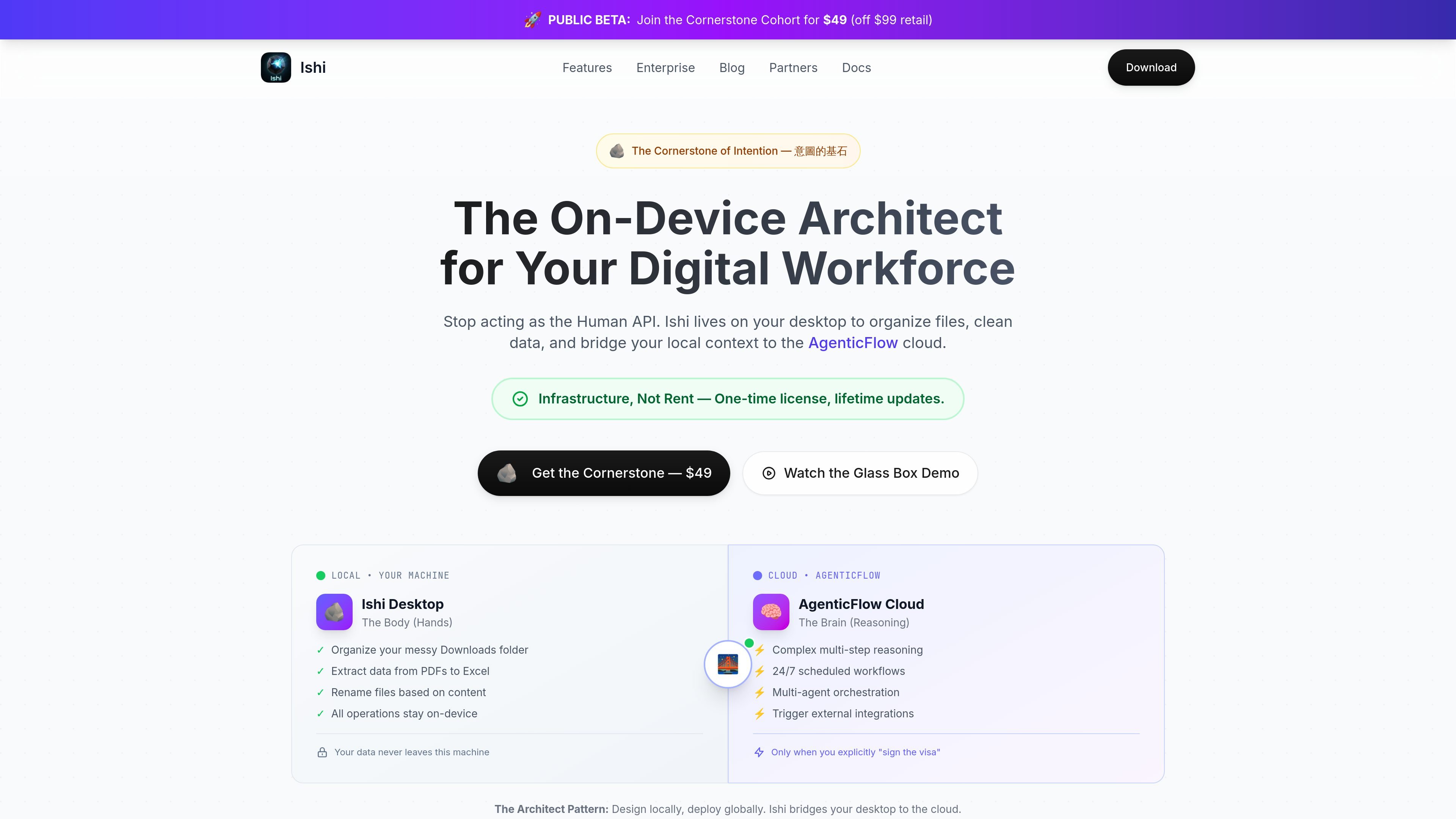
Ishi is a local-first desktop AI tool for organizing files and bridging on-device work with the AgenticFlow cloud. The site positions it as an on-device architect for a digital workforce: it can watch and organize files locally, clean data, and prepare workflows that are only sent to the cloud after explicit approval.
The product centers on a "Glass Box" workflow. You describe the task, Ishi drafts a plan, shows a ghost preview or diff of the proposed changes, and then executes only after you approve. The source also frames Ishi as privacy-first: operations happen on your machine by default, with cloud calls used only when you explicitly authorize them.
Organize downloads, rename files based on content, and extract data from PDFs into Excel while keeping operations on-device.
Show a plan and diff-style preview before any action runs so users can review exactly what will change.
Route approved work to AgenticFlow Cloud for complex multi-step reasoning, scheduled workflows, multi-agent orchestration, and external integrations.
Run natively on macOS and Windows, with Linux support listed as coming soon, so teams can use the same workflow across platforms.
Work with Claude, OpenAI, Google, or local models, with support for bringing your own API key.
Handle multiple isolated agent sessions so separate projects can run in parallel without sharing context.
Use Ishi to sort a cluttered Downloads folder, rename files from their contents, and keep the work local until you approve any cloud step.
Turn PDFs into structured spreadsheet data for reporting or analysis without moving the source files off the machine.
Draft a workflow locally, then hand off approved steps to AgenticFlow Cloud for multi-step reasoning or scheduled automation.
Run several isolated agent sessions in parallel when different projects need separate context and independent execution.
Use your own Claude, GPT, or Gemini key when you want provider choice and direct control over model usage.
Ishi is a desktop application for local file organization and workflow handoff. The source describes it as an on-device architect for a digital workforce, with local file actions and an optional cloud side for more complex workflows.
The source says Ishi runs natively on macOS and Windows, with Linux support coming soon. It also mentions an Obsidian plugin for knowledge workers.
According to the pricing page, Ishi has a free tier and a paid lifetime license. The Public Beta lifetime license is shown at $49, with future updates included, while the free plan is described as free forever.
Yes. The site says file operations are simulated first and shown as a ghost preview or diff before execution, and nothing happens without approval.
Ishi is described as BYOK-ready. You can use existing Claude, GPT, or Gemini API keys, or use Pixel ML OpenRouter for pay-as-you-go model access.
트래픽 데이터는 참고용으로만 확인하세요.
| 5월 | 0 |
|---|---|
| 6월 | 0 |
| 7월 | 0 |
아직 트래픽 분석 데이터가 없습니다.
아직 트래픽 분석 데이터가 없습니다.