
Goal timelines
Create goals with a visual timeline, related notes, and reminders so you can track progress over time and stay oriented around the next steps.

Good Assistant is a personal AI companion for iOS and web that helps you plan goals, organize notes, and stay on track with reminders, research, and proactive messages.
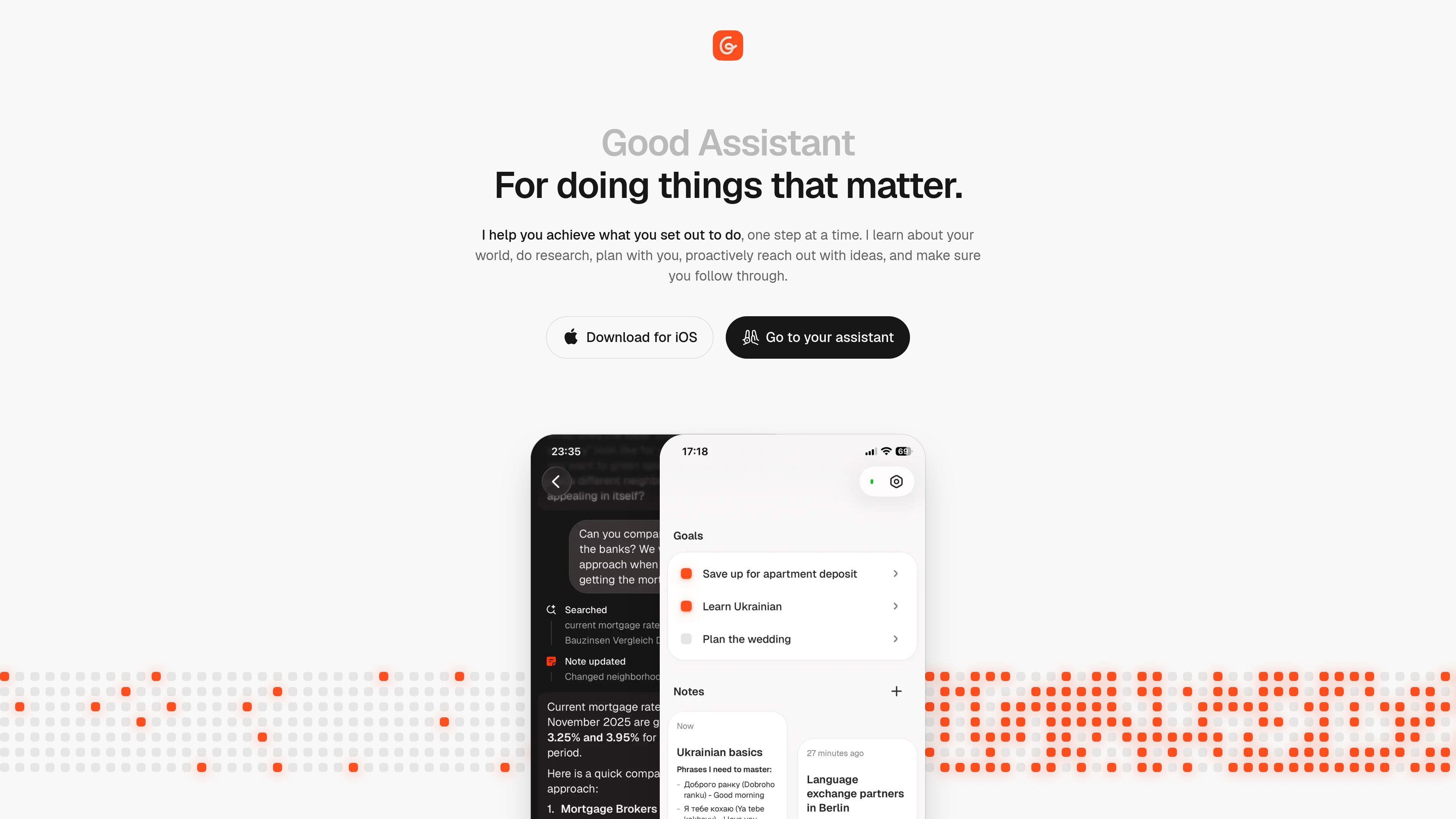
Good Assistant is a personal AI companion for mobile devices and web browsers that helps people work toward goals they care about. It is positioned as a partner for planning, organizing thoughts, doing research, and following through one step at a time.
The product groups its work around goals, notes, and everyday assistance. For goals, it creates visual timelines, collects related notes, and manages reminders; for notes, it can read along for context and write or edit entries; for daily use, it can browse the web for answers, watch your calendar, and send helpful messages when there is something to act on. The site also mentions an iOS download and a web experience.
The privacy policy says users can optionally authorize Google account access for calendar information and email messages to enable context-aware functionality. The refund policy says web subscriptions include a 7-day free trial and a 14-day money-back guarantee, while App Store purchases follow Apple’s refund process.
Create goals with a visual timeline, related notes, and reminders so you can track progress over time and stay oriented around the next steps.
Collect and organize notes around your work or personal projects, with the assistant able to read, write, and edit notes in context.
Ask the assistant to do research and incorporate what it learns back into your goals so plans can be updated as needed.
Receive proactive messages and reminders, including calendar-aware prompts, so the assistant can help keep your day moving.
Use the chat to capture quick thoughts, ask questions, discuss images or websites, and update notes from the conversation.
Set a meaningful goal, break it into smaller tasks, and keep a visual timeline plus reminders attached to the plan.
Store ideas, draft text, and revise notes with the assistant able to read context from the surrounding conversation and notes.
Let the assistant watch your calendar, surface upcoming commitments, and send messages when something useful comes up.
Ask for research on something you need to learn, then fold the findings back into your goals or notes.
Use the chat to ask questions, discuss images or websites, and capture fleeting thoughts before they get lost.
Good Assistant is available on mobile devices and web browsers. The site also highlights an iOS download.
The refund policy states that Good Assistant offers a 7-day free trial for new subscribers.
The website does not show pricing on the pricing page because it returns a 404, so the exact subscription price is not available from the source pages provided.
The Privacy Policy says users can authorize access to Google account data, including calendar information and email messages, to provide context-aware functionality.
The product is designed to help users define goals, make plans, track progress with timelines and reminders, organize notes, and get proactive help through chat and messages.
트래픽 데이터는 참고용으로만 확인하세요.
| 4월 | 0 |
|---|---|
| 5월 | 0 |
| 6월 | 0 |
아직 트래픽 분석 데이터가 없습니다.