Plain-language composition
Describe a melody, mood, or requested change in chat. Tonefold writes musical layers into the current song rather than limiting the workflow to one generated audio file.

A free, open-source desktop AI music composer for writing and editing songs note by note.
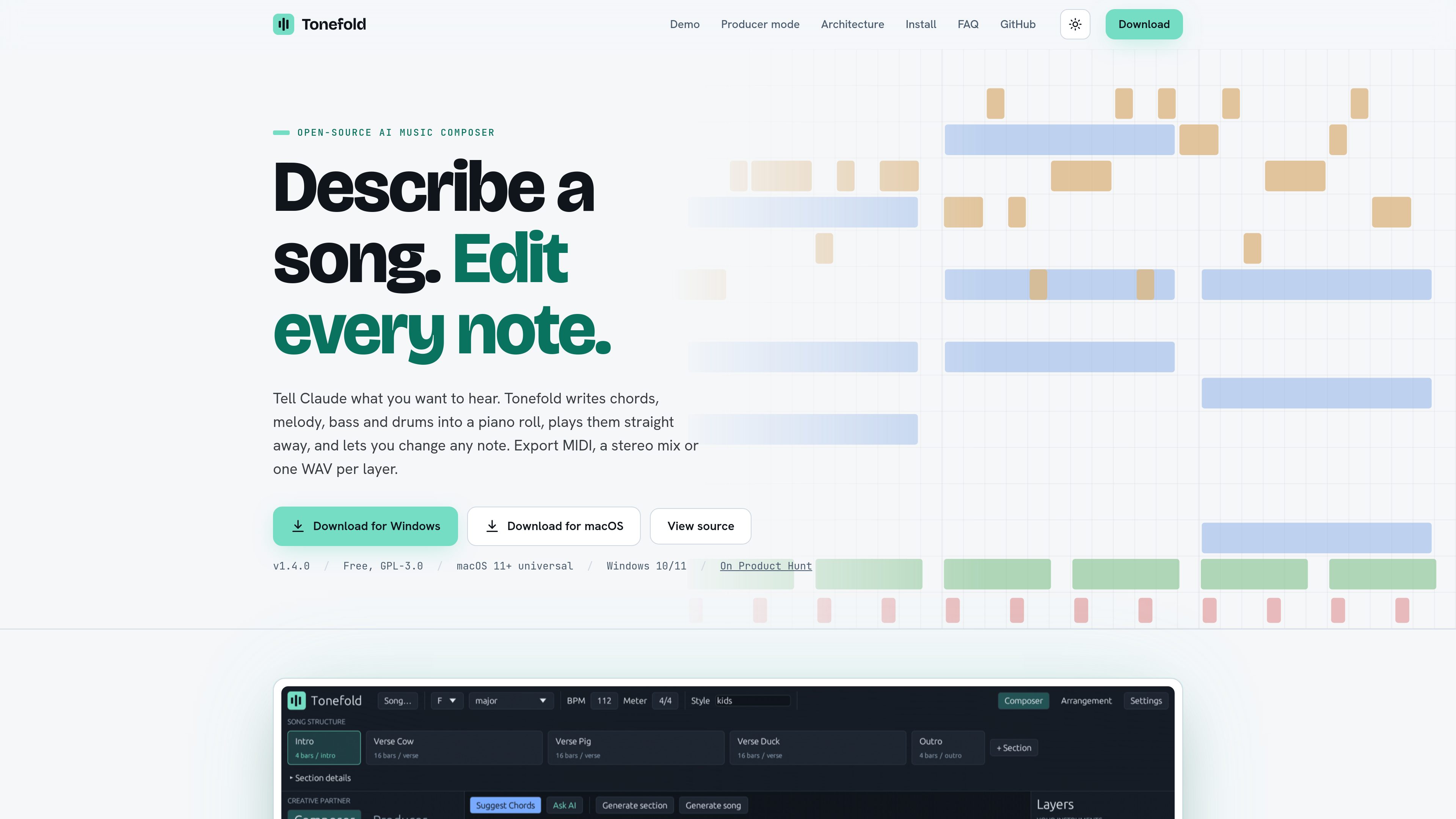
Tonefold is a free, GPL-3.0 desktop music composer for macOS and Windows. You describe a song, melody, mood, or change in plain language, and its composer writes chords, melody, bass, drums, and other parts into an editable piano roll. The app includes a built-in General MIDI synth, so you can hear the result immediately without first choosing instruments or opening a DAW.
The editor separates a song into layers and sections. Notes can be drawn, moved, resized, and auditioned from the piano roll, with velocity and drum lanes for detailed editing. Tonefold supports eleven layer types, including chords, melody, bass, drums, pads, arpeggios, plucks, counter-melody, harmony, sub, and percussion. Layers can be muted, locked, rearranged, or exported independently.
Describe a melody, mood, or requested change in chat. Tonefold writes musical layers into the current song rather than limiting the workflow to one generated audio file.
Draw, move, resize, and audition individual notes. The editor includes velocity and drum lanes, allowing generated material to be revised at note level.
Work with eleven editable layer types, including chords, melody, bass, drums, pads, arpeggios, plucks, counter-melody, harmony, sub, and percussion. Sections organize the song from intro through outro.
Producer mode shows the planned key, tempo, form, and exact layer-section changes before writing. Approval is enforced by the app, and a host ledger records the run for auditing or whole-run reversion.
A built-in General MIDI synth plays the arrangement on the machine. Export options include MIDI, a stereo WAV mix, and one WAV stem for each layer.
Start with a plain-language idea such as a melody, mood, or arrangement change, then listen to the generated layers immediately in the standalone app.
Use the piano roll when the musical direction is close but specific notes, rhythms, velocities, or drum hits need direct adjustment.
Use sections and locked layers to keep approved material in place while requesting a new bass line, melody, or rhythm for a selected part of the song.
Export MIDI, a stereo mix, or separate WAV layer stems, or use the optional CLAP/VST3 plugin to access the composer inside a DAW. FL Studio is the tested host.
No. Tonefold is a standalone app with its own piano roll, General MIDI synth, playback, and export tools. The CLAP/VST3 plugin is optional for using the composer inside a DAW.
The published releases support macOS 11 or later and Windows 10 or 11. The macOS download is a universal build for Apple Silicon and Intel.
Generation, playback, editing, and export run on your machine. Chat composition can use Claude through Claude Code or an Ollama model, but those model options are separate from the local editing and playback functions.
The app is free and open source under GPL-3.0. Claude-based chat uses your own Claude plan through Claude Code; Tonefold displays the cost of each turn. Using an Ollama model is described as free, subject to your local setup.
Tonefold can export MIDI, a stereo WAV mix, and one WAV file per layer. The app also supports exporting layers as MIDI through its layer controls.
トラフィックデータは参考情報としてご利用ください。