
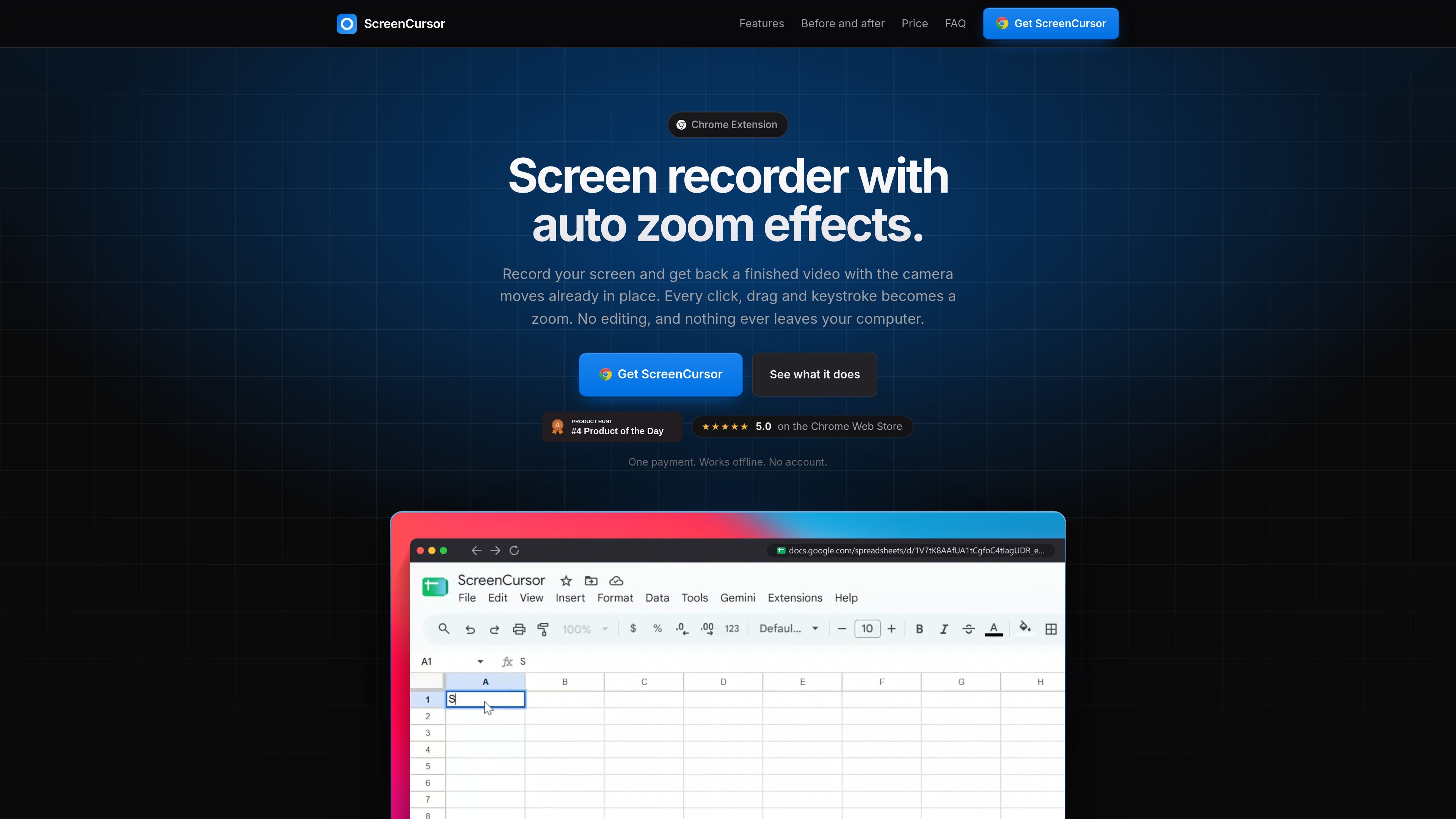
Automatic camera moves
Clicks, drags, and keystrokes detected during recording become zooms. Each zoom is timed to arrive shortly before the associated action and follow the cursor.

ScreenCursor is a Chrome screen recorder that automatically turns clicks, drags, and keystrokes into timed zoom effects. It is designed for people who want to produce focused MP4 demos without manually placing camera moves or uploading recordings.
ScreenCursor is a Chrome extension for recording desktop screens and producing edited screen-demo videos. During recording, it detects clicks, drags, and keystrokes and creates camera moves around those actions, so the resulting video can emphasize the relevant interface area without requiring a separate editing pass.
The workflow covers recording, automatic zoom generation, optional adjustments, and MP4 export. Users can trim or split footage, remove dead air, change playback speed, retime or resize zooms, choose a focus point, and adjust zoom motion. Recordings can also be placed over wallpapers, gradients, or a custom image, with options for blur, rounded corners, browser framing, and aspect ratio selection.
ScreenCursor runs inside Chrome on macOS, Windows, and Linux, and can record the whole screen, including desktop applications and other content outside the browser. Recording, editing, and export take place in the browser, and the product states that videos are not uploaded. It exports MP4 files at 720p or 1080p to the Downloads folder.
Clicks, drags, and keystrokes detected during recording become zooms. Each zoom is timed to arrive shortly before the associated action and follow the cursor.
Users can retime individual zooms, change their depth, switch between snappy and gentle motion, delete unwanted zooms, or add zooms manually. Changes are previewed as the camera rebuilds.
A zoom can be redirected to a specific part of the screen with the Zoom focus point control, including content in recordings of desktop applications.
The editor supports trimming, splitting, deleting sections, and speeding up slow portions. Zooms move with cuts so their timing remains aligned with the footage.
Recordings can use a wallpaper, gradient, or custom image as a backdrop, with optional blur, browser frame, rounded corners, and selectable aspect ratios.
Videos are exported as MP4 files at 720p or 1080p to the Downloads folder. Recording, editing, and export happen in the browser rather than through an upload workflow.
Record a desktop application or browser workflow once and use automatic camera moves to keep each click and typed interaction visible in the finished demo.
Create a shareable MP4 showing a feature or interface flow, then refine the pacing by removing dead air, splitting sections, or speeding up uneventful steps.
Capture a workflow across the desktop or other applications without sending the recording to a hosted video service, while retaining control over the final local file.
Use focus points, framing, aspect ratios, and adjustable zoom motion to prepare a screen-based explanation for a destination that accepts MP4 uploads.
No. The product states that recording, editing, and export take place inside the browser and that videos never leave the computer. It does not require an account.
It is a Chrome extension and is described as running on macOS, Windows, and Linux. Recording performance depends in part on the computer having hardware video encoding.
Yes. It can record the whole screen, including the desktop and other applications. Chrome displays its own screen-sharing bar during recording, and ScreenCursor waits three seconds so it can be collapsed.
Yes. Users can retime zooms, change their depth, choose a different focus point, switch motion style, delete zooms, or add their own. The editor also supports trimming, cuts, and speed changes.
It exports MP4 files at 720p or 1080p to the Downloads folder, ready to use without conversion.
トラフィックデータは参考情報としてご利用ください。

zellahq.com
Zella is an on-device screen recorder and video editor for Mac and iPhone. It records screen or camera footage, then supports AI-assisted polishing, captions, background removal, reframing, and export without an account or cloud upload.

usenarrative.ai
Narrative is an AI-first video editor that turns plain-language edit requests and uploaded footage into a timeline draft. It is designed for creators and production teams who want to find shots, assemble cuts, and continue refining the result in an editor.

www.supercut.cc
Supercut is a private AI video editor that runs in a browser or desktop app, letting creators describe edits such as trimming, reframing, captioning, color grading, and audio cleanup in plain English. It also includes a multitrack timeline and screen recorder for local video workflows.
framiocam.com
Capture screenshots and record, style, and edit screen content in Chrome with local processing and optional Google Drive sync.

jupitrr.com
Jupitrr Cut is a mobile teleprompter and recording app for creating talking-to-camera videos scene by scene. It lets creators retake individual lines, automatically trim silence, and assemble the selected takes into a jump-cut video.