
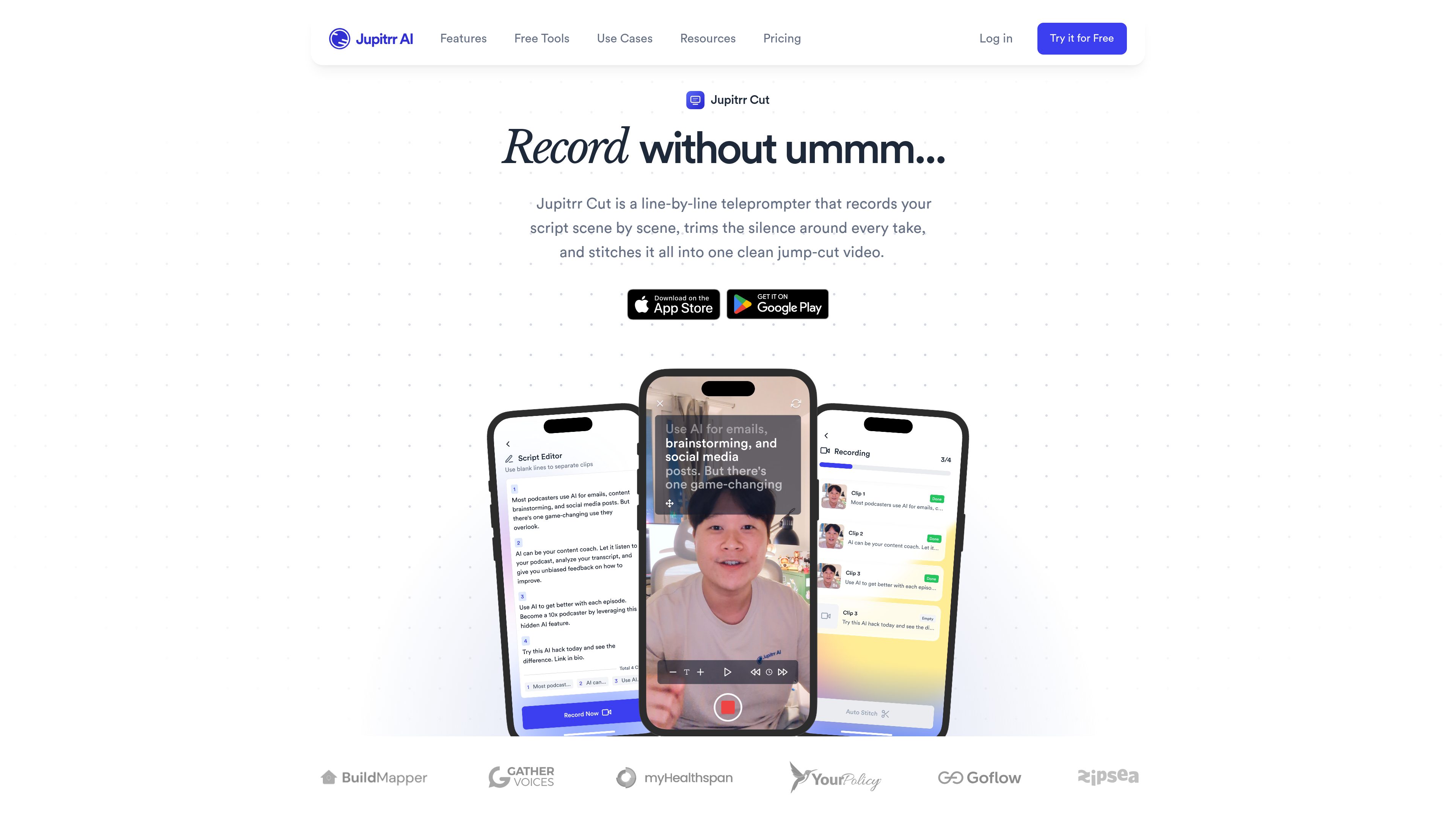
Scene-by-scene teleprompter
Displays a script as short scenes and prompts them one at a time, allowing users to record without memorizing or delivering the full script in a single take.

Jupitrr Cut is a mobile teleprompter and recording app for creating talking-to-camera videos scene by scene. It lets creators retake individual lines, automatically trim silence, and assemble the selected takes into a jump-cut video.
Jupitrr Cut is a mobile teleprompter and recording app for iOS and Android. It turns a script into short, recordable scenes so users can read one line at a time, retake only the scenes they need, and avoid restarting an entire talking-to-camera video after a mistake.
The app trims silence around individual takes and stitches the selected clips into a jump-cut video. Users can paste a script, import one from Jupitrr, or work with existing videos from their camera roll. Completed videos can be sent to a Jupitrr account for subtitle generation and automatic B-roll placement.
Displays a script as short scenes and prompts them one at a time, allowing users to record without memorizing or delivering the full script in a single take.
Paste a script into the app or import a recent script from Jupitrr. Scenes are split at sentence ends and can be merged or divided before recording.
Records each scene as its own clip, so a user can replace a mistaken line while leaving the other takes unchanged.
Detects the silence before and after each take, trims it, and joins the clips with hard cuts to create a jump-cut video.
Use existing clips from the camera roll inside a project, or select and order several library videos in the Stitches tab without using a script.
Upload a completed video to Jupitrr with one tap for automatically generated subtitles and B-roll, then continue editing in the Jupitrr editor.
Coaches, consultants, and other personal-brand creators can read a prepared explanation line by line and replace only the takes that need improvement.
Creators making videos for channels such as Instagram Reels, TikTok, or YouTube can assemble concise takes into a clean jump-cut edit without manually trimming every pause.
Users who struggle with uninterrupted delivery can record a script in manageable scenes, preserving acceptable takes while revisiting only the lines that went wrong.
Creators with clips already saved on their device can upload individual footage or stitch several library videos together, even when no script is involved.
Users can save notes and reference links in the Ideas tab, including videos shared from Reels, TikTok, or YouTube, for use when preparing later content.
Jupitrr Cut is available as a free app for iPhone and Android. It is listed as “JupitrrCut - Jump Cut Recorder” on the App Store and Google Play.
Each script scene is recorded as a separate clip. You can retake the affected scene, keep the take you prefer, and continue without rerecording the rest of the video.
Yes. Auto jump cut is enabled by default when reviewing clips. You can drag trim handles to adjust a cut or turn automatic jump cuts off.
Yes. You can upload a camera-roll clip in a project, or select and order several videos in the Stitches tab to apply the trimming and stitching workflow without a script.
The source describes Jupitrr Cut as free to download and use on iPhone and Android, with no watermark on videos. Separate Jupitrr AI plans include the broader editor and related features, but the available information does not specify whether every Jupitrr Cut workflow requires a paid plan.

odysser.com
AI video editing for creators and teams producing talking-head and social videos.

clipchamp.com
A browser-based video editor for recording, editing, and sharing videos, with a Windows app option.

kinemaster.com
A mobile video editor for creators, with layered editing, AI tools, and 4K export.

vmaker.com
AI video creation and editing platform for recording, repurposing, and publishing videos.

usenarrative.ai
Narrative is an AI-first video editor that turns plain-language edit requests and uploaded footage into a timeline draft. It is designed for creators and production teams who want to find shots, assemble cuts, and continue refining the result in an editor.

vyond.com
A business video creation platform for generating, editing, and localizing videos.