
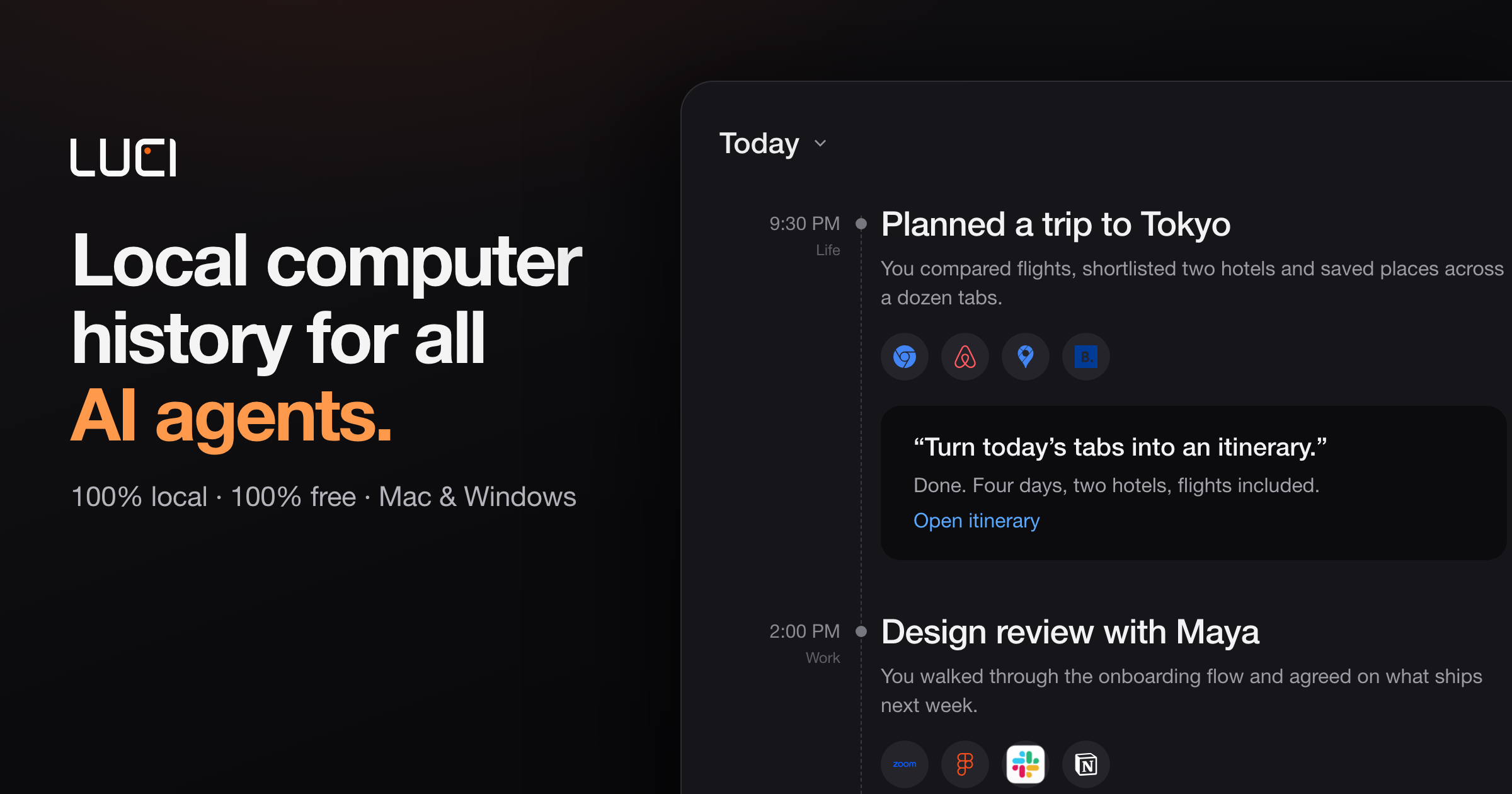
Local screen memory
Captures the computer workday across apps, including meetings, email, code, and browser activity, and keeps the resulting memory on the device.

LUCI is a local desktop memory tool for Mac and Windows that captures computer activity and meetings, then makes that context available to search, chat, and connected AI coding agents. It is designed for people and teams that need persistent context across calls, screens, notes, and everyday workflows.
LUCI is a local-first desktop memory application for Mac and Windows. It captures screen activity and meetings on the computer, stores recordings, transcripts, and memory on the device, and makes that context searchable across a user’s workday.
It supports bot-free meeting capture for Zoom, Google Meet, and Microsoft Teams, along with memory search, meeting notes, action items, and chat. LUCI also provides official skills and an Agent Bridge so compatible AI agents can retrieve relevant screen and meeting context. The memory stays on the device, although information an agent pulls into its conversation may be sent to that agent’s own cloud service.
The product is intended for people and teams working across meetings, calls, code, email, browser activity, and recorded sessions who need persistent context rather than isolated AI prompts.
Captures the computer workday across apps, including meetings, email, code, and browser activity, and keeps the resulting memory on the device.
Records Zoom, Google Meet, and Microsoft Teams from the computer without a notetaker bot joining the call. Notes and transcripts remain on the device.
Lets users search recorded work in plain language and use LUCI chat to retrieve meeting, screen, and other stored context.
Official skills connect LUCI memory to agents including Claude Code, Cursor, Codex, Gemini, GitHub Copilot, and Windsurf. MCP is available as an optional connection path.
The product includes meeting transcription, summaries, action items, automated follow-ups, and context-aware meeting reminders according to its feature and pricing pages.
Recordings, transcripts, and memory are stored locally, with the site stating that the on-device library is encrypted at rest and not uploaded to the cloud.
Founders and small teams can retrieve client details, recap prior conversations, and keep context available during handoffs without relying on manual notes.
Investors can use recorded and indexed material to organize pitch information, follow portfolio updates, and support due-diligence research.
Sales leaders can review calls for buying signals, pipeline context, deal risks, and rep-coaching opportunities.
Managers and knowledge workers can turn meetings and recordings into searchable references, summaries, and action items instead of replaying entire sessions.
Developers can connect coding agents to relevant screen and meeting memory so tools such as Claude Code, Cursor, or Codex can work with prior context.
The documentation lists Apple Silicon Macs and Windows 10 or later. The product site describes LUCI as available on Mac and Windows.
LUCI documents support for Zoom, Google Meet, and Microsoft Teams. It records from the computer without a bot joining the call.
LUCI states that recordings, transcripts, and memory stay on the user’s device and that its local library is encrypted at rest. It also states that nothing is uploaded to the cloud.
Yes. Official skills and the Agent Bridge let supported agents search or use LUCI’s screen and meeting memory. If an agent retrieves information into a conversation hosted by another service, that conversation is subject to the agent provider’s handling and cloud processing.
According to the pricing page, LUCI is free forever, with no trial window, subscription, usage caps, or credit card requirement. The site says every feature is included.

unabyss.com
Connect work apps to one structured context layer, then let supported MCP agents retrieve, update and export the context their tasks need.

www.earlyn.app
A private Mac memory for searchable screen history, meeting notes, and AI-agent context.

pieces.app
An on-device work memory layer that helps individuals and teams recover context across their tools.

harbor.my
Harbor is a private, cross-platform notes and capture app for organizing notes, documents, scans, photos, handwriting, and audio in one searchable archive. It is designed for people moving from Evernote or building a personal second brain they can export and keep under their control.

summify.io
Build source grounded knowledge pods from media and documents, then use them across Summify and connected AI tools.

epismo.ai
Epismo is a collaboration workspace for people and AI agents that preserves a case’s goal, evidence, decisions, and next steps. It helps collaborators continue work across handoffs and turn effective approaches into reusable playbooks.