Harbor logo

Harbor

Freemium
訪問

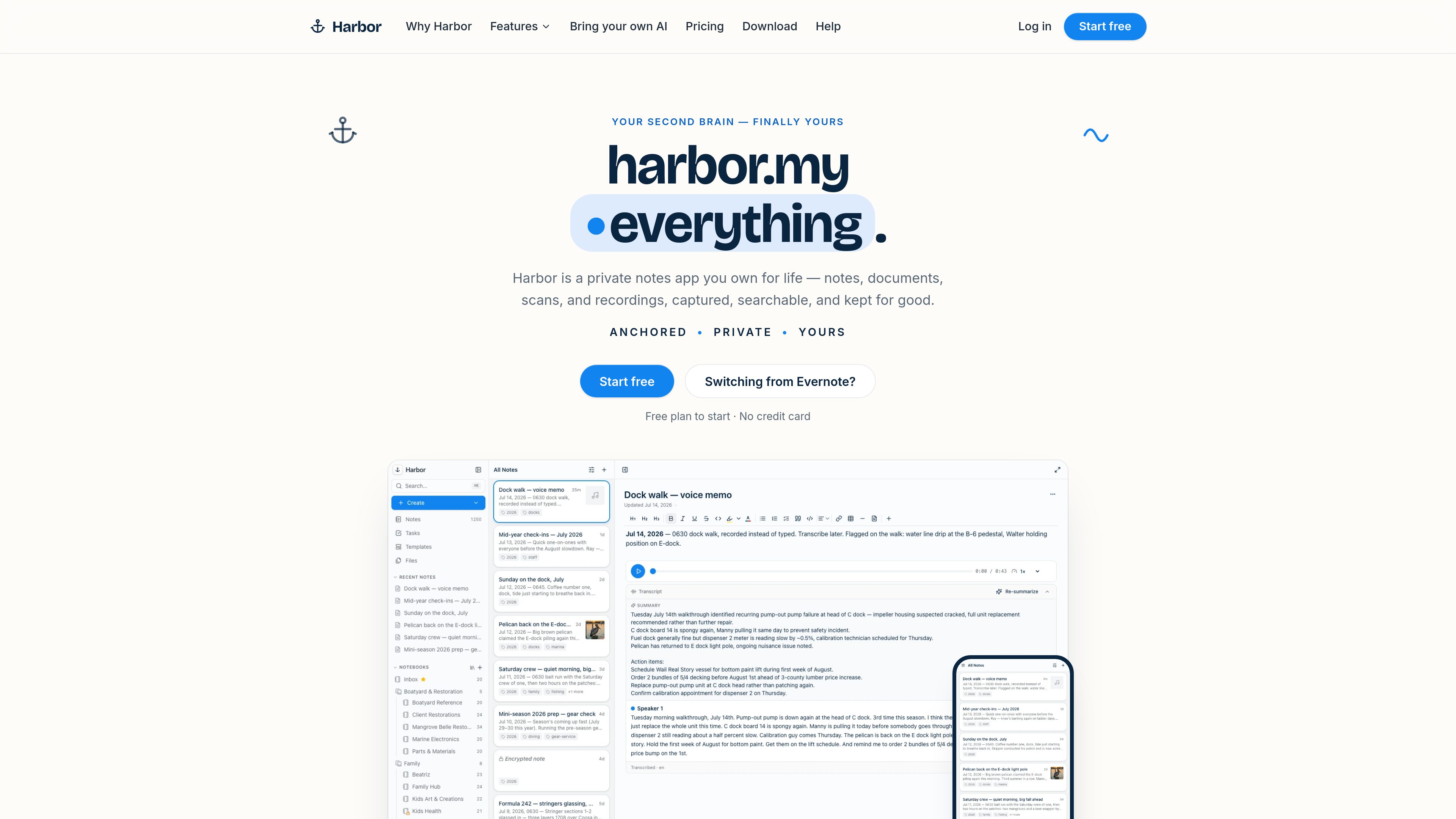
Harbor is a private, cross-platform notes and capture app for organizing notes, documents, scans, photos, handwriting, and audio in one searchable archive. It is designed for people moving from Evernote or building a personal second brain they can export and keep under their control.

Harborとは?

Harbor is a private, cross-platform notes and personal knowledge app for collecting typed notes, documents, scans, photos, handwriting, web clips, and audio. It combines notebooks, stacks, tags, workspaces, tasks, reminders, templates, and version history so information can be kept in a structured archive without requiring Markdown or a complex filing system.

Its capture and retrieval features extend beyond ordinary text notes. Harbor can OCR photos, scanned PDFs, handwriting, and email attachments, highlight matches inside source files, and turn recordings into searchable, speaker-labeled transcripts. Notes and files can be accessed on Mac, Windows, iPhone, iPad, Android, and the web, with offline support described across the product.

For privacy and portability, users can enable zero-knowledge encryption for individual notes or notebooks, export their data in HTML, Markdown, or Evernote ENEX, and connect external tools through the API, CLI, or MCP. Harbor offers a free plan and a paid Unlimited plan.

Harborでできること

Notes, notebooks, and tasks

Use a modern editor with headings, checklists, collapsible outlines, colored tables, highlighters, slash commands, drag-and-drop attachments, and autosave. Organize notes with notebooks, stacks, tags, workspaces, templates, due dates, reminders, recurrence, and priority.

Capture scans, files, and recordings

Capture paper documents, photos, handwriting, PDFs, spreadsheets, and audio from desktop or mobile. Harbor also supports email-to-note, a global desktop hotkey, a phone share sheet, and watched folders on Mac, PC, Google Drive, or Dropbox.

OCR and transcript search

OCR is applied to photos, scanned PDFs, handwriting, and email attachments so searches can find words inside files and highlight matches on the source page. Recordings can be transcribed into speaker-labeled text and searched like notes.

Version history and recovery

Harbor saves note versions and provides one-click restore and a per-note activity timeline. Deleted notes can be restored, and sync conflicts produce a separate conflict copy rather than silently overwriting content.

Cross-platform and offline access

Native apps are listed for Mac, Windows, iPhone, iPad, and Android, alongside a web app and browser Web Clipper. The product states that content remains usable without a signal and syncs when connectivity returns.

Privacy, portability, and external tools

Zero-knowledge encryption can be enabled for any note or notebook. Users can export HTML, Markdown, or ENEX, import from Evernote, publish read-only note links, and use the API, CLI, or MCP to connect their own tools or AI services.

利用シーン

“Move an Evernote library”

Import Evernote notebooks, tags, checklists, attachments, and clips, then continue organizing or searching the collection in Harbor. The product also supports exporting the library in HTML, Markdown, or ENEX if it needs to be moved again.

“Build a searchable paper archive”

Scan receipts, IDs, warranties, recipes, or other paperwork from a phone, or route files from a watched folder into a selected notebook. OCR makes the words on the pages available to search later.

“Keep meeting and voice records”

Record a meeting or voice memo, transcribe it into speaker-labeled text, and search the transcript alongside ordinary notes. On the web and Mac, system audio can be included in recordings.

“Manage recurring personal work”

Keep project or household notes next to tasks, due dates, reminders, recurring items, and priorities. Templates can provide repeatable structures for meeting notes, trip plans, journals, or similar workflows.

“Connect an existing AI workflow”

Use Harbor’s API, CLI, or MCP to connect tools such as a user’s own AI assistant for searching, adding, and organizing notes. Harbor states that users provide their own AI keys rather than using an AI system built into the app.

よくある質問

Which platforms does Harbor support?

Harbor lists native apps for Mac, Windows, iPhone, iPad, and Android, plus a web app. It also lists Web Clipper support for Chrome, Edge, Firefox, and Safari.

Can Harbor import and export my data?

Yes. Harbor supports importing from Evernote, including notebooks, tags, checklists, attachments, and clips. Exports are available in HTML, Markdown, or Evernote ENEX; Markdown exports can be organized as plain .md files in folders matching notebooks.

What does Harbor OCR?

Harbor OCRs photos, scanned PDFs, handwriting, and email attachments. Search results can highlight matching words directly on the source file. Encrypted notes are excluded because Harbor cannot read their contents.

What happens if I stop paying?

The account becomes read-only, while notes remain available. Users can still export or delete their data at any time, but editing is disabled.

Does Harbor include encryption and AI?

Zero-knowledge encryption is optional and can be enabled for individual notes or notebooks. Harbor does not build its own AI into the product; its API, CLI, and MCP are intended for connecting tools or AI services that the user already uses.

クイック情報

Category
Productivity and personal knowledge management
Platforms
Mac, Windows, iPhone, iPad, Android, and web
Capture formats
Notes, scans, photos, PDFs, handwriting, audio, web clips, and email
Search
Full-text search with OCR for images, scanned PDFs, handwriting, and transcripts
Data portability
Evernote import; HTML, Markdown, and ENEX export; API, CLI, and MCP
Pricing
Free plan available; Unlimited plan at $9.99/month or $99/year

Harborの代替品

Earlyn logo

Earlyn

www.earlyn.app

A private Mac memory for searchable screen history, meeting notes, and AI-agent context.

LUCI logo

LUCI

luci.memories.ai

LUCI is a local desktop memory tool for Mac and Windows that captures computer activity and meetings, then makes that context available to search, chat, and connected AI coding agents. It is designed for people and teams that need persistent context across calls, screens, notes, and everyday workflows.

Albus logo

Albus

albus.org

An AI workspace for organizing, searching, and exploring personal and business documents.

waper logo

waper

waper.ai

waper is a personal agent that works across connected apps, watches chosen sources, and keeps documents and saved material in a searchable knowledge base and library.

mymind logo

mymind

mymind.com

A private, AI-assisted place to save and find notes, bookmarks, images, and articles.