
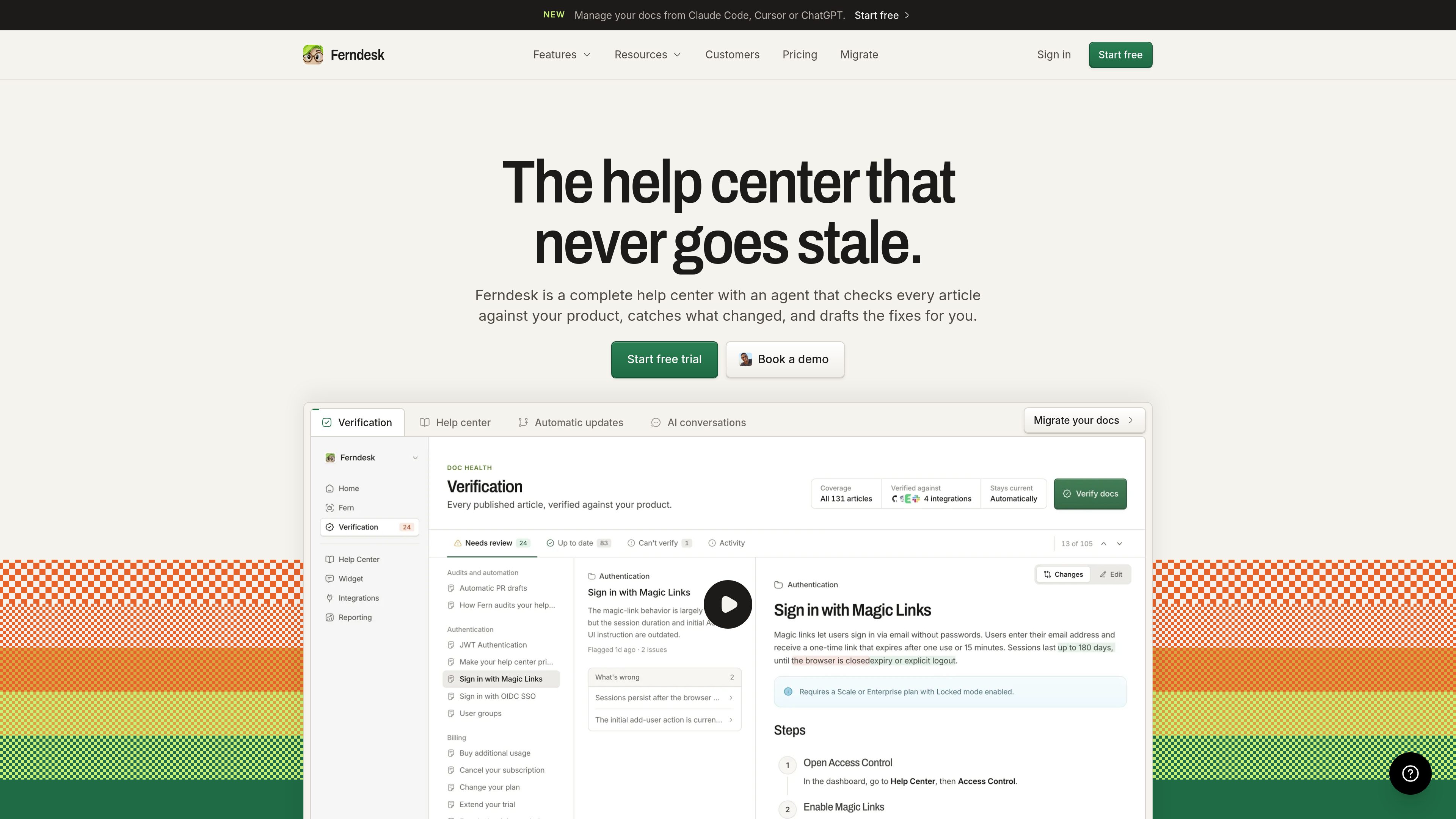
AI documentation verification
Fern checks help articles against connected product sources and explains proposed changes when an article no longer matches the code or live product.

Ferndesk is a help center for SaaS teams that uses Fern to check articles against product context, identify changes, and draft documentation updates. It also provides public and private documentation, AI conversations, an in-app help widget, API docs, translations, and analytics.
Ferndesk is a SaaS help center with Fern, an AI documentation agent that checks articles against product context and drafts updates when the product changes. Fern can use a connected codebase, live product, support conversations, changelogs, videos, and other knowledge sources to identify outdated claims and documentation gaps.
The product is designed to keep customer-facing documentation aligned with ongoing releases. It can draft fixes for changed articles, prepare documentation for new releases, and automate screenshots or scheduled audits. Teams review and approve proposed changes before they are published.
Beyond article maintenance, Ferndesk provides public documentation on a custom domain or /help subfolder, private documentation for customers, partners, or internal teams, AI conversations, an in-app self-service widget, OpenAPI documentation, translations, and usage analytics. Existing help centers can be imported with URLs preserved and redirects created, while the existing support tool remains in place.
Fern checks help articles against connected product sources and explains proposed changes when an article no longer matches the code or live product.
After product changes, Fern can draft missing or updated documentation, including articles associated with merged pull requests. Teams approve the content before publishing.
Publish a searchable public help center on a custom domain or `/help` subfolder, or provide private documentation through magic links, OIDC, or JWT.
Add one script tag to place search, articles, and AI chat inside a product. The widget can appear as a floating button, sidebar, or modal, and can collect details for human follow-up when it cannot answer.
Import articles, images, and URLs from an existing help center, with redirects created as part of the migration. The connected support tool does not need to be replaced.
Create OpenAPI reference pages with a try-it playground, publish multilingual documentation with glossary support, and review searches, missed searches, failed answers, and feedback.
SaaS teams shipping frequent releases can connect their codebase and product sources so Fern identifies changed claims, drafts corrections, and provides a review workflow before updates go live.
Product teams can embed the widget where users encounter problems, allowing customers to search articles or ask questions in plain language without opening a separate documentation tab.
Teams that have delayed a documentation migration can import their current articles, images, and URLs into Ferndesk while preserving links and leaving their inbox, chat, or ticketing system in place.
Companies can publish a public help center while using private access for customers, partners, or internal teams, with authentication options including magic links, OIDC, and JWT.
Developer-facing teams can place OpenAPI reference material beside customer docs, while organizations serving multiple languages can use translated routes and a shared glossary.
No. You import the existing help center into Ferndesk, with URLs preserved and redirects created, and Fern maintains the imported articles from then on. Your original support tool can remain in place and continue supplying support context.
Fern connects to product sources such as a codebase, support tickets or conversations, videos, and changelogs. It uses that context to check claims, identify gaps, and draft fixes or new articles. Teams review and approve the drafts before publication.
The widget is added with a single script tag. It can appear as a floating button, sidebar, or modal and provides article search, documentation access, and AI conversations inside the product.
Yes. Ferndesk lists private or authenticated help centers for customers, partners, or internal teams, with access through magic links, OIDC, or JWT.
Ferndesk offers a 7-day free trial and states that no credit card is required to start it.

checklistgenerator.ai
AI Checklist Generator uses ChatGPT to draft custom process checklists and provides industry-grouped examples for common business tasks.

docsalot.dev
Documentation platform for publishing human-readable docs and AI-ready outputs, including hosted MCP.

www.clueso.io
Clueso is an AI video and documentation platform that turns screen recordings and other source material into editable product videos and step-by-step guides. It also connects to MCP-compatible AI tools so users can create and revise content through conversational instructions.