
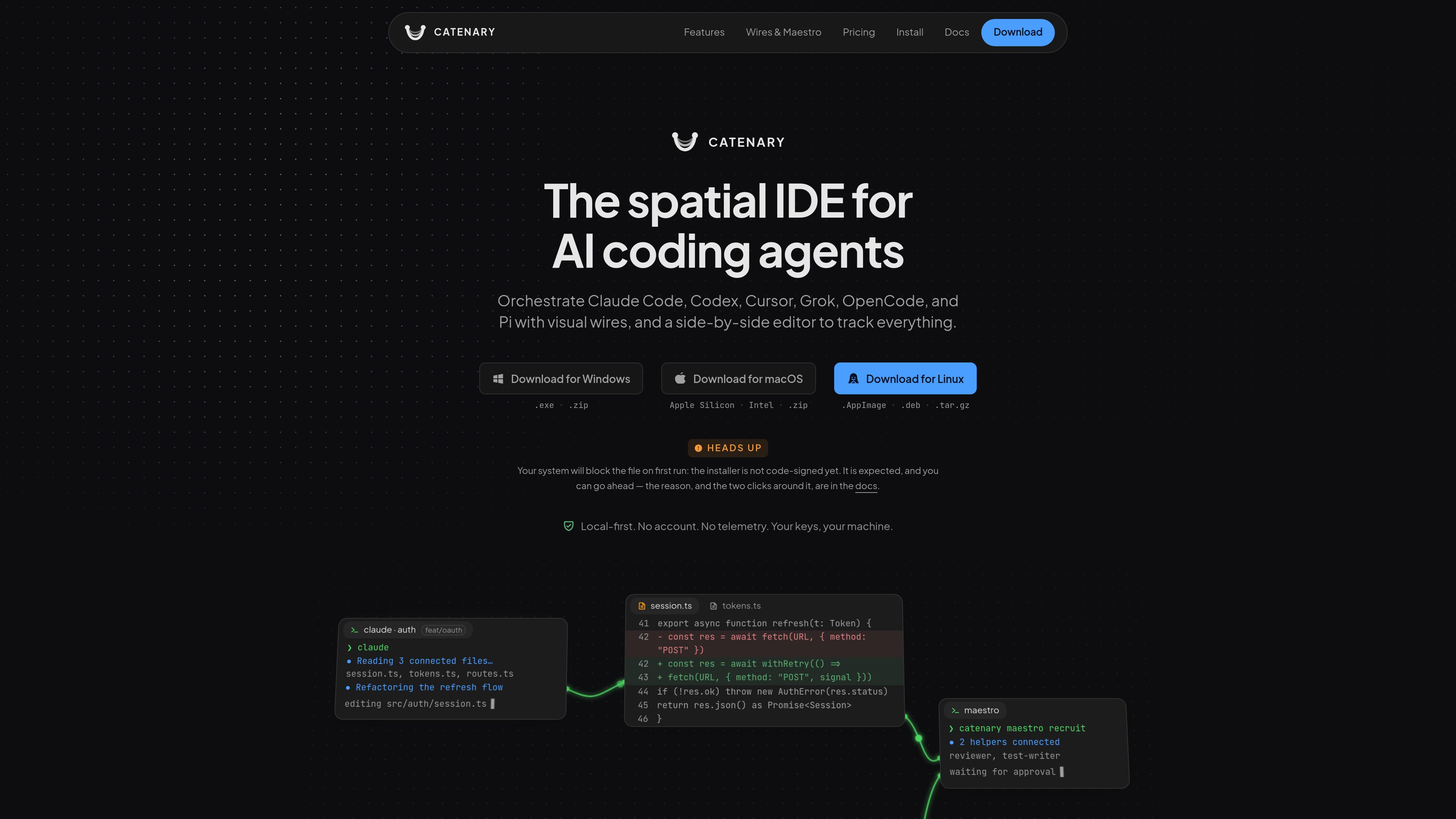
Infinite canvas workspace
Pan and zoom across a canvas where terminals, Monaco editors, browser panels, and agent sessions can be arranged side by side. Canvas state is saved in the opened project so the layout can be restored later.

Catenary is a local-first desktop IDE for running and coordinating multiple AI coding agents on an infinite canvas. It helps developers keep terminals, editors, browsers, worktrees, and agent context visible in one workspace.
Catenary is a native, local-first desktop IDE for coordinating multiple AI coding agents on an infinite, zoomable canvas. It places PTY-backed terminals, Monaco editors, browser panels, git worktrees, and agent sessions side by side so developers can watch parallel coding work without switching between disconnected windows.
Catenary does not run a model or proxy prompts. It provides the workspace around agent CLIs the user already has installed, including Claude Code, Codex, Cursor, Grok, OpenCode, and Pi as listed by the product. API keys remain on the user's machine, while project workspace state is stored locally in the opened project.
Its core workflow combines isolated branches and worktrees, side-by-side diffs, and visual context wires between panels. This lets users run several experiments independently, inspect agent changes before keeping them, and pass context between agents without manually copying it between windows. Maestro Mode extends the workflow by allowing one agent to recruit and brief helpers, while requiring a human approval action before those operations proceed.
Pan and zoom across a canvas where terminals, Monaco editors, browser panels, and agent sessions can be arranged side by side. Canvas state is saved in the opened project so the layout can be restored later.
Create a task with its own branch, working directory, and agent without changing the main working tree. Separate tasks can therefore run in parallel without modifying one another's files.
Review changes in an editor based on VS Code's Monaco editor. The side-by-side diff shows what an agent touched, and the file tree is git-aware so moved files remain visible in context.
Connect a source panel to an agent with a directed wire that carries context. Wires can relay automatically when the source becomes quiet or act as a standing permission that the downstream agent can request.
Let one agent recruit, brief, and wire a group of helper agents. Human approval is required for the resulting actions, and the helper count is adjustable within the applicable plan limits.
Run the canvas, terminals, editor, git, and worktrees on the user's machine without an account or telemetry. Catenary does not proxy prompts or send project files, terminal output, conversations, or API keys to its servers.
Create separate agent tasks for competing fixes, refactors, or feature approaches. Each task uses an isolated branch and worktree, so experiments can be compared without disturbing the working tree in front of you.
Open the changed files in the Monaco editor and use the side-by-side diff and git-aware file tree to inspect an agent's edits before deciding what to keep.
Use a wire to pass relevant context from a lead agent or terminal to another agent handling a focused task, such as handing a performance issue from one session to a specialist session.
Use Maestro Mode when a task benefits from multiple helpers, such as separate review, testing, refactoring, or implementation roles. Approve the proposed recruitment and wiring actions before they are carried out.
Keep a browser panel pointed at a development server alongside terminals and editors. This provides a single canvas for watching the running application while agents modify the project.
No. Catenary is the desktop workspace around coding agents. It does not run a model or proxy prompts; users run the agent CLIs they already have installed and supply their own API keys.
No account is required, and the application is designed to run locally without an internet connection. The product states that the canvas, terminals, editor, git, and worktrees do not need network permission to operate. The app may check for updates, and license activation or trial claiming are user-initiated network actions.
Catenary provides downloads for Windows, macOS, and Linux. The listed formats include a Windows NSIS installer and ZIP, macOS DMG and ZIP for Apple Silicon and Intel, and Linux AppImage, DEB, and tar.gz packages. Homebrew is supported on macOS, winget on Windows, and Linux users can use the AppImage or DEB package.
The Free plan includes unlimited canvas, terminals, editor, browser, git, connection wires, and canvas tabs or split views. It allows one simultaneously open project, two parallel isolated tasks, up to two Maestro helpers per agent, and the built-in squads of up to three agents. The source also describes a seven-day Pro trial that can be claimed once without a credit card.
The product states that source code, file contents, terminal output, commands, project names, branches, file paths, prompts, agent conversations, and API keys are not sent to Catenary. It describes update checks through GitHub Releases and user-triggered license or trial requests, while Pro license signatures are verified locally.
トラフィックデータは参考情報としてご利用ください。

bentoai.dev
Bento Term is a native tmux client for watching and interacting with coding-agent sessions over SSH. It helps developers monitor multiple panes, respond when agents need input, and inspect files from Mac, iPhone, or iPad.

yoetz.dev
Yoetz is a local-first, open-source work ledger that checks completion claims from AI coding agents. It compares the agent’s declared work with host-side records and issues a receipt showing what was verified, the coverage reached, and any open findings.

entire.io
Git hosting and agent session tracking for developers working with coding agents.

emdash.sh
Coordinate coding agents across parallel tasks, with isolated Git worktrees, issue-linked context, and in-app change review.
bentomux.takora.dev
An open-source desktop app for running coding-agent CLIs side by side in persistent workspaces.

coldiq.com
ColdIQ is a unified GTM data API for Claude Code, AI agents, and developers. It lets teams search leads, enrich contacts, find emails, and access multiple data providers through an API, MCP server, or agent interface.