
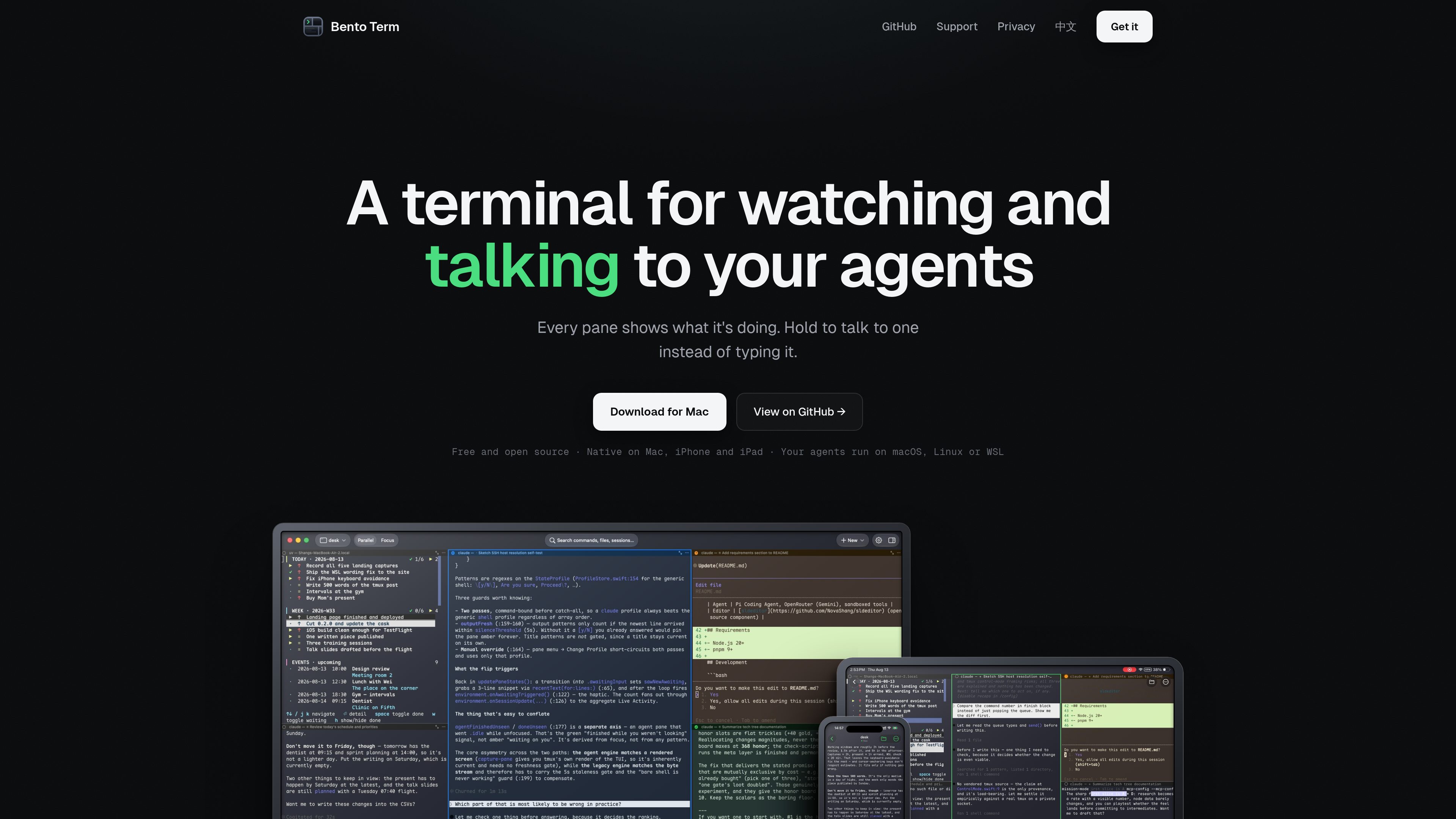
Pane status at a glance
Shows whether each tmux pane is working, waiting for the user, or done, helping users identify which agent session needs attention.

Bento Term is a native tmux client for watching and interacting with coding-agent sessions over SSH. It helps developers monitor multiple panes, respond when agents need input, and inspect files from Mac, iPhone, or iPad.
Bento Term is a native tmux client for monitoring and interacting with coding-agent sessions over SSH. It attaches to tmux sessions already running on a reachable Mac, Linux machine, or WSL environment and gives each pane a visible status, including whether it is working, waiting for input, or finished.
The app is designed for developers supervising multiple terminal-based agents. Alongside terminal interaction, it exposes the focused pane’s working directory, searchable file tree, and file previews, so users can move from agent output to the relevant source or document without leaving the session. It runs on macOS, iPhone, and iPad, while the terminal sessions remain on the user’s own machine.
Shows whether each tmux pane is working, waiting for the user, or done, helping users identify which agent session needs attention.
Connects to a user’s own computer over plain SSH and attaches to sessions that are already running. Bento Term does not require a Bento-hosted server or install software on the remote machine.
Each pane carries its working directory, with a file tree available at any depth and search support for locating project files.
Paths printed by an agent can be opened directly. Source files display with syntax highlighting and line gutters, including references to specific lines; PDFs, images, and documents open in Quick Look.
The same remote file tree and terminal connection are available from iPhone and iPad. A microphone control supports speech recognition when the required system permissions are enabled.
Run agents in separate tmux panes and use pane status to find the session that has stopped, completed, or needs a response instead of checking every terminal manually.
Connect from an iPhone or iPad to a tmux session on a Mac, Linux machine, or WSL host, answer prompts, and return to the same session after moving between networks.
When an agent prints a path or line reference, open the file from the pane’s working directory, review it with syntax highlighting, or preview a generated document without relying only on terminal output.
Use tmux as the session host so programs continue running when a phone loses signal; reconnect over SSH to resume from the existing session.
You need a computer that you can already reach over SSH, with tmux installed and an account that can run it. The host may be a Mac or Linux computer you own, or a WSL environment. Bento Term does not install tmux or provide a remote server.
Bento Term is native for Mac, iPhone, and iPad. The support page specifies macOS 14 or later on Apple Silicon, and iOS or iPadOS 17 or later.
The tmux session and its programs continue running on the remote host while the device is offline. Reconnecting lets you attach to the session again.
The app supports password and private-key authentication for SSH. Keys and passwords are stored in the system Keychain.
No. It communicates with the user’s computer over plain SSH, and the site states that terminal activity does not pass through Bento. Usage analytics are off by default, and the app is open source under Apache-2.0.

thecatenary.app
Catenary is a local-first desktop IDE for running and coordinating multiple AI coding agents on an infinite canvas. It helps developers keep terminals, editors, browsers, worktrees, and agent context visible in one workspace.

entire.io
Git hosting and agent session tracking for developers working with coding agents.

coldiq.com
ColdIQ is a unified GTM data API for Claude Code, AI agents, and developers. It lets teams search leads, enrich contacts, find emails, and access multiple data providers through an API, MCP server, or agent interface.

harnessmanager.devmesh.xyz
Harness Manager is a free, open-source native Mac workspace for managing AI coding tools, MCP servers, skills, updates, and model comparisons. It helps developers inspect their local setup, discover additions, review updates, and compare models in one app.

otty.sh
A native, GPU-accelerated terminal for developers working with shells and code agents.

capslane.com
Capslane is a YouTube transcript API that retrieves native captions and generates timestamped transcripts when captions are unavailable. It is designed for server-side applications that need a consistent transcript response, asynchronous jobs, and workspace-based usage controls.