Termphin logo

Termphin

Freemium
訪問

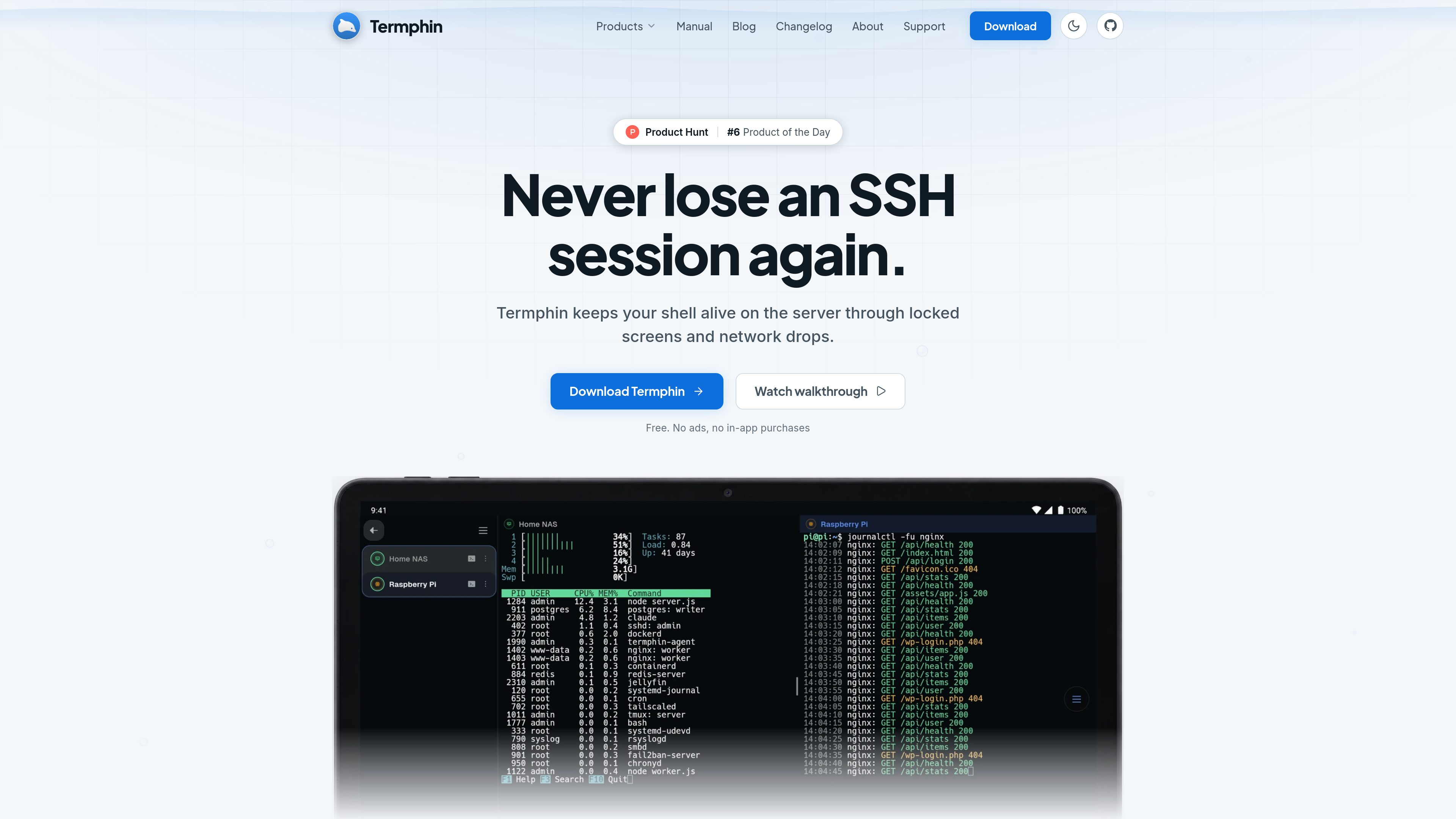
Termphin is an Android SSH client for connecting to existing servers, with persistent remote sessions that can be resumed after network drops or a locked phone. It combines terminal access with SFTP, SSH keys, port forwarding, snippets, and support for AI coding-agent workflows.

Termphinとは?

Termphin is an Android SSH client for connecting to existing servers such as VPSs, Raspberry Pis, and personal or work computers. It combines a terminal with SFTP file management, SSH keys, port forwarding, snippets, jump hosts, and session organization.

Its defining workflow is persistent remote sessions. When installed on a server, the open-source Termphin Agent keeps a shell running after the phone is locked, the network changes, or the connection drops. Termphin can reattach to that shell when the connection returns, and the same session can be attached from a terminal on the server.

The app is also intended for longer-running developer tasks, including Claude Code, Codex, and OpenCode. Full-screen terminal programs and agent interfaces are rendered in the app, while file transfer, editing, and server access remain available through the same SSH connection.

Termphinでできること

Persistent SSH sessions

The optional Termphin Agent runs as the user on the server and keeps the remote shell alive through locked screens, lost signal, network changes, and dropped connections. Reconnect to the existing session instead of restarting the work.

Terminal and full-screen TUI rendering

The terminal is rendered directly by Flutter rather than a web view, so applications such as htop, vim, progress displays, and diff views are intended to retain their terminal layout and characters.

SFTP and remote file editing

Browse, create, rename, upload, download, and delete server files over the same connection as the terminal. Files can be opened in the built-in editor, which includes syntax highlighting and find-and-replace.

SSH access and routing tools

Manage SSH keys and host keys, use local and remote port forwards, and route through bastion hosts with a ProxyJump-style configuration. The app also supports interactive TOTP and PAM prompts during sign-in.

Mobile terminal productivity tools

Use split-screen sessions, autocomplete from command history, snippets with fill-in values, a configurable key toolbar, fast upload with the remote path pasted into the prompt, and automatic reconnect attempts.

Local security and data controls

Keys and passwords are sealed on the device with AES-256-GCM under a key held by secure hardware. Optional PIN or biometric app locking, host-key checking, and passphrase-sealed backups provide additional controls.

利用シーン

“Continue a server task away from a desk”

Start a command or deployment in the mobile terminal, lock the phone or lose connectivity, then reconnect to the same shell later. The Termphin Agent keeps the process and session on the server.

“Run AI coding agents remotely”

Launch Claude Code, Codex, or OpenCode on a server and monitor progress, diffs, and terminal output from the phone while the screen is locked. The work continues in the server-side shell.

“Inspect and modify server files from mobile”

Use the SFTP browser to find files, upload assets, download results, or open and edit a remote file without switching to a separate transfer tool.

“Reach private infrastructure through SSH”

Connect to machines behind a bastion host with a saved jump-host route, or use SSH port forwarding to access a database, web dashboard, or other service through an encrypted tunnel.

よくある質問

What devices and servers does Termphin support?

The app is distributed through Google Play and requires Android 8.0 or newer. It connects to servers reachable over standard SSH, including Linux, macOS, BSD, and Windows systems. The separate Termphin Agent lists Linux x86_64 and arm64, macOS on Intel and Apple Silicon, and Windows x86_64.

Is the Termphin Agent required for every SSH connection?

No. Basic sessions work without the helper. The Agent is used when you want a shell to survive a dropped connection or to attach to the same session from another terminal. It runs as your user, needs no root access, service, or cron entry, and communicates through a socket in your home directory.

How is the server helper installed?

The Agent page provides install commands for Linux and macOS using a shell script and for Windows using PowerShell. The helper is open source and MIT licensed. The source, release builds, and checksums are published by the project.

Can Termphin connect through a bastion host or support two-factor authentication?

Yes. Machine profiles can use a jump host in an OpenSSH ProxyJump-style route. Interactive prompts for TOTP authenticator codes and PAM passwords are supported during sign-in.

How does Termphin protect local credentials and server identity?

Keys and passwords are stored in an encrypted local vault using AES-256-GCM, with a key held by the phone's secure hardware. An optional PIN or fingerprint lock can protect the app, and Termphin checks each server's host key on connection. The site states that data is not uploaded to Termphin; anonymous usage analytics are sent only if the user opts in.

クイック情報

Category
SSH client and mobile terminal
Primary platform
Android 8.0 or newer
Distribution
Google Play
Pricing
Free to use; no ads or in-app purchases
Persistent-session helper
Termphin Agent; open source and MIT licensed
Supported server environments
Standard SSH servers including Linux, macOS, BSD, and Windows

Termphin のトラフィック分析

トラフィックデータは参考情報としてご利用ください。

ドメイン評価
4

Termphinの代替品

Kelam logo

Kelam

kelam.sh

KelamはAIアシスタントに電話番号を提供し、発信と着信を可能にします。ブラウザベースのエージェントやコーディングエージェントのワークフローに対応し、リアルタイムの文字起こし、録音、通話内容の抽出に加え、英語・スペイン語・フランス語での音声会話を提供します。

Kiiboard logo

Kiiboard

kiiboard.khare.co.in

Kiiboard is a customizable Android keyboard for everyday writing, coding, terminal input, private credentials, and local clipboard workflows. It is designed for users who want configurable typing tools and on-device or direct-device data handling without an account.

Bloom Institute of Technology logo

Bloom Institute of Technology

bloomtech.com

Web開発、バックエンド、データサイエンス、AIを学べるオンラインコーディングブートキャンプ

ThunderPhone logo

ThunderPhone

thunderphone.com

ThunderPhoneは、着信・発信通話やウェブ/アプリ経由の通話に対応する音声エージェントを構築、テスト、デプロイするためのAI電話エージェントプラットフォームです。電話機能、言語サポート、ワークフロー連携を一つのスタックで備えた本番向けの通話対応を必要とするチームに適しています。

Opaline logo

Opaline

opaline.so

Opalineは、Claude CodeとCodexのセッションをチーム全体で分析し、メッセージ単位でtokenコスト、所要時間、スキルの利用状況を追跡します。組織全体の活動や詳細なセッショントレースを確認し、コーディングエージェントの導入状況や利用パターンを把握できます。