
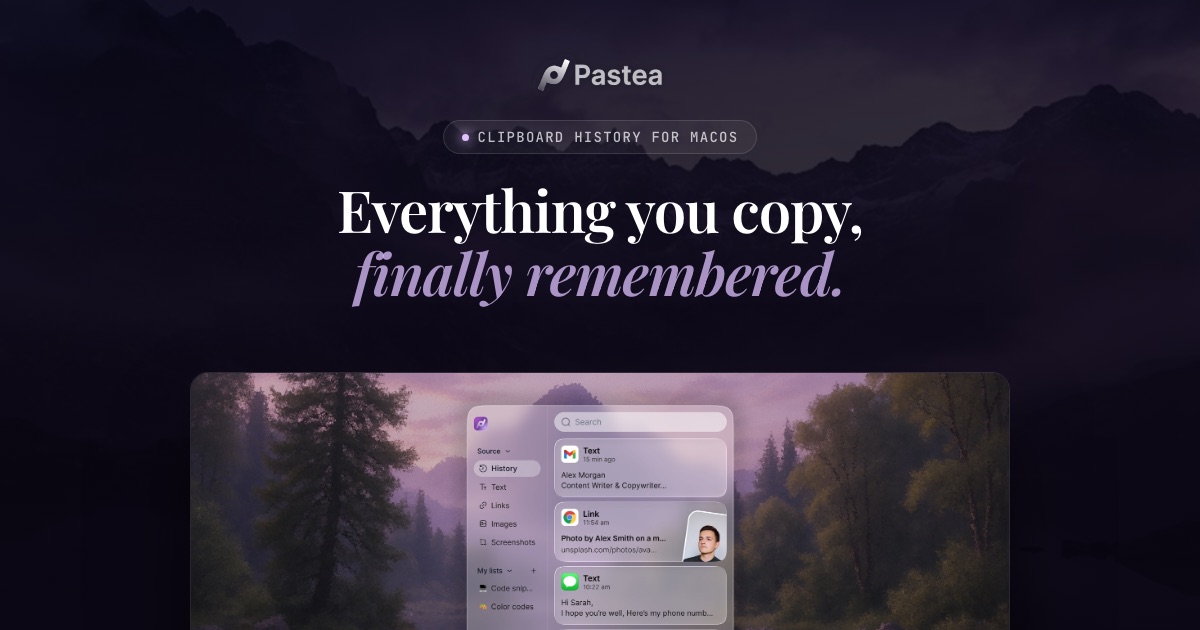
Organized clipboard history
Automatically sorts copied content by type, source app, and time, including text, links, code, images, files, and screenshots.

Pastea is a clipboard history manager for macOS that saves copied text, links, code, images, files, and screenshots for later search and reuse. It helps developers, marketers, designers, and other Mac users recover and paste frequently used content without manually organizing it.
Pastea is a clipboard history manager for macOS that captures copied text, links, code, images, files, and screenshots. It organizes clips by type, source app, and time, allowing users to search, filter, pin, group, rename, and paste previously copied content.
The app is built for people who repeatedly reuse information across their work. Its panel opens over the current app, and custom inline shortcuts can expand frequently used clips while typing. Pastea also provides text rewriting and translation, on-device text extraction from images and screenshots, and optional connections for supported AI tools.
Clipboard history stays on the user’s devices. Optional iCloud Sync uses the user’s private iCloud database to make history available across Macs, while app exclusions, content-type exclusions, pause controls, concealed-item handling, and retention settings provide control over what is stored.
Automatically sorts copied content by type, source app, and time, including text, links, code, images, files, and screenshots.
Search across clipboard history and narrow results by content type, source app, date, or clip length.
Keep important clips beyond the normal retention period by pinning them or adding them to lists; selected clips can also be renamed.
Assign short triggers to frequently reused clips and open the Pastea panel over the current app for fast pasting.
Rewrite, polish, or translate copied text, and extract text from images and screenshots on the Mac so it can be searched or copied.
Store history on the user’s devices, optionally sync through private iCloud, exclude apps or content types, pause capture, and omit items marked concealed by password managers.
Search for commands, code, API responses, file paths, JSON, URLs, or error messages copied earlier, then reuse the relevant clip without searching through old chats or documentation.
Turn a commonly used terminal command or code fragment into an inline shortcut so it can be expanded directly in another app.
Save copied quotations, links, notes, and draft fragments for marketing or writing work, then retrieve them by source, type, date, or content.
Keep color codes, asset links, and specifications available in clipboard history when moving between design tools, documentation, and project communication.
Pause capture before working with credentials or confidential material, or configure Pastea to ignore particular apps and content types.
The direct Mac app supports macOS 15 or later. iPhone and iPad versions require iOS or iPadOS 18 or later, but those App Store versions were described as awaiting Apple review in the supplied source.
The Mac app captures copies in the background and runs from the menu bar. Press Shift-Command-V to show or hide the Pastea panel over the current app.
The default retention period is one month. Available settings include shorter periods such as one day or one week, longer periods such as three months or one year, and forever. Pinned clips and clips in lists are retained beyond normal history clearing.
Yes. iCloud Sync is optional and off by default. When enabled, history moves through the user’s private iCloud database rather than Pastea’s servers.
Supported tools can connect through Pastea’s MCP and private local endpoint after the user approves each connection. They can search, read, and re-copy clips, but cannot delete them, and concealed items are not shared.
トラフィックデータは参考情報としてご利用ください。

www.retext.io
Retextは、macOSで短い入力を入力中に定型文へ展開するテキスト展開アプリです。

contentful.com
Model content once in Contentful, then manage and deliver it through APIs to websites, apps, and other digital channels. Editors work with structured entries while developers connect that content to their products.

charted.blog
Charted Data is a source-code blog platform for publishing MDX content with interactive charts directly on a site. It helps technical writers, analysts, founders, and data-focused teams present metrics and data stories without relying on screenshot-based charts or third-party embeds.

mobilebuilds.app
Mobile Builds is a native app for iPhone, iPad, Mac, and Apple Vision Pro that lets Apple-platform developers monitor and manage Xcode Cloud runs. It provides run status and history, build controls, workflow editing, and optional access for Xcode and Claude Code through a local read-only MCP server.

docxtowp.com
DocxToWP is a WordPress plugin that converts Microsoft Word DOCX and Markdown files into posts, pages, and custom post types while retaining document structure, images, and selected metadata. It is designed for writers, publishers, agencies, and documentation teams that prepare content outside WordPress.

chromewebstore.google.com
Accessibility Checker by WebYesは、WebページのWCAG違反、コントラストの問題、構造上の懸念、選択したベストプラクティス項目を監査できる無料のChrome拡張機能です。開発者、デザイナー、QAチーム、監査担当者、サイト所有者、コンテンツ編集者がブラウザ上で素早くアクセシビリティを確認できます。