
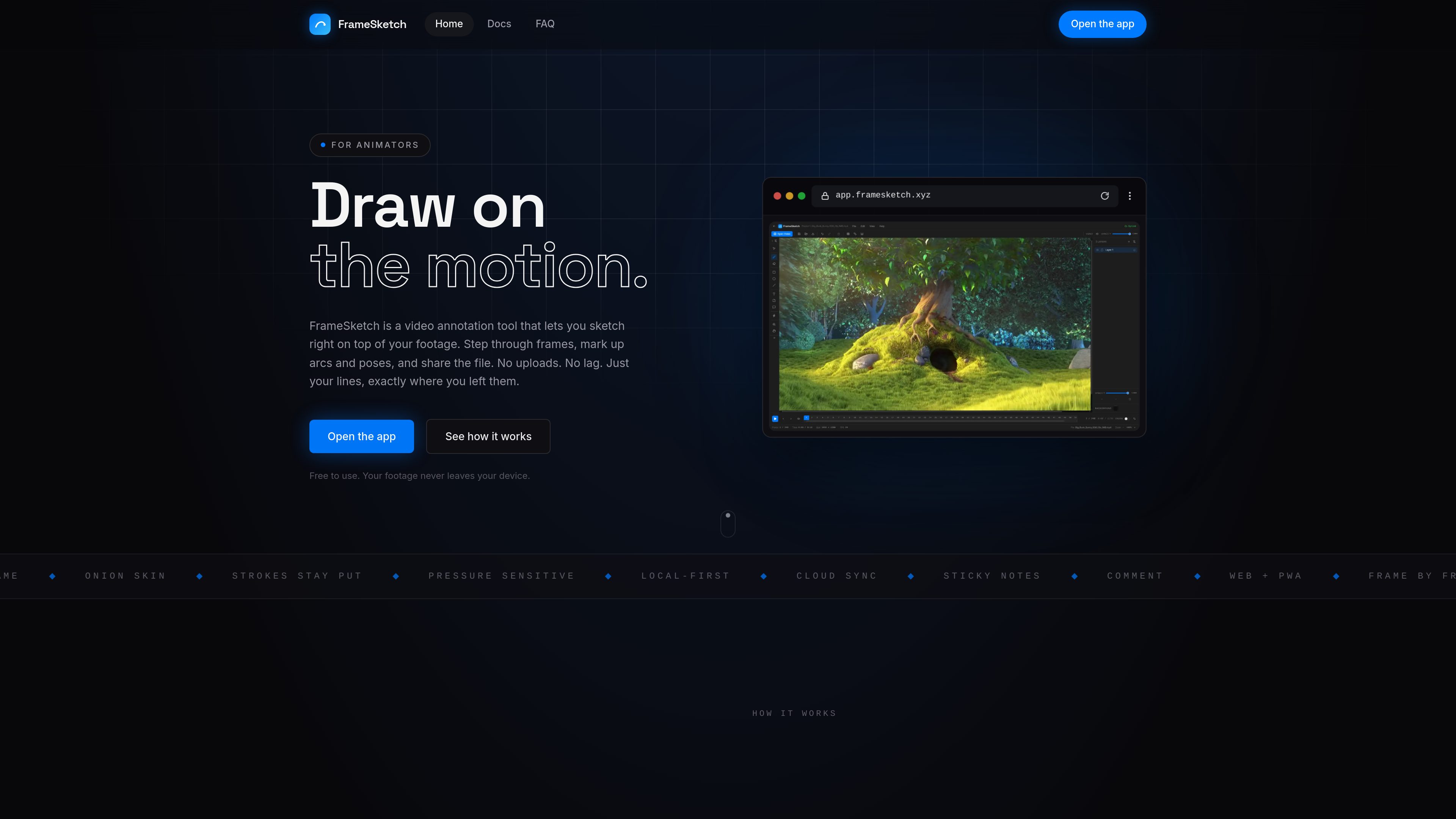
Frame-accurate drawing
Strokes are placed on the exact frame being viewed and remain fixed after the pen is lifted, keeping marks aligned while reviewing or scrubbing footage.

FrameSketch is browser-based video annotation software for animators. It lets you load local footage, draw on individual frames, and share annotations without uploading the video.
FrameSketch is a browser-based video annotation tool designed for frame-by-frame work on animation and motion footage. Users create a project and scene, load a video from their computer, then draw directly over the footage while stepping through or scrubbing the timeline.
The app supports animation-review marks such as arcs, pose notes, breakdowns, and comments. It keeps video files on the local device and stores drawings as editable project data. Projects can be exported as a single .fsk file for sharing or continued work, while optional cloud sync carries annotations and project metadata—not the underlying video.
Strokes are placed on the exact frame being viewed and remain fixed after the pen is lifted, keeping marks aligned while reviewing or scrubbing footage.
View neighboring frames, step forward or backward, mark a section, and play a selected range on a loop to inspect motion.
Use brush presets, an eraser, laser pointer, geometric shapes, text labels, sticky notes, and comment markers. Pen pressure is supported when the input device provides it.
Organize strokes, shapes, and notes on layers that can be reordered, renamed, recolored, hidden, or adjusted for opacity. Grids, rulers, guides, pan, and zoom support detailed marking.
Work is saved automatically on the device. A project can contain multiple scenes, and exported `.fsk` files include scenes, layers, annotations, and settings. Optional cloud sync carries annotations only and can be disabled.
Step through a shot to mark motion arcs, pose changes, and breakdown observations directly on the relevant frames.
Add sticky notes and comment markers to specific frames, then export a compact `.fsk` project for another person to open and continue editing.
Keep several scenes in one project when reviewing footage from a sequence, with each scene retaining its own video and drawings.
Sync annotations for supported projects and reselect the local video on another device so the drawings can be viewed without uploading the footage.
Install the app as a PWA and use it after the initial load, keeping video and locally stored drawings on the device when cloud sync is disabled.
No. It runs in modern browsers including Chrome, Edge, Firefox, and Safari. It can also be installed as a progressive web app for app-like offline access.
It relies on the browser's built-in decoder and supports commonly playable MP4, MOV, M4V, and WebM files. H.264 MP4 is suggested when a file does not play; very large files may stutter on older machines.
No. FrameSketch reads the file locally and does not upload, store, or transmit the footage. If cloud sync is enabled, only annotations and project metadata are synced. On another device, the local video must be selected again.
Export the work as a single `.fsk` file containing the project data. The export can optionally be password-protected, and the recipient can open it and continue working. Individual frames can also be exported as PNG images.
The core studio—including drawing, layers, onion skin, timeline, notes, and export—is free. Free accounts can sync up to three projects; the site notes that paid plans may be added later for advanced cloud features.
トラフィックデータは参考情報としてご利用ください。
flat.social
flat.social is a browser-based virtual space for team socials, online events, classes, and informal meetings. It combines avatar movement, proximity-based spatial audio and video, presentation rooms, chat, shared activities, and customizable rooms without requiring downloads.

move.ai
Move AIはスーツやマーカーなしで、動画から高品質な3Dモーションを取得します。

screencap.sh
ScreenCapは、macOS向けのローカルファーストな画面録画アプリです。チームがワークフローを記録して共有でき、録画時にはプライバシー管理機能を利用できます。録画はデフォルトでMacに保存され、検索やラベル付けにも対応しているため、後から再利用できます。