
Multiple mockup categories
UpMocker organizes generators by content type, including chat, posts, comments, stories, and email screenshots, so users can switch between mockup formats from the same product.

UpMocker is a web-based fake screenshot generator for chats, comments, stories, posts, and email-style mockups. Free during launch.
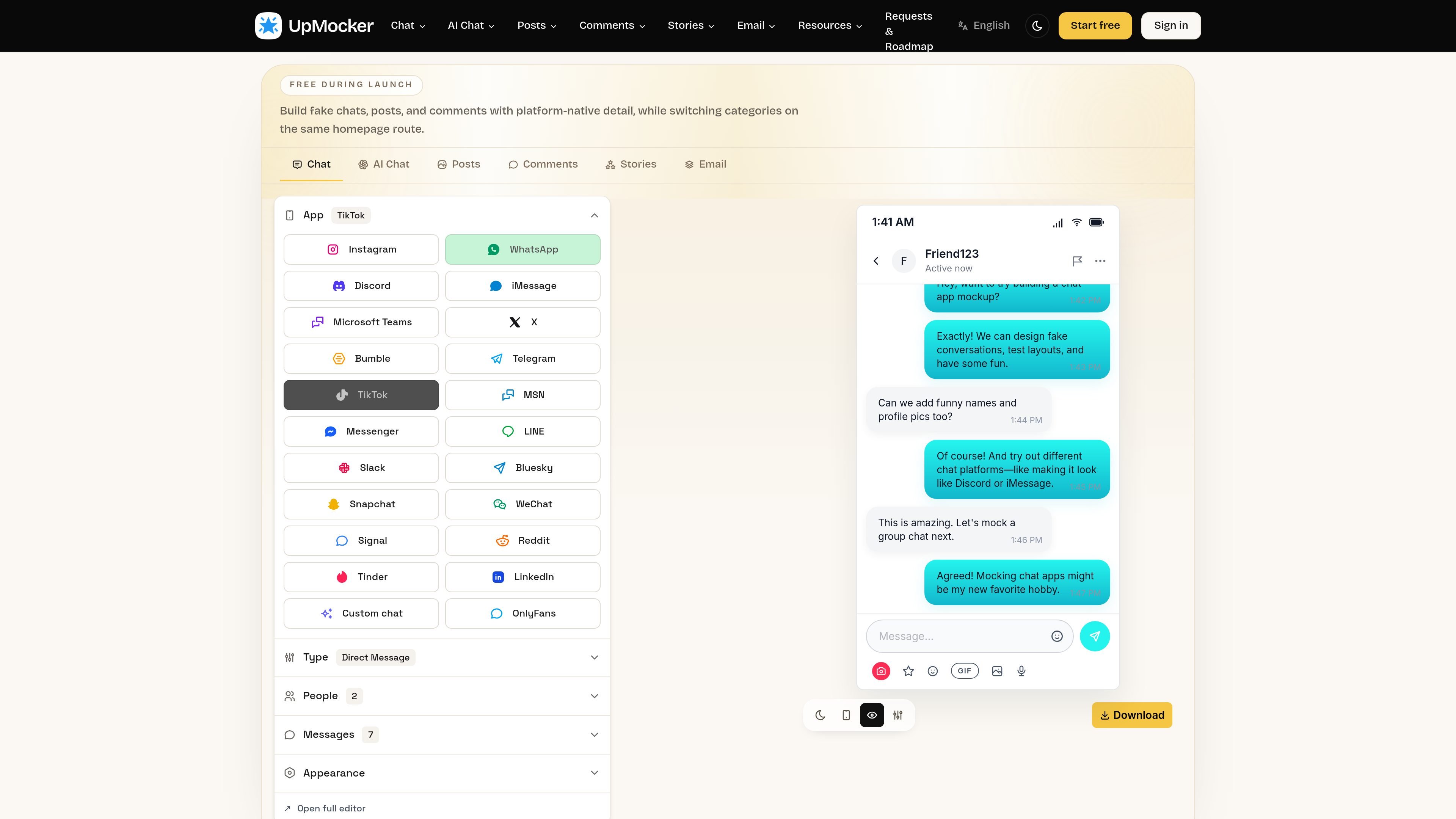
UpMocker is a web-based fake screenshot generator for building chat conversations, comments, stories, posts, and email-style mockups. The homepage positions it as a tool for creating platform-native-looking content from a single interface, with category tabs for multiple social and messaging formats.
Its current live pages include a WhatsApp message generator that lets users set participants, write and rearrange messages, adjust timestamps, and export the result as an image. The pricing page says the product is free during launch, with payments disabled while early access is open, so users can try the generators before paid plans return.
UpMocker organizes generators by content type, including chat, posts, comments, stories, and email screenshots, so users can switch between mockup formats from the same product.
The WhatsApp generator presents a native-looking conversation view with message bubbles, timestamps, status cues, and participant roles for realistic screenshots.
Users can set names, avatars, conversation roles, text, timestamps, and image attachments, then reorder messages before exporting.
The editor supports export of the finished scene as a PNG screenshot, and launch messaging also refers to screenshot export for current generators.
The roadmap page shows active feature planning, including drag-and-drop layout editing, video export, custom watermarking, batch export, and AI generation proposals.
Build realistic chat screenshots for social posts, jokes, or story-driven content where the interface itself is part of the message.
Mock up conversation-driven concepts for pitches, campaign drafts, or client presentations without relying on static wireframes.
Prepare believable message screenshots for ads, launch pages, or creative testing materials that need a conversational format.
Create fake chats quickly for personal experiments, internal demos, or playful storytelling when you do not need real data.
Yes. The pricing page says UpMocker is free during launch, with payment disabled while early access is open.
The site shows generators for fake chats, comments, stories, and email screenshots, with a WhatsApp message generator page as one example.
The WhatsApp generator page says you can customize participants, text, timestamps, image attachments, and message order before exporting.
The WhatsApp page says you can download the finished scene as a PNG screenshot, and the launch messaging also mentions export screenshots.
The roadmap page indicates UpMocker uses feature requests and roadmap voting to shape upcoming work, with items like drag-and-drop, video export, and AI generation under consideration or in progress.