
Secure upload and short retention
The privacy policy says the service uploaded files securely, processed them, returned the results for download, and deleted them shortly after.

Unscreen was an automatic video background removal service, now permanently shut down. Try Canva’s video editor instead.
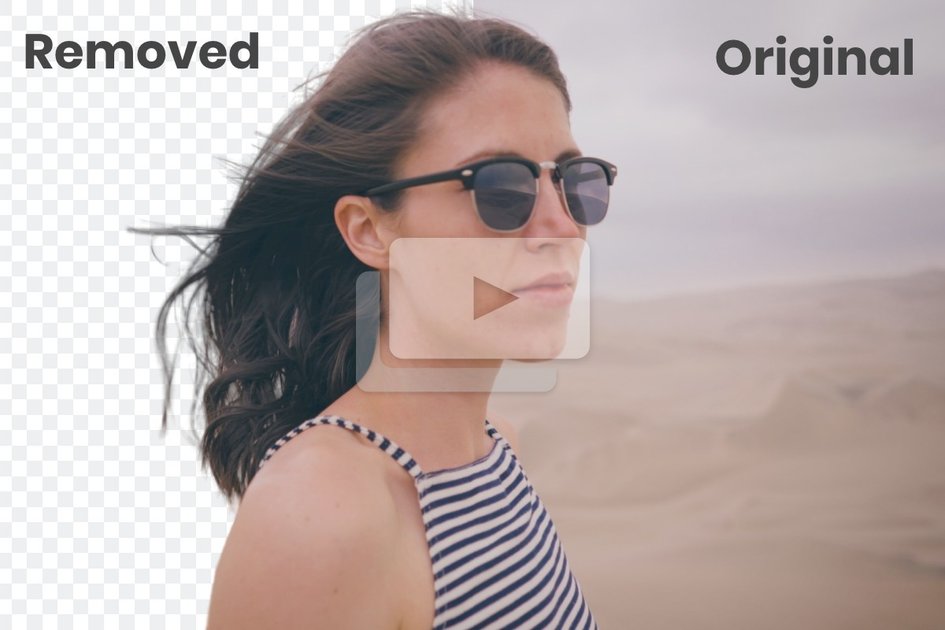
Unscreen was an automatic video background removal service. The site’s current messaging makes clear that the product has been shut down permanently and is no longer available for use.
Before shutdown, Unscreen processed uploaded videos, returned downloadable results, and removed files shortly after processing. The privacy policy also indicates that the service handled uploads securely and supported account-based use, while the home page notes that it offered Adobe After Effects and Adobe Premiere Pro plugins.
The privacy policy says the service uploaded files securely, processed them, returned the results for download, and deleted them shortly after.
The site states that videos were automatically deleted 30 days after processing, which limited long-term storage of user uploads.
The home page says Adobe After Effects and Adobe Premiere Pro plugins were available, and that they have since been removed from app stores.
The privacy policy says users could register an account, subscribe to marketing communications, and submit enquiries through the service.
The privacy policy also says the service collected usage and interaction data to improve its products and services.
Creators could use Unscreen to remove a background from an uploaded video and then download the processed result for reuse in another edit.
Teams working in Adobe apps could use the available plugins to send work through the background-removal workflow from After Effects or Premiere Pro.
Users who wanted a hosted workflow could upload a file, let the service process it, and retrieve the output without keeping the source file long term.
People with recent processed videos could contact support to request a download within the 30-day retention window described on the site.
Unscreen was a service for removing video backgrounds automatically. Its current site now states that the product was shut down permanently on December 1, 2025 and directs users to Canva’s video editor as an alternative.
No. The site says Unscreen was shut down permanently, so the service is no longer available for use.
The site says uploaded videos are automatically deleted 30 days after processing. If you processed a video within the past 30 days and need a download, you are directed to contact support.
The current site recommends Canva’s video editor. It says Canva supports background removal and also includes tools such as text-to-video, auto animations, voice enhancement, and smart format switching.
The support page says support is available through a contact form and is currently available in English only.