
Campaign Intelligence workspace
Plan, create, publish, and learn from campaigns in one workspace that links strategy, creation, distribution, automation, and performance review.

Postly is a campaign planning and publishing platform for teams that manage social, email, blog, messaging, and Bio Page content in one workspace. It combines scheduling, collaboration, automation, and developer tools for coordinated multi-channel publishing.
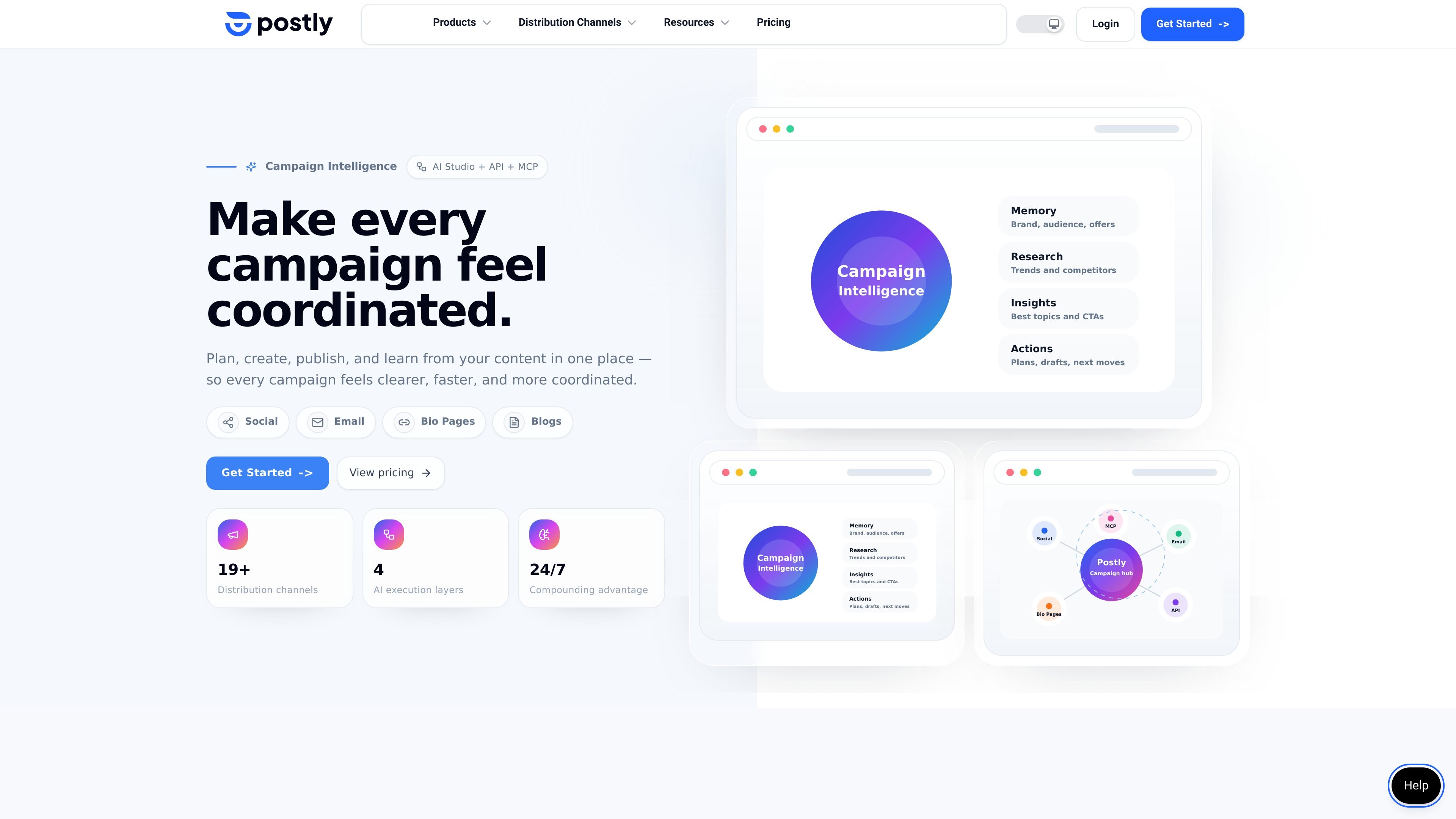
Postly is a campaign planning and publishing platform for teams that want social, email, blog, messaging, and Bio Page work to stay connected in one operating system. Its homepage positions the product around campaign intelligence, AI Studio, API access, and MCP so teams can create content, distribute it, and learn from performance without switching between disconnected tools.
The product combines publishing controls with automation and review features. Source pages describe channel-based pricing, recurring and bulk posts, approval workflows, platform-specific publishing options, API endpoints, webhooks, and workflow automation for recurring source-to-post jobs such as prompts, RSS feeds, YouTube videos, ecommerce products, and existing blogs.
Plan, create, publish, and learn from campaigns in one workspace that links strategy, creation, distribution, automation, and performance review.
Generate posts, images, videos, captions, CTAs, hashtags, and conversion hooks with AI Studio, plus Brand Kit integration for more consistent output.
Schedule, bulk publish, repeat, preview, and coordinate posts with timezone support, approval workflows, platform-specific posting times, and recurring publishing controls.
Use API access, MCP integrations, signed webhooks, REST publishing endpoints, and Google Sheets integration to automate repeatable workflows and connect external systems.
Collaborate with team members through workspaces, notes, mentions, media review, and approval workflows before content goes live.
Move content into WordPress, email platforms, messaging channels, and Bio Pages, with destination-specific publishing settings and channel-specific formatting.
Use Postly to draft, schedule, and publish campaign assets from a single workspace, keeping strategy, creation, distribution, and measurement connected as the campaign moves across channels.
Set up recurring source-to-post workflows from prompts, RSS feeds, YouTube videos, ecommerce products, or existing blogs to generate SEO-ready WordPress articles and social posts with review steps before automation.
Use workspaces, team notes, mentions, media review, and approval workflows to coordinate copy, assets, and sign-off before posts are published.
Connect Postly through REST API, webhooks, MCP, or Google Sheets when you need programmatic publishing, scheduling, analytics access, or custom automation inside another system.
Publish to the right destination with channel-specific controls for social profiles, email providers, WordPress, Telegram, WhatsApp, and Bio Pages, including previews and scheduling settings tailored to each channel.
Postly is built around one workspace for planning, creating, publishing, and learning from campaigns. The source pages describe social, email, blog, messaging, and Bio Page publishing, along with AI, automation, and developer workflows.
Postly supports channel-based publishing, where a channel is a publishable destination such as a social profile, page, Google Business Profile location, or Pinterest board. The pricing page says you can add or remove channels anytime, and yearly billing saves 20%.
Yes. The features and pricing pages both mention collaboration, approval workflows, team notes, mentions, and media review.
The source pages show API access, REST API publishing endpoints, webhooks, MCP integrations, AI agents, and Google Sheets integration for developer workflows.
Postly can connect publishing across social networks, email providers, Telegram, WhatsApp, WordPress, and Bio Pages. The site also lists platform-specific support for networks such as X, Instagram, Facebook, YouTube, LinkedIn, TikTok, Pinterest, Google Business Profile, Bluesky, and Threads.