
Conversational asset creation
Use a chat-based workflow to create images, videos, and edited images from a single workspace. The home page and guide both present this as the main way to brief the agent and refine output.

Pixero is an AI ad engine and video agent for marketing videos, ad creatives, and connected Meta Ads workflows with chat-based creation.
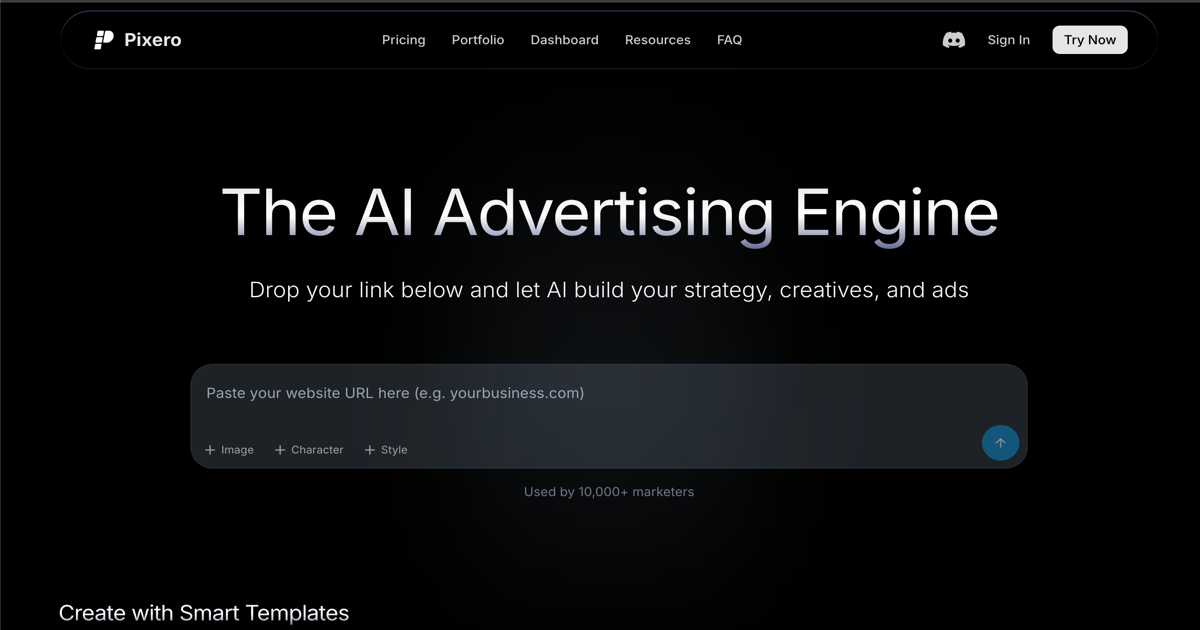
Pixero is an AI advertising engine and video agent for marketers who need to create ads, generate video clips, and connect creative work to Meta Ads campaigns. The site positions it as a single workspace for planning, producing, organizing, and deploying ad creative through chat and dashboard workflows.
The product centers on conversational creation: users can drop in a URL, request ad concepts, generate images or videos, refine prompts, and continue into campaign setup and performance analysis. The pricing page also shows plan-based access to multiple AI models, credit allowances, and a managed service for teams and enterprises that want Pixero to handle production.
Pixero is aimed at people creating performance marketing assets, including individual creators, small businesses, marketers, and teams running campaigns at scale. The site emphasizes reusable templates, brand memory, Meta Ads connections, and support for both self-serve creation and done-for-you creative production.
Use a chat-based workflow to create images, videos, and edited images from a single workspace. The home page and guide both present this as the main way to brief the agent and refine output.
Generate assets with several video and image model options, including Veo 3.1, Sora 2, Kling 3.0, Seedance 2.0, Grok Video, GPT Image 2, Flux 2, Grok Imagine Pro, Seedream 5.0, and Nano Banana Pro.
Create campaign structures, connect Meta Ads, deploy campaigns, and review performance without leaving the chat or dashboard. The guide describes syncing campaigns, ad sets, ads, and performance data, while the home page shows live deployment and follow-up analysis.
Save and reuse ad templates, brand memory, tagging, and asset organization to keep creative work consistent across projects. The pricing page lists these tools in the Starter plan, and the home page emphasizes reusable creative workflows.
Request a sequence of static concepts, choose the strongest direction, and animate a selected image into video. The how-to guide recommends starting with an image when consistency matters and using parallel generation for testing variants.
Use the managed service option if you want the Pixero team to produce ad creatives and handle account management end to end. The portfolio and home page describe dedicated production support, fast turnaround, and brand consistency as part of that service.
Use Pixero when you want to go from a product URL to a set of ad concepts, then refine the strongest direction into image or video assets without jumping between separate tools.
Use the image-first workflow when visual consistency matters, such as a founder-led ad, a product-in-hand shot, or a scene that should stay stable before animation.
Use the Meta Ads workflow when you need to assemble campaign structure, attach creative, deploy ads, and then ask performance questions in the same conversation.
Use the template and brand-memory features when a team needs repeatable, on-brand creative production across multiple campaigns and users.
Use the managed service if you want Pixero’s team to handle strategy, creative production, and account management for ongoing ad work.
Pixero is an AI video agent for creating marketing videos and ad creatives. The site shows that it can also connect those assets to Meta Ads workflows from the same workspace.
The workflow shown on the site starts with a chat-based request, then uses the agent to plan, generate, and refine images or videos. The how-to guide also describes starting from an image when consistency matters and then animating it into video.
The pricing page lists access to multiple video and image models, including Veo 3.1, Sora 2, Kling 3.0, Seedance 2.0, Grok Video, GPT Image 2, Flux 2, Grok Imagine Pro, Seedream 5.0, and Nano Banana Pro.
Pixero offers subscription plans with monthly credit allowances, and the site also mentions top-ups for extra credits. The pricing page shows a Starter plan, a Professional plan, and a Managed option for teams and enterprises.
The FAQ page says support is available by email at support@pixero.ai. The site also lists a refund policy and subscription cancellation questions, but does not provide those policy details in the rendered text.