
Template-based and custom workflow design
Start from pre-built workflow templates for finance, HR, procurement, and other operations, or generate a draft workflow from a screen recording or written description of the current process.

Peakflo is an agentic workflow platform for finance and operations teams that automates back-office processes such as payables, receivables, invoicing, approvals, reconciliations, and vendor communication. It integrates with existing ERP and accounting tools and offers custom pricing through a sales conversation.
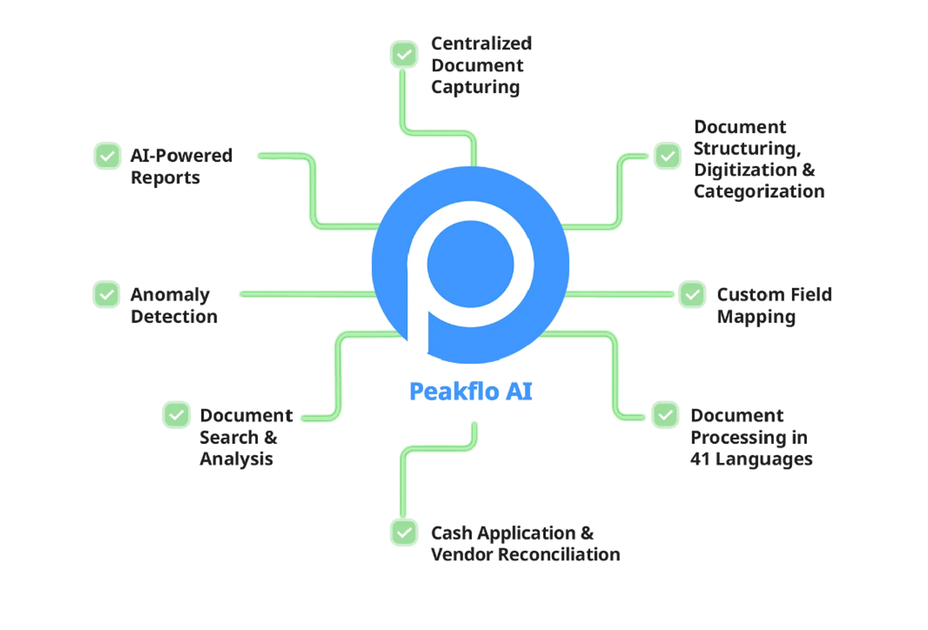
Peakflo is an agentic workflow platform for finance and operations teams that need to automate back-office work without rebuilding their existing tools and processes. The site positions it around invoice processing, approvals, matching, reconciliations, collections, budgeting, and vendor communication.
The product combines pre-built templates with custom workflow generation, browser-based AI agents, and integrations to ERP and accounting systems. It is designed to execute routine work, learn from workflow context, and improve accuracy and speed across repeated operations.
Start from pre-built workflow templates for finance, HR, procurement, and other operations, or generate a draft workflow from a screen recording or written description of the current process.
Trigger workflows from tools such as Slack, ERP, HRM, CRM, and Calendly so automation can begin from existing touchpoints instead of requiring a new operating system.
Use browser agents to sign in to web apps, review information, and take actions in browser-based systems where a human would normally work.
Automate calls for collections, follow-ups, reminders, and survey responses using voice agents, with generative AI used for reporting and knowledge-base search.
Automate finance work such as invoice processing, 2-way and 3-way matching, vendor reconciliation, cash application, approvals, budget management, and payment flows.
Let the system evaluate workflow output against success criteria and improve future runs based on what performs best.
Automate invoice intake, approvals, PO matching, payments, and reconciliations for teams handling high-volume payables across multiple geographies or document formats.
Create invoices, send payment reminders, and centralize collections follow-up for teams that need to reduce manual receivables work.
Turn a shared inbox into a workflow hub by classifying vendor messages and attachments, routing them to the right stakeholders, and drafting replies from existing data.
Capture bills and supporting documents through browser or OCR-based flows, then move entries into approval and payment workflows with fewer manual steps.
Connect Peakflo to ERP and accounting systems such as Xero, QuickBooks, NetSuite, or Microsoft Dynamics 365 Business Central to keep workflow actions aligned with existing records.
The source does not show a self-serve free tier or published price list. The pricing page says Peakflo provides custom pricing and asks visitors to book a call with a solution expert.
Peakflo’s pricing page says the company offers a no-obligation call with solution experts to understand the workflow and build the right plan. It does not publish a fixed onboarding process on the page text provided.
The integrations page highlights SFTP and API integration with ERP and accounting software, and shows product connections with Xero, QuickBooks, NetSuite, and Microsoft Dynamics 365 Business Central.
Peakflo is positioned for finance and operations teams that want to automate back-office workflows such as accounts payable, accounts receivable, invoicing, approvals, matching, reconciliations, and vendor communication.
The site describes Peakflo as supporting workflow automation, but it also emphasizes custom setup, templates, and integration with existing tools. The source does not publish a rigid list of output formats beyond reports, invoices, reminders, portals, and workflow actions.