
AI paraphrasing and rewording
Rewrite text by analyzing the whole paragraph instead of only swapping words with synonyms. The homepage says the tool can paraphrase articles, essays, sentences, and paragraphs while keeping the meaning intact.

NeuralWriter is a web-based AI writing tool for paraphrasing, summarizing, and generating prompts. Rewrite text, shorten long passages, and create ChatGPT prompts without registration.
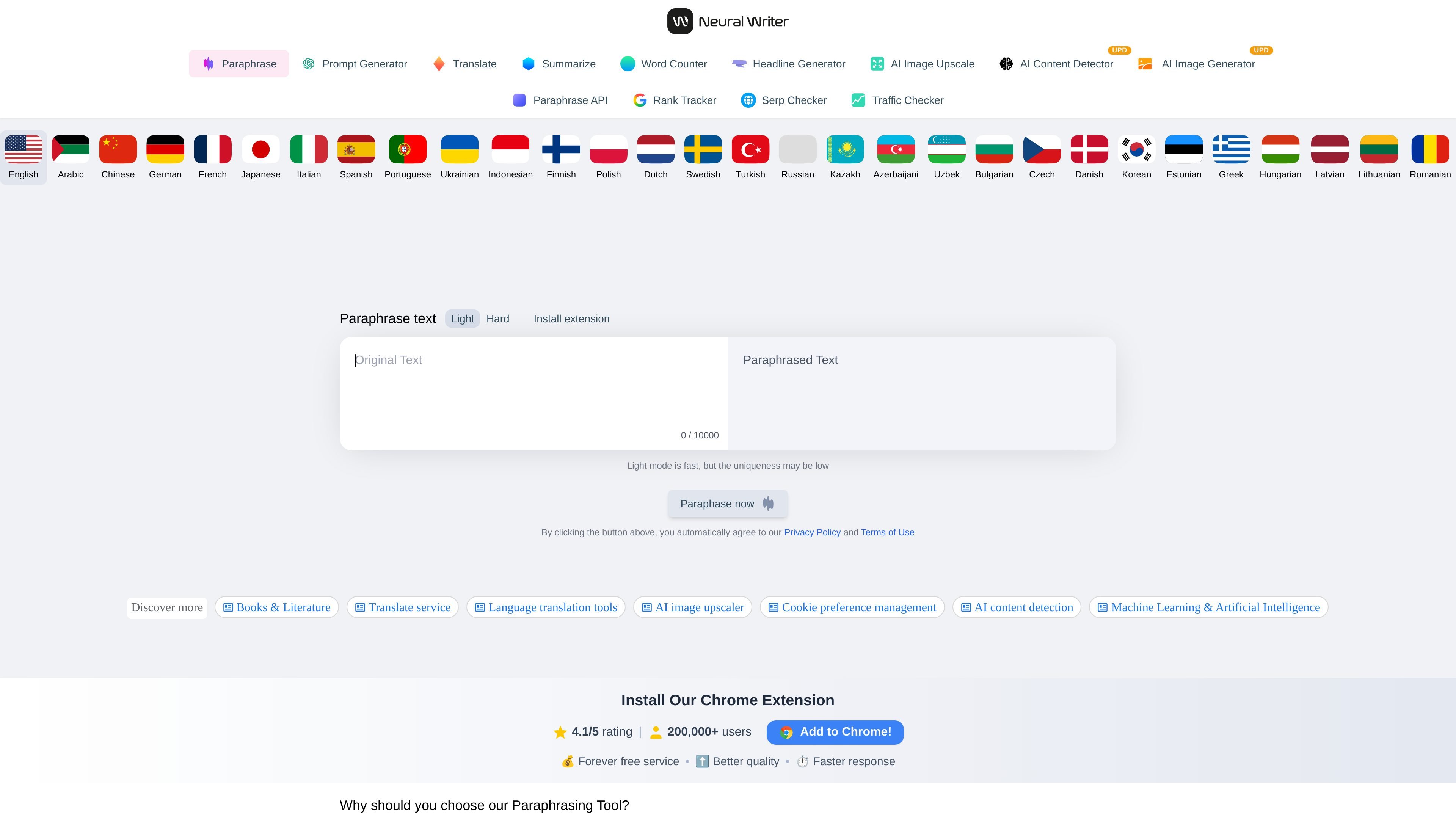
NeuralWriter is a web-based writing suite centered on paraphrasing, with adjacent tools for summarizing, prompt generation, translation, headline creation, word counting, image tools, and a paraphrasing API. The main homepage positions the paraphraser as a free online AI rewriter for English text, while the supporting pages show that the platform also includes other text workflows.
The core paraphrasing tool rewrites articles, essays, sentences, and paragraphs by analyzing the full input and rebuilding the text in a more natural form. The site emphasizes that it is free to use, requires no registration, supports multiple languages, and provides a diff-style view that shows where words were replaced.
Rewrite text by analyzing the whole paragraph instead of only swapping words with synonyms. The homepage says the tool can paraphrase articles, essays, sentences, and paragraphs while keeping the meaning intact.
Choose between three paraphrasing modes on the homepage and API page. The API page labels them Light, Medium, and Hard, giving users different levels of rewriting strength.
Work with long inputs up to 10,000 characters on the web tools, with the API page noting 10,000+ characters per request. This is useful when you need to process full paragraphs or short articles at once.
Use the summarizer to shorten text into a summary that keeps the main idea. The summarize page describes both extraction and abstractive summarization approaches.
Generate ChatGPT prompts from a short input using the prompt tool. The page says it uses an internal prompt library and supports all ChatGPT models.
Access the paraphrasing API for multilingual rewriting. The API page says it supports more than 30 languages and offers a demo plan.
Rewrite essays, articles, and paragraphs when you want to preserve the original meaning but change the wording and sentence structure. The tool is positioned for users who need a readable rewrite rather than a simple synonym swap.
Condense a long article or document into a shorter summary that keeps the main point. The summarize tool is aimed at readers who need to quickly understand the gist of a text.
Create or improve prompts for ChatGPT and similar models from a short topic or draft prompt. The prompt generator uses an internal library to produce expanded prompts for different kinds of tasks.
Integrate paraphrasing into another product or workflow through the API. The API page describes multilingual rewriting, 3 paraphrasing levels, a demo plan, and fast processing.
Review how a rewrite changed the original text by using the paraphrasing interface’s diff-style replacement view. This is useful when you want to compare the rewritten version against the source text.
Yes. The homepage describes NeuralWriter as a free online paraphrasing tool and says no registration is required.
The source describes a 10,000-character limit for paraphrasing, summarizing, and the prompt generator, and the API page also mentions 10,000+ characters per request.
The site presents several rewriting modes for paraphrasing, including Light, Medium, and Hard, while the API page also describes a demo plan.
The homepage says NeuralWriter is multilingual and lists many supported languages. The paraphrasing and summarizing pages each state support for 30+ languages, and the API page lists 30 supported languages.
The pricing page in the provided source is a 404 page, so there is no current pricing detail to confirm from this crawl.