
Save diverse content
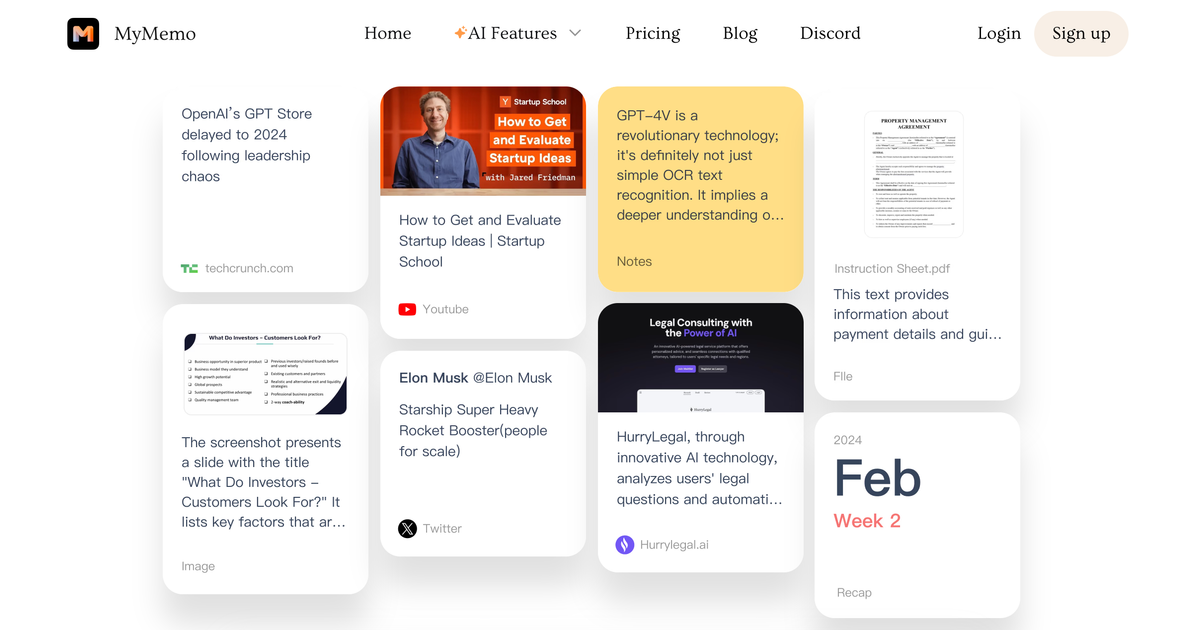
Collect articles, links, screenshots, videos, notes, files, and other saved material into one place. The homepage also highlights a Chrome extension for quick capture from the web.
MyMemo is an AI knowledge management app for capturing links, videos, documents, images, and notes, then summarizing and chatting with that saved material. It also offers a Chrome extension, mobile apps, and a podcast-style recap feature called MemoCast.
MyMemo is an AI-powered knowledge management app built to help people collect, organize, summarize, and search the material they save across the web and their own notes. The site positions it as a way to build a personal “second brain” and chat with that knowledge using MemoAI.
The product combines capture, summarization, chat, and audio recap workflows in one app. Users can add links, videos, documents, images, screenshots, and notes, then ask questions, generate summaries, or turn selected content into a short podcast-style replay through MemoCast.
MyMemo is available on the web, iOS, Android, and Chrome, and the pricing page says those surfaces are included on every plan. The product also supports multiple languages and offers paid-plan model switching across GPT-5, Claude 4.6, and Gemini.
Collect articles, links, screenshots, videos, notes, files, and other saved material into one place. The homepage also highlights a Chrome extension for quick capture from the web.
Ask MemoAI questions about your saved content to retrieve specific information or synthesize an answer from the knowledge base. The product pages describe answers that stay grounded in the content you uploaded.
Generate summaries from web pages, YouTube videos, images, PDFs, and Word documents. The AI Summary page notes that browser capture can send summaries into MyMemo automatically.
Turn saved content into a 3-minute podcast-style audio recap with MemoCast. The feature page says it condenses uploaded articles, stories, YouTube videos, and essays into spoken episodes you can listen to later.
Organize memo cards into collections and scope AI chat to the active collection. The site also describes Team Space for sharing memos and collaborating inside a shared knowledge hub.
Switch between supported AI models on paid plans, with the pricing page listing GPT-5, Claude 4.6, and Gemini, plus multilingual support for querying and summaries.
Save articles, links, videos, screenshots, and notes into one place when research starts to sprawl across tabs and apps. MyMemo is designed to organize that material into a searchable personal knowledge base.
Ask MemoAI for targeted answers such as what you saved about a project, topic, or strategy. The product pages describe chat responses that stay grounded in the content already in your database.
Summarize long reading or viewing material before revisiting it later. The AI Summary page covers web pages, YouTube videos, images, PDFs, and Word documents, while MemoCast turns selected content into a 3-minute podcast for listening on the go.
Group memo cards into collections for a project or task and limit the conversation to that scope. The site also describes Team Space for sharing memos and discussing them with coworkers.
Use the same saved content to draft outlines, ideas, or articles. The site gives examples of writing prompts that synthesize notes and sources into new text.
MyMemo is an AI-powered memory assistant for organizing, summarizing, and retrieving information from content you save into it. The source pages describe it as a way to build a personal knowledge base and chat with that knowledge.
The site says MyMemo supports weblinks, YouTube links, PDFs, Word documents, audio, images, screenshots, and notes. You can also create notes inside the app.
Yes. The pricing page says the web app, iOS app, Android app, and Chrome plugin are included on all plans.
MyMemo can generate summaries and export generated summaries as PDF or Word documents, according to the homepage FAQ.
MemoCast is available on Pro and Ultra plans, and the homepage FAQ says MyMemo supports multiple languages, including English, French, and Portuguese.