
Text-to-music generation
Generate original music by entering a prompt and configuring parameters such as genre, mood, tempo, and instrumentation.

Mureka.ai is a web-based AI music generator and audio editor for original tracks, with downloads in MP3, WAV and MP4.
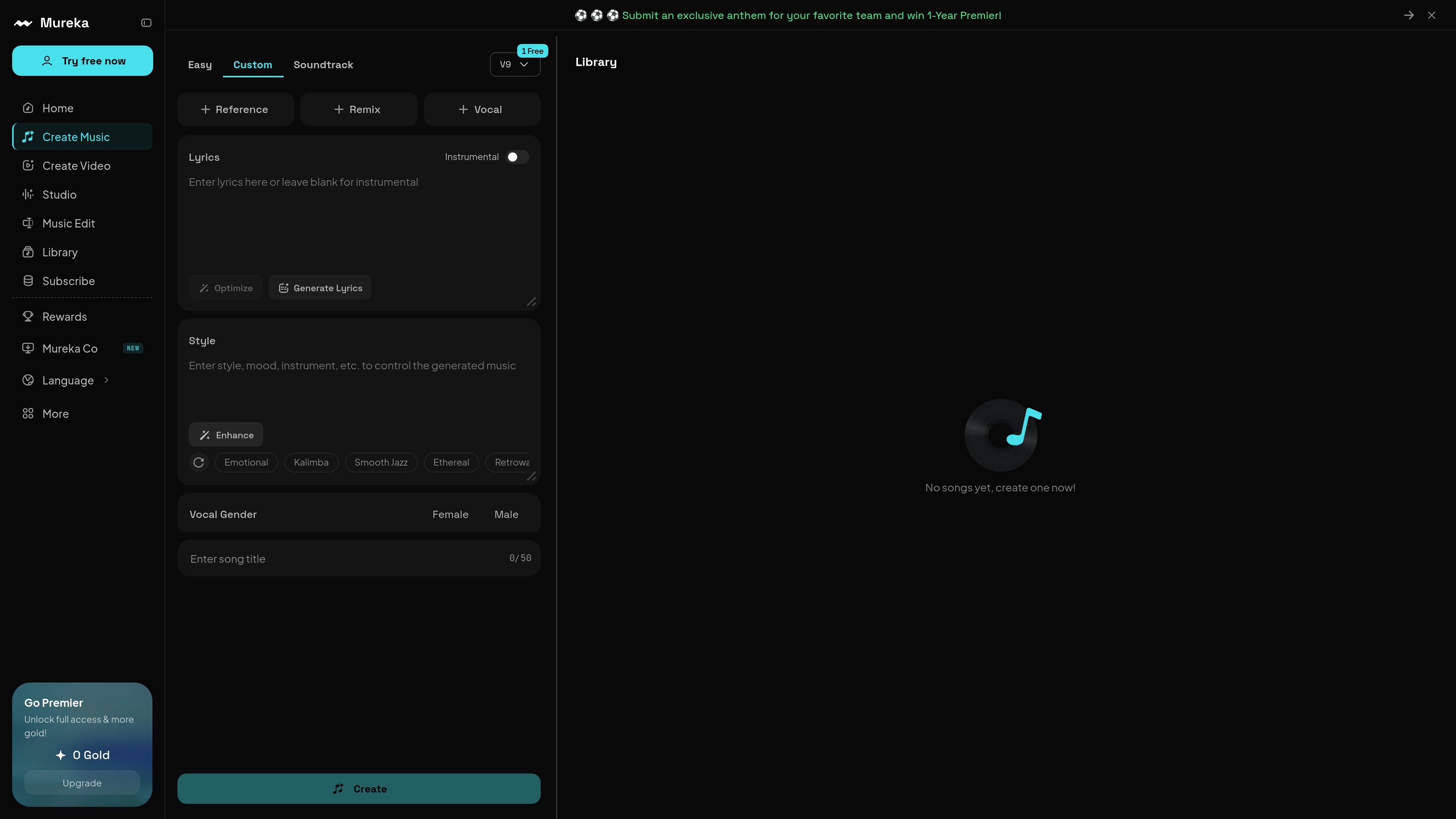
Mureka.ai is an AI music generator and audio editor focused on creating original tracks from text prompts and configurable music settings. The homepage describes it as a tool for generating background music, soundscapes, and complete compositions, while the editor page extends that workflow with online audio-editing functions.
The site emphasizes a prompt-based process: users describe the music they want, choose parameters such as genre, mood, tempo, instrumentation, and track length, then generate and refine the result. Output is presented as downloadable audio and video files, and the editor page adds tools for tempo alignment, transitions, foley editing, lyric changes, song extension, splitting stems, and trimming audio.
Generate original music by entering a prompt and configuring parameters such as genre, mood, tempo, and instrumentation.
Adjust style, instruments, tempo, key, track length, vocal elements, and melody complexity to shape the output before download.
Work with the editor to align tempo, manage transitions, edit lyrics, extend songs, split tracks, and trim audio.
Download generated music in MP3, WAV, and MP4 formats for different publishing or editing workflows.
Use the platform’s music creation area alongside pages for video creation, a studio, a library, and music editing.
Access commercial-use language on the homepage and subscription prompts on the editor page, indicating a paid access model for fuller use.
Generate background music or soundscapes for videos, social clips, or other content where you need an original track instead of stock audio.
Describe a song idea with a prompt, then refine genre, mood, tempo, instruments, and vocals to match a specific creative direction.
Edit an existing track online by trimming sections, aligning tempo, changing transitions, or extending the song with new material.
Split a song into individual instrument tracks for more detailed mixing or downstream work in another DAW.
Export generated music in formats suited to publishing, previewing, or further production workflows.
Mureka.ai can generate music from text prompts, with options to adjust genre, mood, tempo, instrumentation, and other track settings before downloading the result.
The site shows Mureka.ai as an online music creation and editing product, with pages for creating music, creating video, a studio area, music editing, and a library. The editor page also supports tempo alignment, transitions, foley editing, and stem manipulation.
The rendered page text says generated tracks can be downloaded in MP3, WAV, and MP4 formats, and the home page also mentions downloading high-quality, royalty-free tracks.
The editor page includes tools for timeline editing, extending songs, splitting a song into individual instrument tracks, and trimming audio. It also mentions lyric-related editing options.
A pricing page exists at /pricing, but it currently returns a 404. The editor page shows an active subscription offer, including a monthly Pro plan listed at $7.17 per month billed yearly, so the product appears to include paid access.