
Work-hour visibility
MonitUp automatically records computer start and shutdown times, active time, idle time, and daily or weekly work-hour patterns so managers can see when work begins, stops, and stays active.

MonitUp Windows employee monitoring software for remote and hybrid teams tracks work hours, app and website activity, screenshots, and productivity reports without keylogging.
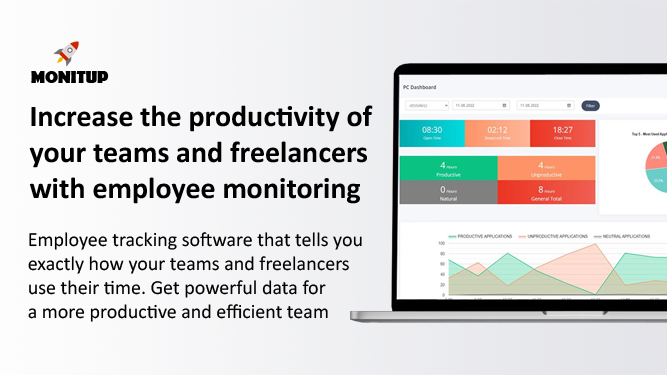
MonitUp is employee monitoring software for Windows teams that need visibility into work hours, app usage, website activity, screenshots, and productivity reports. It is positioned for remote, hybrid, law firm, project, and IT-led teams that want structured reporting without keylogging.
The product works by creating an account, installing a Windows agent on company devices, and reviewing activity from a central dashboard. Depending on the plan and deployment choice, teams can use cloud or on-premise setup, track work patterns automatically, and review screenshots on Premium when more context is needed.
MonitUp automatically records computer start and shutdown times, active time, idle time, and daily or weekly work-hour patterns so managers can see when work begins, stops, and stays active.
The product shows which applications and websites are used on Windows devices and can break activity down as productive, unproductive, or neutral.
Premium includes screenshot review for cases where managers need visual context for workflows, coaching, audits, or exception handling.
MonitUp turns activity data into productivity and policy reports, including summaries by user, team, and company.
The product is built for Windows teams and supports cloud or on-premise deployment, with a desktop agent that starts automatically with the computer.
MonitUp states that it does not use keylogging, keeping the focus on work-activity visibility rather than keystroke capture.
Managers can review work-hour patterns, app use, and website activity across distributed Windows devices to understand how remote work is actually unfolding.
Teams that split time between office and home can use the same reporting model across devices to keep visibility consistent.
Law firms and other documentation-heavy teams can use screenshots and exportable reports when they need more structured oversight and review.
Project and outsourced teams can check how time is distributed across client work, internal work, and active time during the day.
IT teams can choose cloud or on-premise deployment and roll out the Windows agent on company devices from a central dashboard.
MonitUp is set up by creating an account, choosing a plan, and installing the Windows agent on the computers you want to monitor. After that, activity data appears in the admin dashboard.
No. MonitUp explicitly says it does not use keylogging and focuses on app usage, website activity, work-hour visibility, and screenshots on supported plans.
MonitUp shows app and website usage, active and idle time, work-hour patterns, and productivity reports. Screenshot review is included on Premium plans.
MonitUp supports cloud or on-premise deployment options, which lets teams choose between faster rollout and more controlled internal deployment.
The source describes Screen Time for lightweight visibility, Premium for deeper oversight with screenshots and stronger reporting, and Freelancer for manual client-based tracking.