
Application intake and resume parsing
Candidates can enter through an ATS or careers page, after which Lightscreen parses resumes, builds candidate profiles, and routes data to systems like Greenhouse.

Lightscreen is an AI recruiting copilot that automates screening, interviews, background checks, scheduling, and candidate follow-up for high-volume hiring teams.
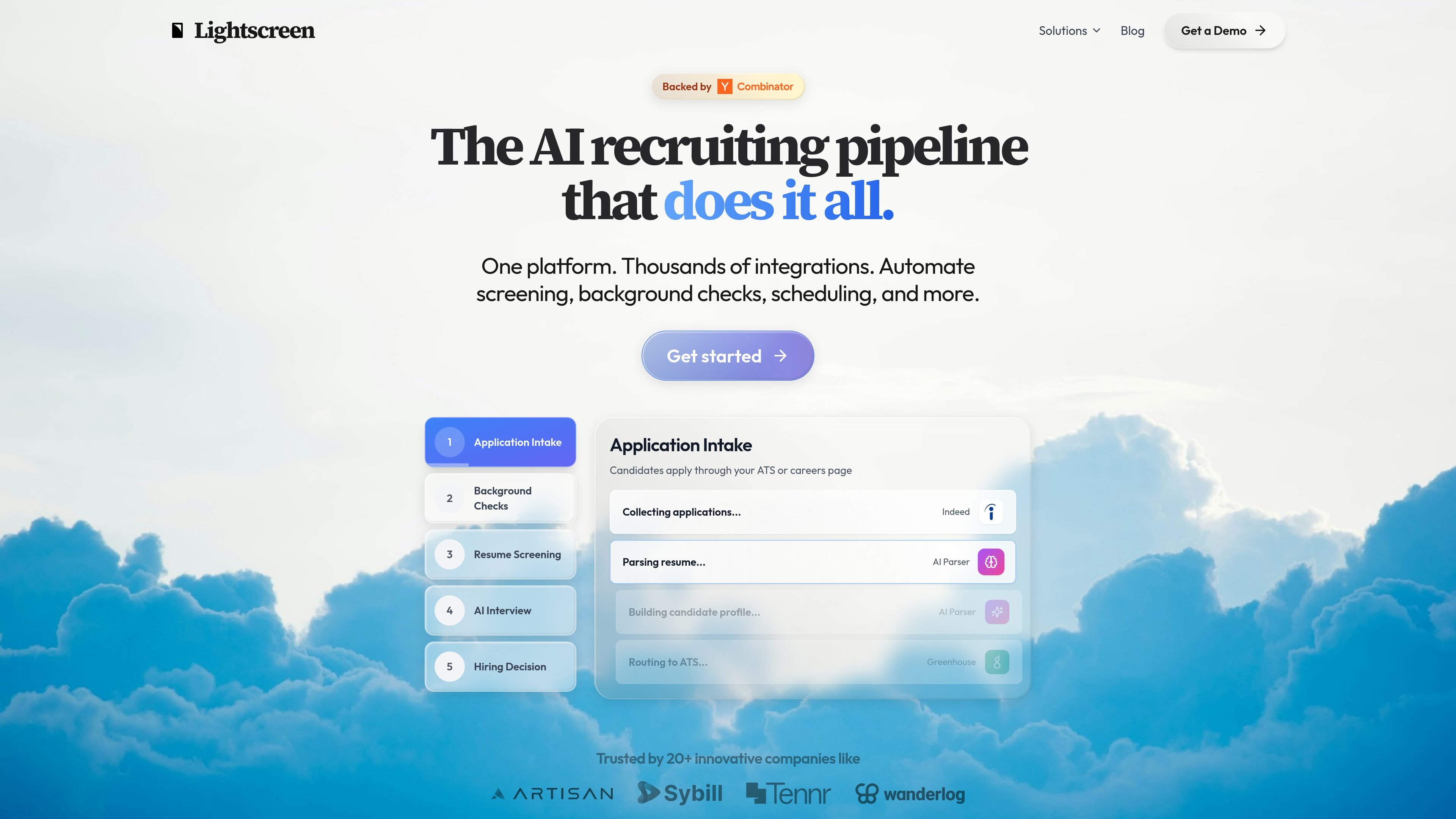
Lightscreen is an AI recruiting copilot for automating parts of the hiring pipeline. The site describes it as a platform for high-volume recruiting that can manage application intake, resume screening, background checks, scheduling, email correspondence, and AI interviews from a unified workflow.
Its homepage positions the product around frontline hiring environments such as warehouse, retail, healthcare, and call center roles, where teams need to process many candidates without adding headcount. The product is also framed as a fit for teams that already use ATS, HRIS, WMS, scheduling, and background check tools and want them coordinated in one place.
Candidates can enter through an ATS or careers page, after which Lightscreen parses resumes, builds candidate profiles, and routes data to systems like Greenhouse.
The product automates verification steps across multiple providers, including background check workflows and status updates back into the recruiting system.
Lightscreen analyzes resumes for skills and experience match, then scores and ranks candidates to help recruiters prioritize review.
Voice-based AI interviews are used to assess communication and fit, with scheduling shown through tools like Calendly and email coordination handled by an email agent.
Users can configure multi-step recruiting workflows in plain English, and the system handles candidate questions, follow-ups, and updates automatically.
The site highlights a unified dashboard for managing candidates across ATS, HRIS, WMS, and background check tools from one place.
Coordinate application intake, resume parsing, screening, and handoff to the ATS when large applicant pools need to move quickly through the funnel.
Run voice-based AI interviews to assess communication and fit before a human recruiter spends time on a deeper review.
Automate scheduling, follow-up emails, and candidate status updates so recruiters spend less time coordinating routine back-and-forth.
Manage background check steps alongside the rest of the pipeline, with status changes reflected back into the recruiting system.
Centralize candidate movement across ATS, HRIS, WMS, and related tools when hiring teams are juggling several disconnected systems.
Lightscreen is presented as an AI recruiting copilot for teams that want to automate parts of the hiring pipeline, including candidate screening, AI interviews, background checks, scheduling, and email follow-up. The homepage emphasizes high-volume and frontline hiring use cases.
The source describes Lightscreen as fitting into recruiting stacks that include ATS, HRIS, WMS, background check providers, scheduling tools, email, and related systems. It shows example integrations such as Greenhouse, Checkr, Calendly, DocuSign, Workday, and Indeed.
The site says workflows can be configured in natural language or plain English, and the product handles steps such as application intake, resume parsing, AI screening, AI interviews, scheduling, and status updates.
The available source does not provide a public pricing table. It only states 'Enterprise Pricing' and invites teams to talk to the company to find the right fit.
The site positions Lightscreen around warehouse, retail, healthcare, and call center hiring, where teams need to process high candidate volumes without adding headcount.