
Prompt-based project start
Describe an idea or paste a document, and the chat workspace starts a project scaffold for you. This is the main entry point for turning an idea into a workspace.

CreateOS is a unified workspace for building and deploying apps from prompts, templates, GitHub repos, Docker images, or uploaded files.
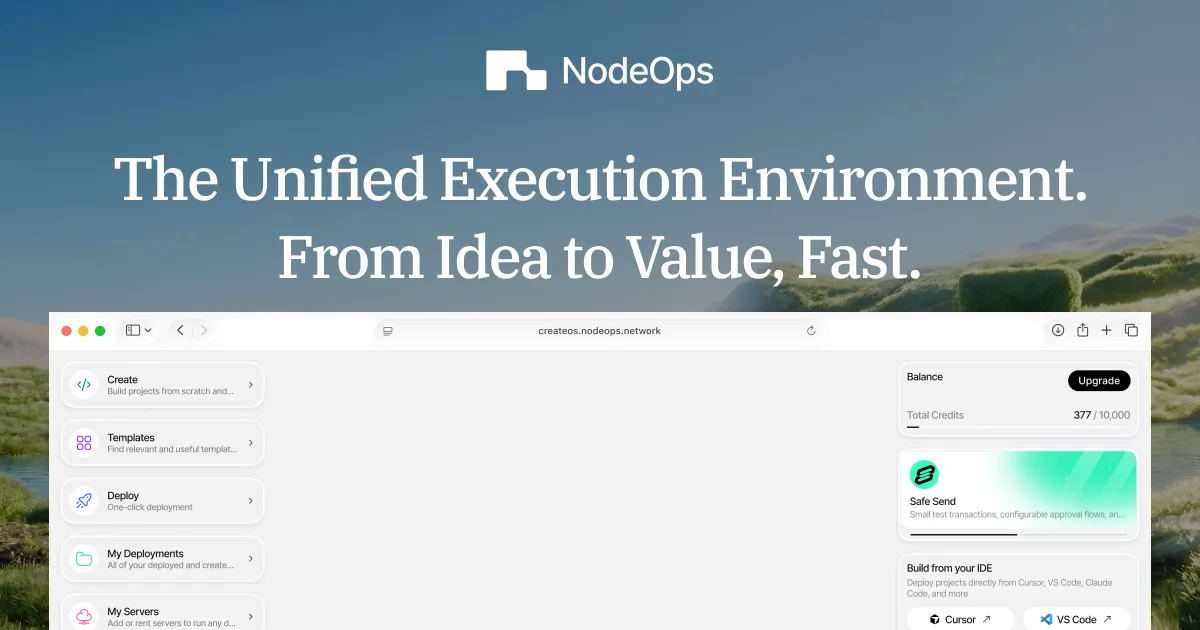
CreateOS is a unified workspace for building and deploying applications without setting up a separate DevOps stack. The site presents it as an execution environment where a project can move from an initial idea or template to a live deployment inside one platform.
It combines prompt-based project creation, a template marketplace, and deployment options for GitHub repositories, Docker images, and uploaded files. The product also includes managed infrastructure such as databases, message queues, caching, and deployment tooling, so builders can work in one place rather than stitching together several services.
Describe an idea or paste a document, and the chat workspace starts a project scaffold for you. This is the main entry point for turning an idea into a workspace.
Browse 150+ production-ready templates, fork one, customize it, and deploy in minutes. Templates include setup details such as environment variables, database configuration, build commands, and deployment settings.
Deploy from GitHub, Docker, or file upload, with automatic framework detection and build pipeline selection. The deploy flow is designed to reduce manual setup for common web apps and containerized services.
CreateOS provisions SSL, CDN, load balancing, health checks, and zero-downtime rollouts automatically. Managed databases, Kafka, and Valkey can be added with one click on supported plans.
Track build logs, runtime logs, and deployment status from the dashboard. The deploy page also mentions branch previews and automatic rollback on failed deployments.
The pricing page says paid plans include managed PostgreSQL and MySQL, Kafka, and Valkey, plus higher limits for projects, build minutes, and custom domains. Enterprise adds dedicated infrastructure and custom SLAs.
Start from a text prompt or uploaded document when you have an idea but not a full project structure yet. CreateOS uses that input to create a workspace you can continue building in.
Import an existing repository and push it through CreateOS deployment instead of setting up CI/CD, SSL, and infrastructure manually. This suits teams that want a faster path from code to live URL.
Fork a production-ready starter when you want to launch a SaaS app, dashboard, API, or store without recreating boilerplate. The marketplace includes templates with authentication, billing, admin features, and other common app foundations.
Use the platform’s managed databases, queue, and cache options for applications that need relational storage, event streaming, or in-memory state. The available services include PostgreSQL, MySQL, Kafka, and Valkey on supported plans.
Publish your own templates to the marketplace if you build reusable starters and want to distribute them. The site says creators can earn a share of usage fees and get analytics on template performance on Pro.
CreateOS lets you start from a prompt, import an existing repository, or choose a template. The chat workspace says you can describe an idea or drop in a document to get started, while the deploy page supports GitHub import, Docker, and file upload.
CreateOS includes one-click deployment, automatic SSL, global CDN, load balancing, health checks, and managed infrastructure across its plans. The platform also supports deployment from GitHub, Docker, or direct file upload.
The template marketplace lists 150+ production-ready templates across categories such as SaaS starters, AI apps, e-commerce, dashboards, APIs, and blockchain applications. The platform also says Pro plan users get marketplace publisher access.
The pricing page shows a Free plan, paid Plus and Pro plans, and an Enterprise option with custom pricing. It also states that plans include unlimited deployments, with additional managed infrastructure and higher limits on paid tiers.
CreateOS is aimed at builders who want to move from concept to deployment without handling the underlying DevOps setup themselves. The site positions it for hobby projects, startups, small teams, and growing businesses.