
Real-time chord detection
Identifies chords as you play, including extensions, inversions, and slash chords, and spells the root, quality, and bass note live.

ChordViz is a standalone visual workspace for music teachers and creators that turns live MIDI and audio into chord, notation, theory, keyboard, and audio-reactive visuals. It also records video, audio, or MIDI natively without requiring a DAW.
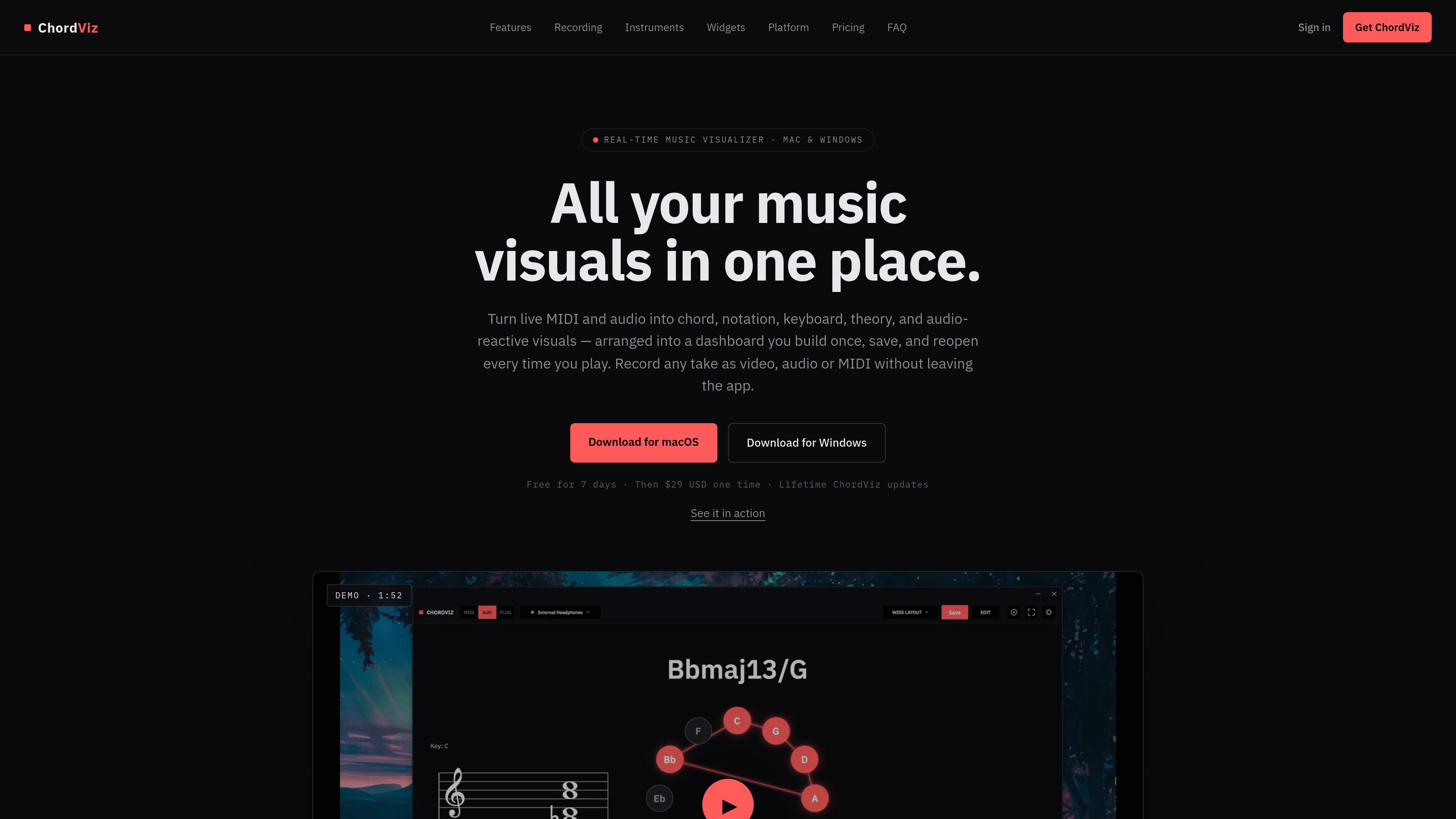
ChordViz is a standalone visual workspace for music teachers and creators on Mac and Windows. It turns live MIDI and audio into chord, notation, theory, keyboard, and audio-reactive visuals that can be arranged into a dashboard and reopened later.
The app is built to support both teaching and performance workflows. Users can record takes as video, audio, or MIDI from inside the app, work with built-in instruments and input audio, and switch to a fullscreen or focus mode when they want the controls out of the way.
Identifies chords as you play, including extensions, inversions, and slash chords, and spells the root, quality, and bass note live.
Lets you drag, drop, and resize up to 18 widgets on a snap-to-grid canvas, with free placement available while editing and the ability to save layouts for later.
Shows keyboard, grand staff notation, circle of fifths, chromatic strip, chord readout, and other theory widgets so players can see what they are hearing and playing.
Records video, audio, or MIDI without leaving ChordViz, and can also capture the last 15 seconds of audio played.
Includes three sampled electric pianos and a built-in synth, and can also load user instruments through VST3 on Mac and Windows or Audio Units on macOS.
Provides oscilloscope, spectrum, spectrogram, waveform, VU, LUFS loudness, and stereo correlation tools for visualizing incoming sound.
Use the chord, keyboard, staff, and circle-of-fifths widgets to explain notes, chord names, and tonal context while demonstrating on a live instrument.
Build a dashboard once, save it, and reopen the same arrangement whenever you teach, stream, or rehearse.
Record the session as video, audio, or MIDI from inside the app, or grab the last 15 seconds of audio when you want to save an unscripted moment.
Use fullscreen or focus mode on a second screen to show only the visuals, which is useful for classrooms, stage use, or demonstrations.
Load an instrument plugin, keep the patch stored with the layout, and reopen the same sound and visuals together later.
No. ChordViz runs as a standalone app, so you can open it, play, and record without loading it into a DAW.
It can record video, audio, or MIDI natively inside the app. It can also grab the last 15 seconds of audio you played.
ChordViz is available on macOS and Windows. Linux support is mentioned as being in development.
Yes. The app supports loading instrument plugins, including VST3 on Mac and Windows and Audio Units on macOS.
Yes. You can build a dashboard, save it, and reopen it later with the same widget arrangement; instrument patches are also stored with the layout.