
Topic-to-Outline Generation
After entering any topic, the system can automatically generate a PPT content outline, helping users build the structure first and then continue editing.

笔格PPT is an AI PPT generator for themes, document import, templates and online presentations, ideal for reports, teaching and defense.
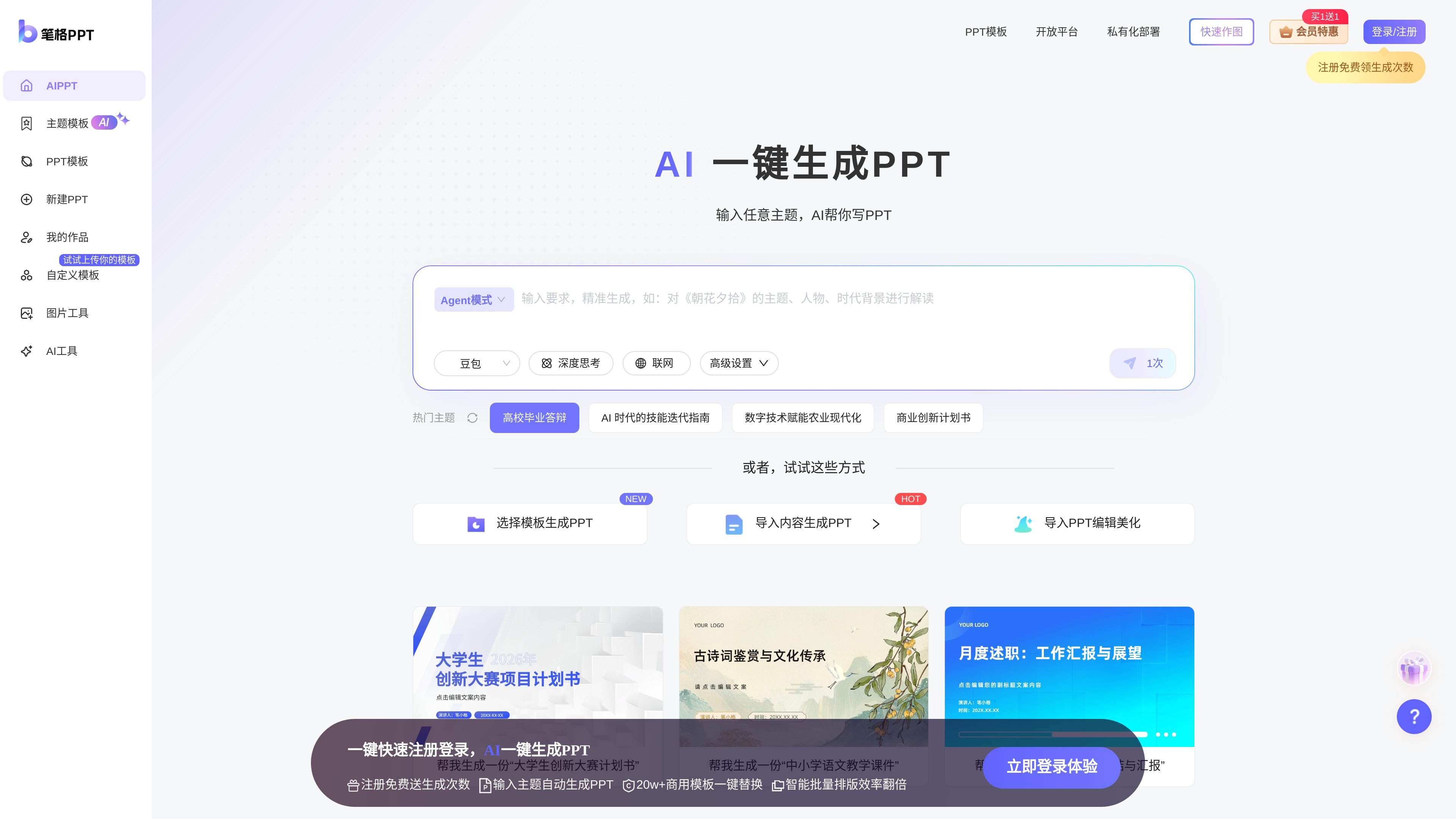
笔格PPT is an AI tool for PPT creation scenarios, centered on “AI one-click PPT generation.” According to the homepage and Help Center information, it supports entering a topic to automatically generate a PPT outline, importing local documents to generate PPTs, and provides a complete creation flow including online editing, presentation, and download.
The product also offers a large number of industry and scenario templates, including party and government affairs, justice, education and training, business technology, work summaries, teaching courseware, and graduation defenses. After generation, users can continue to replace templates, change color schemes, and adjust layouts to fit different reporting and presentation needs.
After entering any topic, the system can automatically generate a PPT content outline, helping users build the structure first and then continue editing.
Supports importing local documents and intelligently recognizing the content to generate a structured outline that can be used for PPT creation.
Automatically lays out content based on the template, and provides one-click PPT color scheme replacement and one-click PPT template replacement.
The Open Platform page mentions that the product has in-depth editing capabilities, including single-page generation, layout switching, global color changes, and speaker notes generation.
Supports online presentation, and the Open Platform page states that it can export to multiple formats such as PDF, PNG, MP4, and GIF.
The Help Center lists entry points for outline generation, PPT generation, editing, presentation, downloading, and importing local PPTs, indicating a workflow that covers the full creation process.
Suitable for people who need to quickly draft report materials, first entering a topic to generate a structure, then using templates and color schemes to finish the pages.
Suitable for teachers or training instructors to turn course outlines and teaching documents into structured courseware, then fine-tune the layout after generation.
Suitable for students building an outline around graduation defenses, project proposals, or competition plans, then quickly generating a presentable PPT.
Suitable for product, brand, or business teams to generate presentation decks from existing documents and maintain a consistent style through template switching and global color changes.
Suitable for enterprises or platform providers to access PPT generation capabilities through the Open Platform and embed generation, layout, and export processes into their own products.
笔格PPT supports automatically generating a PPT outline from a topic, and it also supports intelligent analysis after importing local documents to generate PPTs; the Help Center also lists entry points for outline generation, PPT generation, editing, presentation, downloading, and importing local PPTs.
Page information shows support for one-click PPT color scheme replacement, one-click PPT template replacement, and one-click font replacement; the Open Platform page also mentions that in-depth editing can include single-page generation, layout switching, global color changes, and generating speaker notes.
You can present online without downloading; the Open Platform page also mentions support for exporting PPTs to PDF, PNG, MP4, GIF, and other formats.
The Help Center clearly lists common issues such as mobile usage, account registration/login, purchasing membership, redeeming membership, and download failures, indicating that the product provides relatively complete usage help entry points.
The Open Platform page mentions pay-per-call generation billing and provides cooperation options such as testing and trial, industry solutions, and integrated membership co-operation; membership details, specific quotas, pricing, and limits are not fully shown on the current page.