Amazing Crossword icon

Amazing Crossword

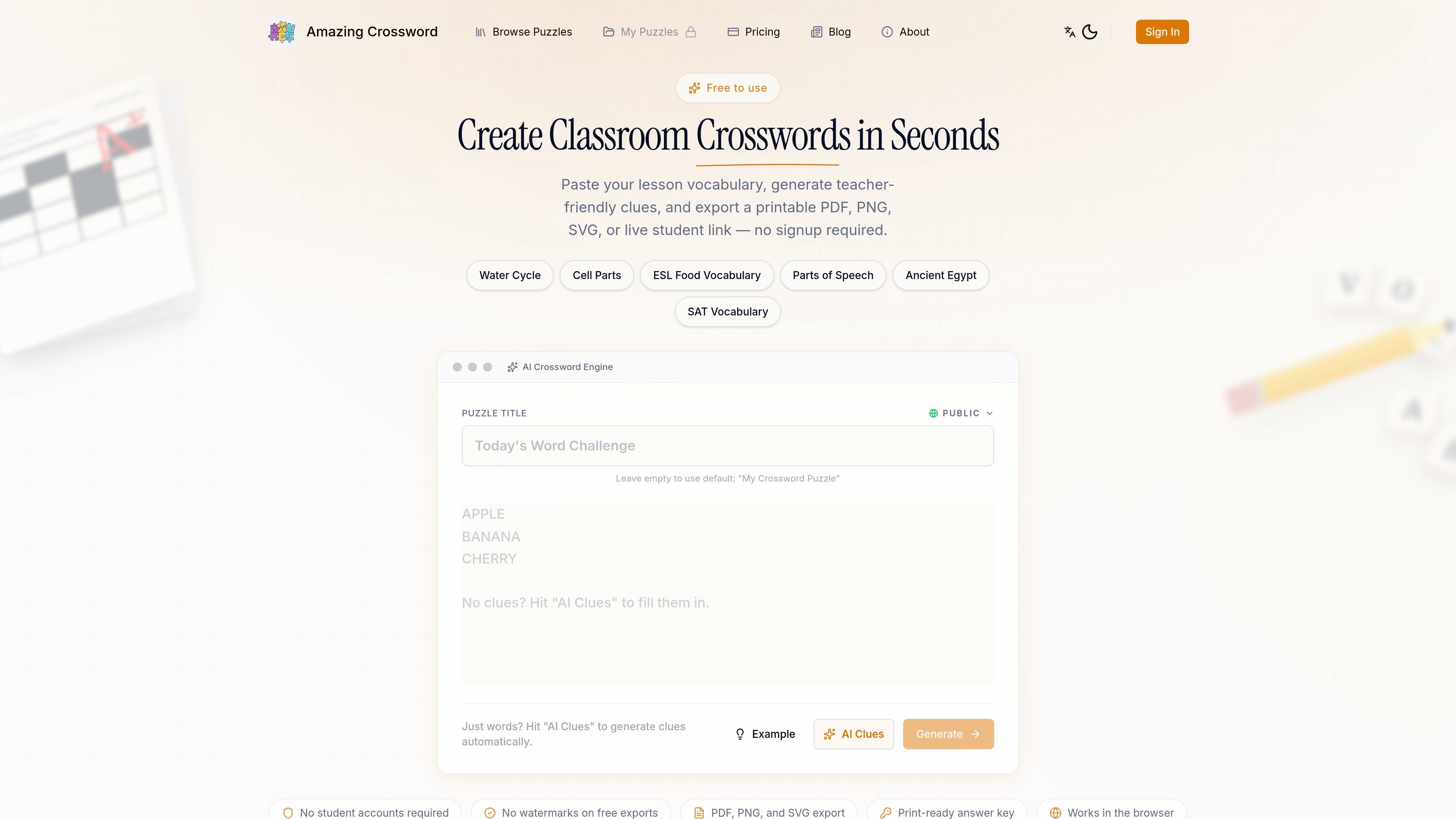
Amazing Crossword is an AI crossword maker for teachers that turns vocabulary lists into printable or shareable puzzles. It offers free public generation, PDF/PNG/SVG export, live student links, and a Pro plan for included AI clues and private classroom sharing.

Amazing Crossword

What Amazing Crossword does

Amazing Crossword is an AI crossword maker for teachers that turns a list of vocabulary words and clues into a printable or shareable puzzle. The home page emphasizes fast generation, live student solving links, and clean export options for classroom use.

The workflow is built around lesson prep: paste a list, generate a grid, review or regenerate the layout, then export as PDF, PNG, or SVG or share a live link. The pricing page shows a free tier for occasional public puzzles and a Pro plan for teachers who want AI clues included and private classroom links.

Key features

Instant grid generation

Paste a word list and generate a compact crossword grid quickly, then regenerate if the layout needs adjustment.

Continuous clue editing

Write or refine clues in the editor while the active word list stays in place, so you can keep working without restarting.

Multiple export formats

Export finished puzzles as PDF, PNG, or SVG for printing, worksheets, or classroom materials.

Interactive student links

Share a live solving link so students can complete the puzzle on a device instead of on paper.

Answer-key and review workflow

Generate answer keys and use the editor to review skipped entries before printing or sharing.

Pro classroom sharing

The pricing page says Pro includes Hidden and Private links plus a reusable classroom puzzle library for ongoing lesson prep.

Common classroom uses

  • Vocabulary review

    Build vocabulary review puzzles from a lesson, chapter, or unit word list, then print them or share them online for students to complete.

  • Printable classwork

    Create a worksheet for bell work, centers, or homework by exporting a clean PDF or image file that students can solve on paper.

  • Online student practice

    Send a live link for remote days or device-based solving so students can work through the crossword without printing.

  • Recurring lesson prep

    Use the Pro plan when weekly prep needs private classroom links, Hidden or Private sharing, or a reusable puzzle library.

  • Fast teacher prep

    Prepare a quick review activity from an existing word list when you need a finished puzzle without manually drawing the grid.

Pros and Cons

Pros

  • Fast workflow from pasted word list to generated crossword.
  • Exports to PDF, PNG, and SVG for print and classroom distribution.
  • Supports live student solving links for device-based use.
  • Free tier is available without a credit card.
  • Pro adds Hidden and Private links for classroom sharing.

Cons

  • The free plan saves puzzles online as public links only.
  • AI clues rely on starter credits on Free, and the pricing page says Pro is needed for included AI clues in regular classroom use.
  • Private classroom sharing is listed as a Pro feature, so it is not available on the free tier.

FAQ

Can I use Amazing Crossword for free?

Yes. The free plan supports unlimited public crossword generation, with standard PDF, PNG, and SVG export. The pricing page also says you can start free without a credit card.

What does Pro add compared with Free?

The pricing page says Pro starts at $5/month and is aimed at teachers who make crosswords regularly. It includes AI clues, Hidden and Private puzzle links, a reusable classroom puzzle library, and priority support.

How does the crossword creation workflow work?

The home page says you can paste words and clues, generate a compact grid, regenerate the layout, and keep editing the same content. The workflow is designed to move from list entry to export or share link.

What formats and sharing options are available?

The site supports print-ready PDF export, PNG and SVG export, and live student links for online solving. The pricing page distinguishes public puzzle links on Free from Hidden and Private links on Pro.

Can I keep puzzles private for a class?

The pricing page says Free saves puzzles online as public links only, while Pro adds Hidden and Private links for classroom use. The blog also frames the tool as useful for teachers who want to share puzzles with students.

Quick Facts

Category
Education / Productivity
Product type
AI crossword maker
Primary users
Teachers
Website
amazingcrossword.com
Free plan
Yes, with public puzzles and standard exports
Paid plan
Pro starts at $5/month

Alternative a Amazing Crossword

Tutor AI icon

Tutor AI

Tutor AI is an AI tutoring and course-creation platform that helps people build custom learning paths, get homework help, and study at their own pace. It offers a free tier plus paid plans for more advanced course generation and learning features.

AI Tutor icon

AI Tutor

AI Tutor is an AI-powered learning platform for personalized tutoring, study tools, and custom course creation. It supports learners, educators, and organizations with self-paced learning, classroom workflows, and white-label options.

ThetaWise icon

ThetaWise

ThetaWise is an AI math tutor and homework helper that provides step-by-step solutions, guided tutoring, AI video lessons, and practice quizzes. It is built for students who want help with homework, concept review, and test prep.

EaseMate AI icon

EaseMate AI

EaseMate AI is an all-in-one AI assistant for chat, study, research, writing, image generation, and video creation. It offers a free Basic plan plus paid tiers and supports browser-based access with chat, PDF, study, and media tools.

NoCode.Tech icon

NoCode.Tech

NoCode.Tech is an educational no-code media site that helps people find tools, explore use cases, and learn how to build software without code. It organizes content into directories, guides, explainers, and courses rather than offering a single no-code app builder.

MyAIColor icon

MyAIColor

MyAIColor is a web-based color analysis and style guide that helps individuals discover their seasonal color palette through a short quiz and detailed palette guides. It supports wardrobe, makeup, and accessory choices, but the collected pages do not confirm pricing details or tool integrations.