
Text, lyric, and style-based generation
Create songs from lyrics or descriptions, with controls for genre, mood, title, vocal or instrumental output, and privacy settings. The create page also shows an optional song-style imitation field.

AIMusicGen.ai is a web-based AI music generator that turns lyrics, descriptions, or style ideas into songs. Free and paid plans available.
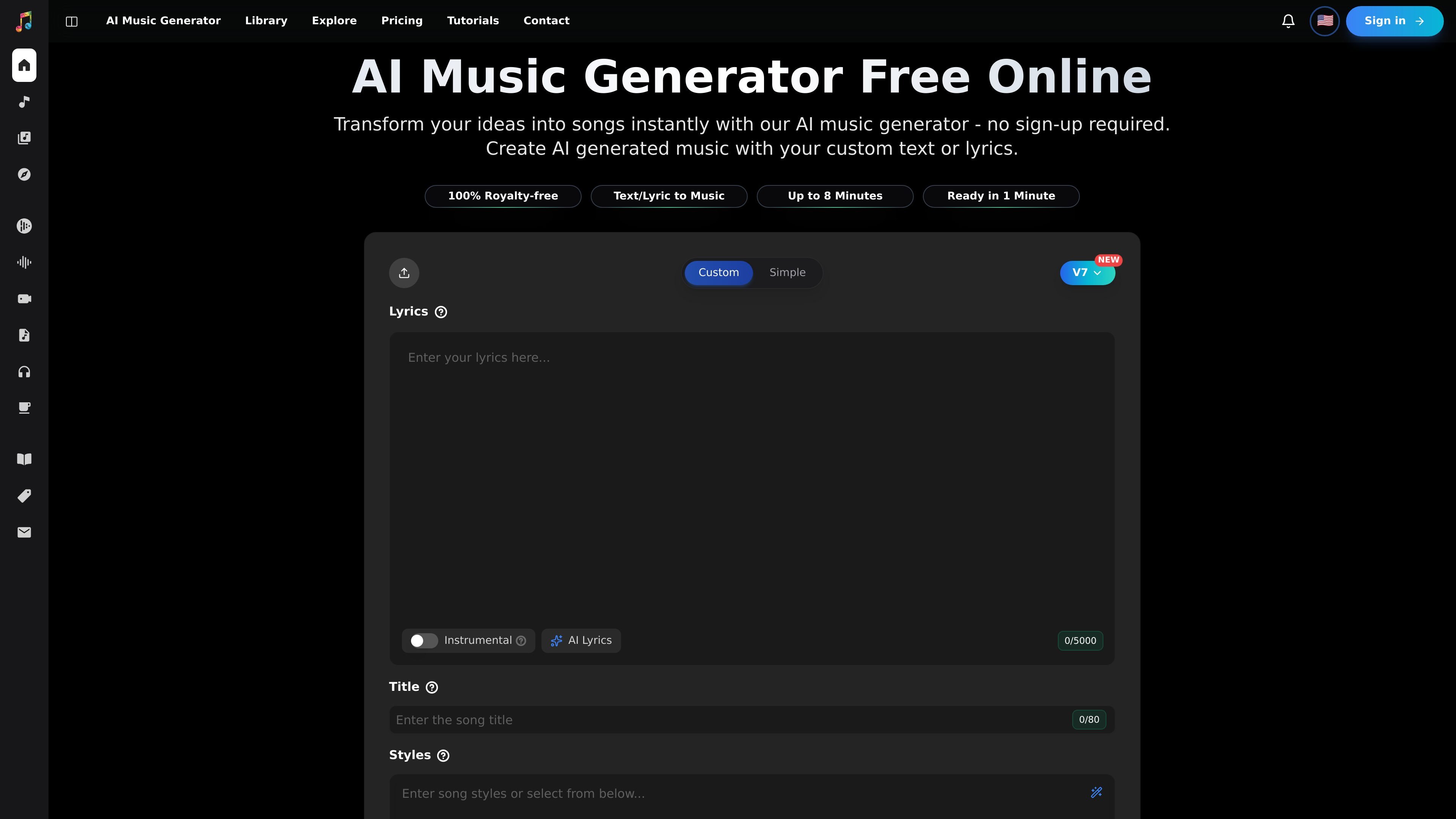
AIMusicGen.ai is an AI music generator for turning text prompts, lyrics, or style ideas into songs. The homepage positions it as a free online tool with no sign-up required, while the create page shows a structured songwriting workflow with lyric, instrumental, and AI-lyrics modes.
The product is built for people who want to produce or explore music quickly without traditional production steps. Users can set genre, mood, voices, tempos, privacy options, and an optional reference style, then generate, preview, download, or share their tracks. The site also includes a library for managing created content and an explore area for browsing community songs and albums.
Pricing is organized around a free tier, paid subscriptions, and one-time credit packs. The pricing page also lists storage, sharing, privacy, and usage-rights differences across plans, including free attribution-based sharing and broader rights on paid tiers.
Create songs from lyrics or descriptions, with controls for genre, mood, title, vocal or instrumental output, and privacy settings. The create page also shows an optional song-style imitation field.
The homepage says songs can be generated in under a minute, and the interface shows a credit cost before generation. This makes the workflow clear before you submit a prompt.
The pricing page lists high-quality lossless downloads on paid plans, and the homepage emphasizes up to 4 minutes of extended compositions. That gives users a clearer sense of output format and duration.
The library page supports filtering and managing songs, albums, and other history. It also exposes actions such as downloading, removing, and duplicating tracks in the product’s description on the homepage.
The explore page lets users browse trending songs and albums, like and share favorites, and find inspiration from community creations. The home page also shows a creators showcase for browsing examples.
The pricing page includes plan-based storage, private generations, and sharing controls, while the FAQ describes custom album sharing links and recovery of deleted music. These options support both personal and publishable workflows.
Creators can draft music for videos by describing the mood, style, or lyrics they want, then generating a track that fits the project. The site explicitly frames the tool as useful for content creators and filmmakers.
People who want to explore music creation without a full production setup can use the lyric and description modes to turn ideas into songs. The homepage emphasizes no sign-up and a quick generation flow.
Musicians and producers can use the create page’s genre, mood, voice, tempo, and style controls to sketch demos or test ideas quickly. The homepage also highlights instrumental and vocal outputs.
Users who want to organize output can rely on the library area to filter, manage, duplicate, remove, and revisit songs or albums. That makes it easier to keep track of multiple generations over time.
Listeners or creators looking for inspiration can browse the explore page and creators showcase to see community tracks and albums. The page emphasizes trending songs, likes, shares, and discovery.
AIMusicGen.ai generates AI-made songs from text, lyrics, or style prompts. The create page shows modes for lyrics, instrumental, AI lyrics, genre, moods, voices, tempos, and an optional song-style imitation input.
The pricing page shows a free tier, monthly plans, annual plans, and one-time credit packs. It also says free users can share songs with attribution, while paid tiers unlock broader usage rights.
Yes. The pricing page describes private generations, and the create page includes a privacy preference control so users can choose who can access a creation.
The library page is for filtering and managing songs, albums, and other history. The create page also says you can preview a song on the Create page, then download or share it.
The pricing FAQ says each generation uses 3 credits and produces two unique song variations. The create page also shows a credit requirement before generating.