
AI Google Ads generation
Generate headlines, descriptions, callouts, and sitelinks from a landing page URL or a short brief, then refine the output inside the editor.

30characters is a Google Ads tool for AI ad copy, negative keywords, and budget pacing alerts for marketers, freelancers, and agencies.
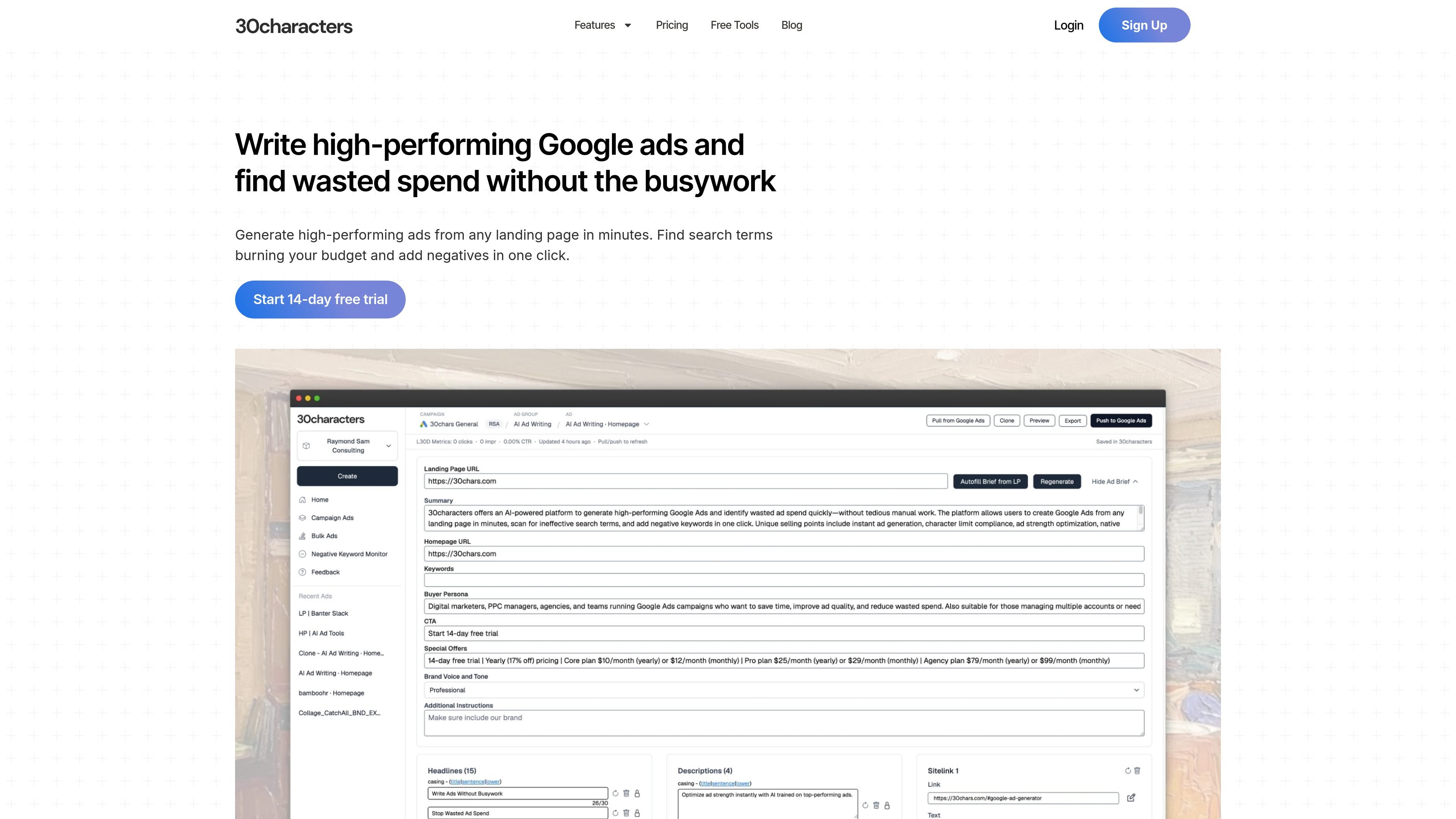
30characters is an AI tool for Google Ads that combines ad generation, negative keyword management, and budget pacing monitoring in one product. The site positions it as a way to reduce manual campaign work while helping advertisers produce copy, find wasted spend, and stay closer to budget targets.
Its ad generator can create search ad assets from a landing page URL or a written brief, then let users edit and push the results into connected Google Ads accounts. The negative keyword tool scans search term reports for poor-fit traffic and lets users apply selected negatives directly, while the pacing tool tracks spend against monthly budgets and sends alerts when campaigns move off pace.
Generate headlines, descriptions, callouts, and sitelinks from a landing page URL or a short brief, then refine the output inside the editor.
Run quick create, standard create, or bulk generation from a list of URLs, with support for detailed instructions, personas, and CTA guidance.
Build ads for Responsive Search Ads, Performance Max, and Demand Gen campaigns, with multi-language generation and ad translation support.
Sync generated ads directly to linked Google Ads accounts, or export manually when you prefer to review outside the app.
Scan search term reports for poor-fit terms, review qualitative and quantitative reasons, and apply selected negative keywords in one click.
Track spend against monthly budgets with pacing charts, overpace and underpace alerts, a daily digest option, and campaign-level monitoring.
Create search ad copy from a landing page URL when launching a new campaign, then edit the output inside the app before sending it to Google Ads.
Review search term reports for wasted spend, select low-fit queries, and add them as negative keywords in a few clicks.
Monitor campaigns against monthly budgets and get alerts when spend is over or under pace so adjustments can happen during the month.
Generate several ad variants from multiple URLs when setting up many campaigns or ad groups at once.
Use multi-language generation and translation support when campaigns need ad copy adapted for different markets.
It supports generating Google Ads copy from a landing page URL or a brief description, and it can also take keywords, persona, CTA, and special instructions for more targeted output.
The product can generate headlines, descriptions, callouts, and sitelinks for search ads, and it supports Responsive Search Ads, Performance Max, and Demand Gen campaigns.
Yes. The site says it can sync ads directly into Google Ads, while also supporting manual export. It also offers direct application of negative keywords after review.
The site describes a 14-day free trial and paid plans billed monthly or yearly. It does not provide a pricing page with additional details beyond the plan names shown on the home page.
It is designed for Google Ads account owners, in-house marketers, freelancers, and agencies that want to generate ads, monitor search term waste, and watch budget pacing in one place.