
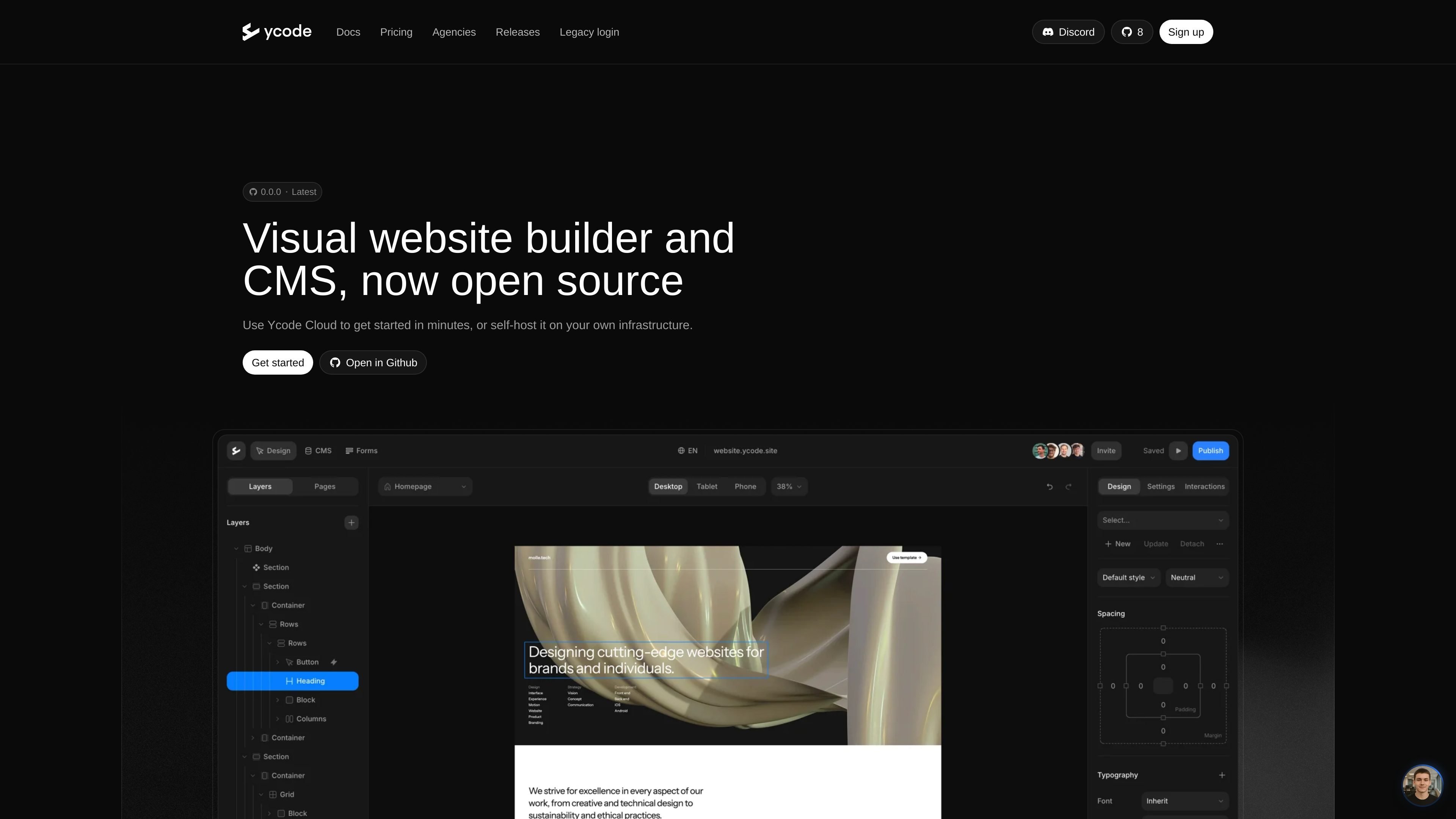
Visual builder with CMS
Design websites in a visual interface while managing structured content with the built-in CMS.

Ycode est un créateur de sites web et un CMS open source pour concevoir, héberger et mettre à jour des sites personnalisés, avec auto-hébergement, Ycode Cloud et workflows pour agences.
Ycode is an open source website builder and CMS for designing, hosting, and updating custom websites. The site presents it as a visual builder that can run on Ycode Cloud or on your own infrastructure, giving teams a choice between a managed setup and self-hosting.
The product is aimed at people who want a website platform with more control over code and deployment. The homepage emphasizes self-hosting, while the agency page adds a white-label workspace for client sites and the comparison pages position Ycode as an alternative for teams moving from Framer or Webflow.
Design websites in a visual interface while managing structured content with the built-in CMS.
Choose between Ycode Cloud or self-hosting, depending on whether you want a managed setup or control over your own infrastructure.
Start from a GitHub repository, deploy to Vercel, and connect Supabase when running Ycode yourself.
Import Figma designs, migrate from Webflow, or build directly from AI tools through Ycode MCP.
Use a white-label dashboard and builder on the Agency plan to present the platform under your own brand.
Manage unlimited client websites and collaborators under a single agency subscription.
Teams that want to build a website visually while keeping the code and hosting outside a closed ecosystem can use Ycode’s open source setup.
Agencies managing several client sites can use the white-label workspace, unlimited users, and fixed monthly pricing to keep delivery and billing predictable.
Designers and product teams can move from Figma into a site build without rebuilding everything from scratch, based on the Figma import workflow mentioned on the agency page.
Existing Webflow users who want an open source path can treat Ycode as a migration target, with pages describing movement of CMS content, pages, and designs.
Teams adopting AI-assisted workflows can use Ycode MCP to build pages and manage content from tools such as Claude or OpenAI, according to the agency page.
Ycode can be run as an open source website builder and CMS, with the option to self-host it on your own infrastructure or use Ycode Cloud for a managed setup.
Yes. The agency page says Ycode supports unlimited projects and users under one fixed monthly price, with a white-label dashboard and builder for client work.
The source describes Ycode as a visual website builder with a built-in CMS. The comparison pages also mention moving from Figma and Webflow, and building websites directly from AI tools through Ycode MCP.
The pricing content shows three options: self-hosting on a free open source tier, Ycode Cloud, and an Agency plan. The pricing page itself returns a not found page, so plan details should be taken from the homepage and related pages rather than a dedicated pricing page.
The source supports use as an alternative to Framer and Webflow for teams that want more control over code and infrastructure, but it does not provide a full feature-by-feature comparison.
Les données de trafic sont fournies à titre indicatif uniquement.

baserow.io
Baserow est une plateforme de base de données open source et no-code pour créer bases de données, applications, tableaux de bord et automatisations, dans le cloud ou en auto-hébergement.

www.dograh.com
Dograh est une plateforme open source et auto-hébergeable pour créer et déployer des agents vocaux en production. Elle relie téléphonie, voix, modèles de langage, synthèse vocale, workflows et observabilité sur votre infrastructure ou son cloud géré.

webiny.com
CMS headless open source et auto-hébergé pour contenus, sites web et fichiers

relaticle.com
Relaticle est un CRM open source pour les équipes qui réunit des fiches partagées, la gestion du pipeline et des tâches, un chat IA intégré et un serveur MCP doté de 39 outils. Les équipes peuvent utiliser l’espace de travail hébergé ou auto-héberger l’application AGPL-3.0 et connecter des agents IA externes via MCP et l’API REST.

medo.dev
Medo est un créateur d’applications sans code pour concevoir des apps d’éducation, sites web, marketing, productivité, e-commerce, outils, jeux et sondages.

imagine.dev
Appwrite est une plateforme applicative open source dédiée aux services backend, au stockage de fichiers, aux fonctionnalités en temps réel et au déploiement web hébergé. Concevez et faites évoluer vos applications avec Auth, Databases, Storage, Functions, Messaging et Sites au même endroit.