
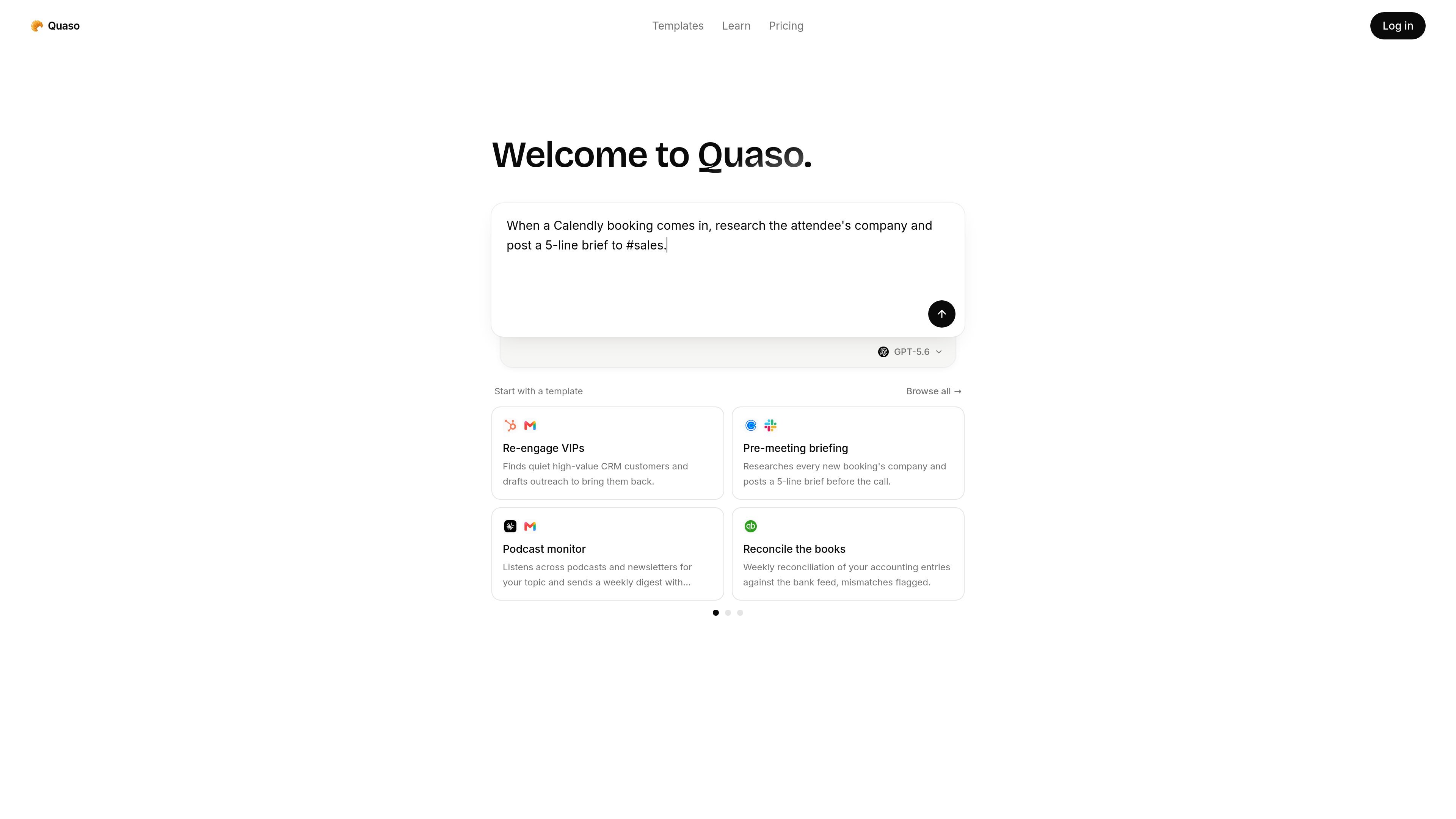
Plain-English automation
Quaso turns plain-English instructions into web automations, so users can describe a job instead of wiring up every step manually.

Quaso est un agent d’automatisation par AI qui transforme des instructions en anglais courant en workflows dans le navigateur et en tâches connectées aux applications. Il s’adresse aux personnes et aux équipes qui automatisent les rapports récurrents, le tri, la surveillance, la recherche et les tâches administratives.
Quaso is an AI automation agent for running web-based workflows from natural-language instructions. The site describes it as a product that turns plain English into automations, with support for live browsing, scheduled Functions, and app connections built on Notte's browser platform.
The product is aimed at people who want to automate recurring operational work without building everything as custom software. The homepage and template gallery show workflows such as bug triage, changelog generation, research briefs, inbox handling, receipts collection, customer health monitoring, and other team or personal admin tasks.
Quaso turns plain-English instructions into web automations, so users can describe a job instead of wiring up every step manually.
Agents can browse live websites, click through flows, fill forms, and interact with software that does not expose an API.
The pricing page says agents can be deployed as scheduled Functions, which supports recurring workflows like reports, monitoring, and inbox tasks.
The product includes a template gallery with preconfigured agents for common workflows such as support triage, reporting, monitoring, and admin tasks.
Quaso connects to over 3,000 apps out of the box, with the full catalog available on every plan.
The pricing page describes credit-based usage and mentions API access on Pro and Custom plans for programmatic use.
Teams can set up agents that open key pages in a real browser each week, then flag load regressions and broken links for follow-up.
Support, product, or engineering teams can turn bug reports into routed tickets, prioritized issues, or enriched records with context from past work.
Operational workflows such as daily changelogs, weekly exec digests, and release notes can be generated from merged PRs or repo activity and posted where the team reads them.
Quaso templates cover inbox triage, meeting recaps, customer health monitoring, and deep research briefs, which suits people who need recurring information processed and summarized.
The product also includes admin-oriented templates such as receipts collection, pay stub archiving, subscription auditing, and office search, showing use beyond engineering teams.
Quaso is built to turn plain-English instructions into web automations. The source describes agents that can browse live sites, run scheduled functions, and connect to apps.
Yes. The pricing page says the Free plan includes 3,000 credits granted once, with no card required and no expiry.
Quaso says it connects to over 3,000 apps out of the box, and the full catalog is available on every plan. The pricing page also notes that agents can usually reach missing services through the browser.
Yes. The pricing page says agents can control a real browser through Quaso's partnership with Notte, which lets them navigate sites, fill forms, and click through software that does not have an API.
Quaso's pricing page says you can create as many agents as you want on every plan. Billing is based on what agents actually run, not on the number of agents in your workspace.
Les données de trafic sont fournies à titre indicatif uniquement.

www.useverse.ai
Verse est une plateforme qui permet de créer des employés IA autonomes à partir d’instructions en langage naturel. Elle aide les particuliers et les équipes à automatiser les tâches récurrentes grâce à des outils connectés, des workflows et des espaces de travail partagés pour les agents.

mino.ai
TinyFish est une plateforme d’entreprise pour agents web IA qui combine recherche en temps réel, récupération de pages, automatisation du navigateur et workflows en plusieurs étapes. Elle aide les équipes à exploiter à grande échelle des sites dynamiques ou authentifiés.

www.tryargos.cc
Argos est une extension Chrome et un outil d’automatisation pour ordinateur et navigateur qui permet d’ouvrir des onglets, de remplir des formulaires, d’étudier des sujets et d’accomplir des tâches dans un navigateur où vous êtes connecté. Il inclut aussi une CLI exécutable en local et pilotable depuis Telegram.

lutra.ai
Lutra AI transforme les instructions en langage naturel en workflows automatisés entre applications connectées.

needle-ai.com
Needle est une plateforme de mise en relation des connaissances et d’automatisation des workflows basée sur l’IA, conçue pour rechercher dans différentes données, automatiser les processus et créer des applications RAG fondées sur des sources fiables. Elle propose des modèles, des collections et des forfaits à crédits pour les particuliers et les équipes.

opencodesuper.app
OpenCode Superapp est un espace de travail natif pour Mac qui permet d’utiliser des modèles d’IA locaux, auto-hébergés ou dans le cloud, avec du code, de l’automatisation du navigateur, la voix, des extensions, des widgets et un accès à distance sécurisé. Il s’adresse aux personnes qui souhaitent un environnement OpenCode privilégiant le local, sans compte.