
Transcript-based first cut
Eva reads your transcript and assembles a first cut or a set of clips from the raw footage, so editing can begin before you open the timeline.

Eva de Flixier est un assistant de montage vidéo basé sur l’IA qui lit votre transcription et transforme les rushes en un premier montage ou en clips dans l’éditeur accessible depuis un navigateur. Idéal pour les podcasts, interviews, webinaires, cours et vidéos face caméra.
Eva is Flixier’s AI video editing assistant for turning existing footage into a first cut inside the browser-based Flixier editor. She reads the transcript, follows your instructions in plain language, and organizes the material into a draft edit or a set of usable clips.
The product is aimed at transcript-driven content such as podcasts, interviews, webinars, lessons, talking-head videos, and other long-form recordings. Flixier positions Eva as a way to do the early editing work faster, then continue refining the project in the full timeline with tools for audio cleanup, captions, translation, voiceovers, and AI-generated video.
Eva reads your transcript and assembles a first cut or a set of clips from the raw footage, so editing can begin before you open the timeline.
Tell Eva what you want kept or removed, and she can find moments in the transcript to turn into short clips for repurposing long recordings.
Eva can add text, captions, visuals, and brand kit elements to the cut, helping you move from raw footage to a more complete draft.
The product page says you can enhance audio, upscale video, and color grade without leaving the project, keeping finishing work in the same workflow.
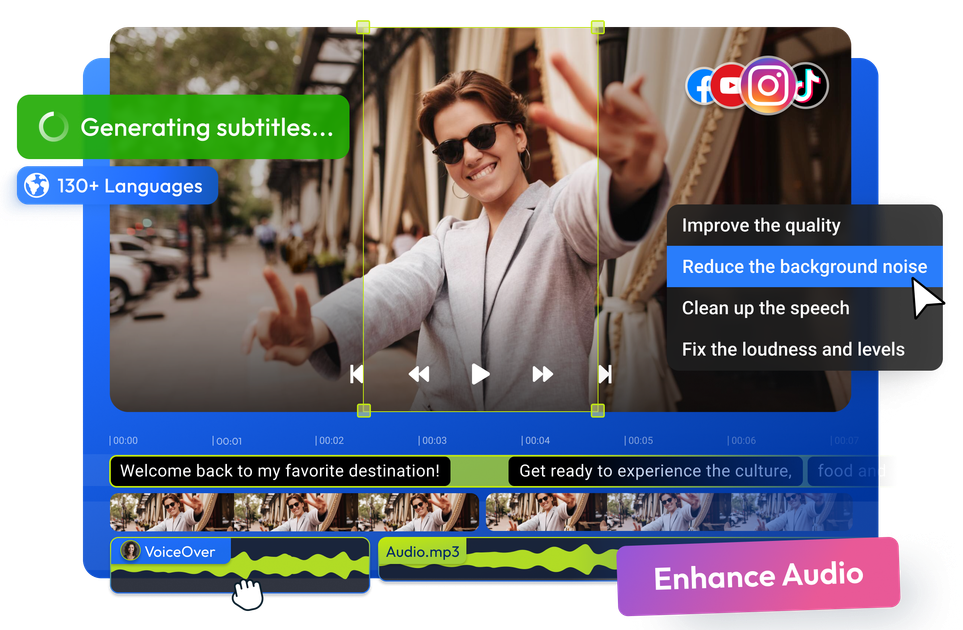
Flixier’s AI tools include subtitle generation, AI voiceovers, and AI video generation inside the timeline for extending shots or adding new scenes.
The editor is browser-based and cloud-rendered, with the AI video editor page describing cloud rendering and publishing to social platforms.
Use Eva to turn a recorded podcast, webinar, or interview into a rough cut, then fine-tune the result in the timeline.
Ask Eva to find the strongest moments in a transcript and turn them into shorter clips for social posting or reuse.
Use the transcript-driven workflow to remove filler words, awkward silences, and other dead space before deeper polish.
Keep captions, brand kit elements, and generated scenes in the same project when you need a more complete edit rather than just a cut-down.
Have a team review edits with comments and shared brand assets when videos need collaboration and consistent presentation.
Eva is the AI video editing assistant inside Flixier. You tell her what you want the video to do, and she reads the transcript to build a first cut or pull out clips from longer footage.
You describe the edit in plain language. Eva then uses the transcript to decide what to keep, cut, and sequence, and she can show a plan first for changes that affect the shape of the video.
Eva is designed for footage with spoken content such as podcasts, interviews, webinars, lesson recordings, and talking-head videos, because it relies on the transcript.
The source says Flixier can publish finished videos with exports ready for every platform. The pricing page also shows different export limits by plan, including a free tier and paid tiers.
Yes. The product page says Eva is built for teams, with comments on the timeline, shared brand kits, and collaboration features available in Flixier.
Les données de trafic sont fournies à titre indicatif uniquement.
| avr. | 1390778 |
|---|---|
| mai | 1556444 |
| juin | 1399968 |

choppity.com
Choppity est un éditeur vidéo IA qui transforme podcasts et vidéos longues en clips sociaux.

clipmatch.io
ClipMatch est un éditeur vidéo basé sur l’IA qui transforme les séquences de la pellicule en courtes vidéos verticales. Les créateurs et petites entreprises peuvent associer les répliques aux clips, vérifier la sélection et exporter des vidéos prêtes pour les réseaux sociaux.

qlip.ai
Transformez vos webinaires enregistrés en clips courts pour les réseaux sociaux et vos canaux propriétaires.

exemplary.ai
Exemplary AI transforme l’audio et la vidéo en clips, transcriptions, sous-titres, résumés et contenus pour les réseaux sociaux.

opus.pro
Plateforme IA de découpage et montage vidéo pour les réseaux sociaux

klap.app
Outil IA pour transformer les longues vidéos en clips sociaux