
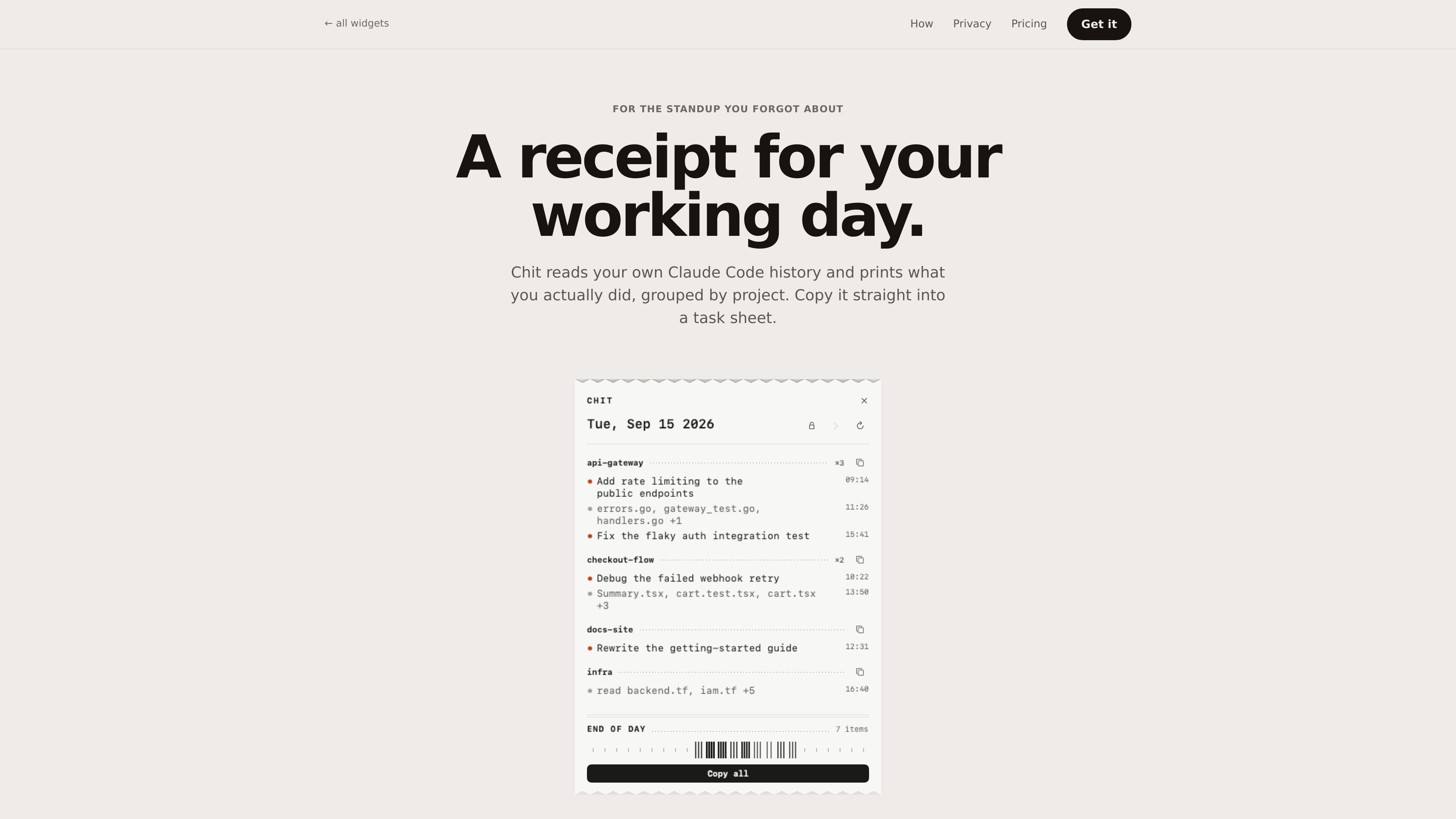
Project-based daily summaries
Groups Claude Code sessions under their repositories, with the busiest projects first, so activity is organized around work areas rather than individual conversations.

Chit est une application macOS de barre des menus qui lit l’historique local des transcriptions de Claude Code et le transforme en récapitulatif quotidien du travail, classé par projet. Reconstituez le travail terminé pour les réunions quotidiennes, feuilles de tâches et feuilles de temps sans afficher vos prompts.
Chit is a macOS menu bar app that reads the Claude Code transcripts already stored on your computer and summarizes the work they represent. It organizes sessions by project, prioritizes the busiest projects, and shows a daily receipt of activity rather than a stream of chat logs.
The result can be copied into a task sheet or standup, or emitted as plain text or Markdown for other workflows. Chit is intended for developers who need a reliable way to reconstruct their working day without displaying the prompts they entered.
Groups Claude Code sessions under their repositories, with the busiest projects first, so activity is organized around work areas rather than individual conversations.
Folds agent worktrees back into their parent project instead of presenting them as separate projects.
Copies the full day or one project in a format suited to task sheets and standups. Plain text and Markdown output are available.
Lets users step back through the week to review a day they need to account for. The Pro tier extends access to every past day.
Reads files under `~/.claude/projects` on the Mac and states that the binary contains no network code. It does not write to the Claude Code directory.
Provides CLI options including `--today`, `--date=`, `--from=`, `--to=`, and `--markdown`, allowing output to be piped into timesheet-oriented workflows.
Copy the day or a single project after coding to create a concise account of completed work without manually reconstructing a session history.
Use the project-grouped receipt as paste-ready source for a task tracker or daily work record, with file names included as supporting context.
Run the CLI with a date or date range and pipe the plain-text or Markdown result into a workflow that accepts command-line output.
Open a previous day when a weekly or monthly account is needed. Pro adds every past day, week and month statements, and a dashboard.
Chit reads the Claude Code transcripts stored locally under `~/.claude/projects`. The site says prompts are not shown or stored; descriptions come from Claude Code session titles or changed-file names.
The product states that nothing leaves the machine and that there is no network code in the binary. The app reads local files and does not write to `~/.claude`.
Users can download the 777 KB ZIP, move `Chit.app` to Applications, and use Open the first time. A shell installer is also provided through `curl`; it installs the app and can add the `chit` command to a writable directory already on the PATH.
The free tier includes the current day’s receipt, copying the day or any project, plain-text and Markdown output, project hiding, and the CLI. The site says it is free indefinitely rather than a trial.
The site lists Chit Pro at $12 as a one-time purchase, not a subscription. Its key is tied to one Mac and works offline; the site says the key can be reissued without charge when changing machines.
Les données de trafic sont fournies à titre indicatif uniquement.

tryassistly.com
Assistly est un assistant de réunion en direct pour macOS et Windows. Il fournit des conseils en temps réel pendant les appels et rédige un récapitulatif ensuite. Il fonctionne depuis l’ordinateur sans rejoindre la réunion comme un bot, et met l’historique des appels à disposition des applications connectées via un serveur MCP.

www.in-parallel.com
In Parallel est une couche de contexte AI pour les équipes qui capture la mémoire organisationnelle partagée lors des réunions et la met à disposition d’assistants compatibles avec MCP, comme Claude, Copilot et ChatGPT. Elle aligne les réponses des agents sur le contexte actuel de l’espace de travail plutôt que sur des documents obsolètes ou des prompts isolés.

tovel.ai
Tovel est un enregistreur IA pour les appels, les réunions et les conversations en personne. Il transforme les enregistrements en transcriptions, résumés et tâches de suivi, et prépare des actions, événements de calendrier, mises à jour CRM et autres étapes à vérifier avant tout envoi.

store.comu.com
Comu Action Pro est un enregistreur vocal IA de poche et un assistant de travail qui transforme demandes orales, conversations et enregistrements en documents, diapositives, e-mails, résumés et actions à mener. Capturez vos réunions et obtenez des livrables utiles sans retaper vos notes.

bluedothq.com
Bluedot est un assistant IA de prise de notes sans bot pour vos réunions en ligne, par téléphone et en personne. Il génère des transcriptions, des notes et des actions à suivre, et peut synchroniser les résultats avec des outils comme les CRM, ATS, Slack, Notion et Google Drive.

lockedinai.com
LockedIn AI fournit des réponses en temps réel, une aide au code et du coaching pour les entretiens et réunions.