
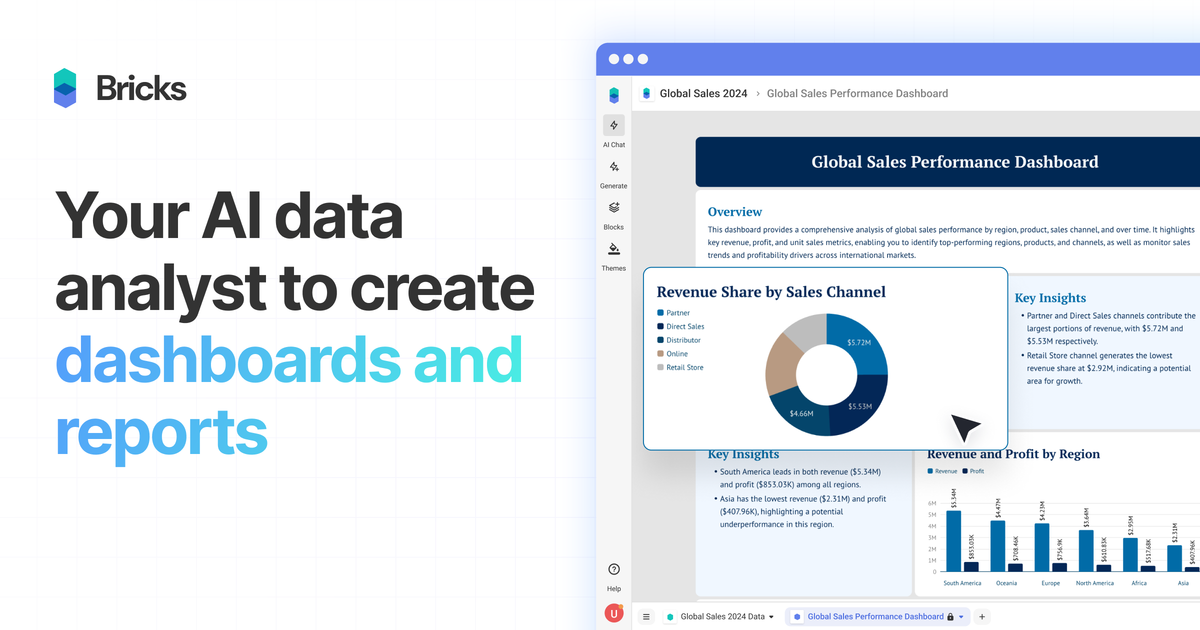
Create dashboards from common file formats
Upload CSV, XLSX, PDF, or PNG files and have Bricks generate dashboards and reports from the data.

Analyste de données IA qui transforme CSV, Excel, PDF et PNG en tableaux de bord et rapports modifiables et partageables
Bricks is an AI data analyst for turning spreadsheet-style data into dashboards and reports. The site positions it as a way to create polished visual outputs from CSV, Excel, PDF, and PNG files without building charts and layouts manually.
It is aimed at people who need usable dashboards quickly from everyday business data, including spreadsheets, CRM exports, sales reports, marketing data, financial data, surveys, and operational metrics. Bricks combines AI-generated analysis with manual editing controls, so users can start from an automated draft and refine it for a specific audience or presentation.
Upload CSV, XLSX, PDF, or PNG files and have Bricks generate dashboards and reports from the data.
Use AI to create dashboards, edit charts, add visualizations, generate insights, and customize reports through prompts.
Change layouts and visuals manually with drag-and-drop editing, data updates, color changes, and text edits.
Refresh a dashboard with new data and regenerate charts while keeping the existing layout in place.
Click data points to filter the dashboard and explore patterns across the full report.
Save dashboard layouts and reuse them with fresh data, rather than rebuilding from scratch.
Turn recurring spreadsheet or CRM exports into a dashboard that can be refreshed when new data arrives, reducing repetitive chart rebuilds.
Create dashboards for teams that need a clean view of sales, finance, operations, or performance data without manual design work.
Build report-style outputs for clients or stakeholders and export them to PDF or PPTX for sharing outside the product.
Start from a template, swap in new data, and reuse the same layout for similar reporting jobs across different datasets.
Review smaller analytical datasets such as survey results or operational metrics, then filter by data points to inspect trends and patterns.
Bricks is an AI data analyst that creates dashboards and reports from CSV, Excel, PDF, and PNG files. You upload your data, and Bricks generates charts, tables, insights, and a layout you can further edit.
The pricing page says Bricks offers Free, Premium, Pro, and Enterprise plans. Free includes 20 AI messages per month and supports teams of up to 3, while paid plans increase message limits, collaboration capacity, and support levels.
Yes. Bricks supports manual editing and AI-assisted changes after a dashboard is created. You can drag and drop tiles, update data, change colors, modify text, and use prompts to add or change charts and analysis.
Bricks can export dashboards or reports to PDF or PPTX. It also supports public share links and presenting directly within Bricks.
The source says Bricks is built for small to medium-sized datasets such as spreadsheet data, CRM exports, sales reports, marketing analytics, financial data, survey results, and operational metrics, typically under a few thousand rows.
Les données de trafic sont fournies à titre indicatif uniquement.

graphy.app
Graphy est un outil web de création de graphiques qui transforme les données de feuilles de calcul, fichiers, API ou recherches AI en graphiques et tableaux de bord partageables, pour des visuels de marque, des rapports rapides et des intégrations.

chartgen.ai
ChartGen AI est un générateur de graphiques IA en ligne qui transforme des fichiers CSV, Excel, données collées ou sources connectées en graphiques et tableaux de bord.

www.basedash.com
Basedash est une plateforme d’informatique décisionnelle basée sur l’IA qui analyse les données, crée des tableaux de bord et permet aux équipes d’importer et d’exporter des fichiers Excel. Les utilisateurs peuvent poser des questions en langage courant et exporter les données des graphiques au format .xlsx.

excelmatic.ai
Outil d’analyse de tableurs par IA dans le navigateur, transformant fichiers Excel, CSV, tableaux PDF et captures en graphiques, tableaux de bord, synthèses et rapports à vérifier.

minusx.ai
Plateforme BI agentique open source pour questions, tableaux de bord et données

supaboard.ai
Business intelligence avec IA pour données connectées, requêtes en langage naturel et tableaux de bord collaboratifs