
Prompt-based video creation
Start by describing the video you want, rather than assembling every edit manually. This fits users who want a faster path from idea to exportable video.

Vizard Agent is an AI video creation tool that can make videos from your footage or from a blank prompt. It is designed for people who want to turn an idea, template, or existing video into a finished video project.
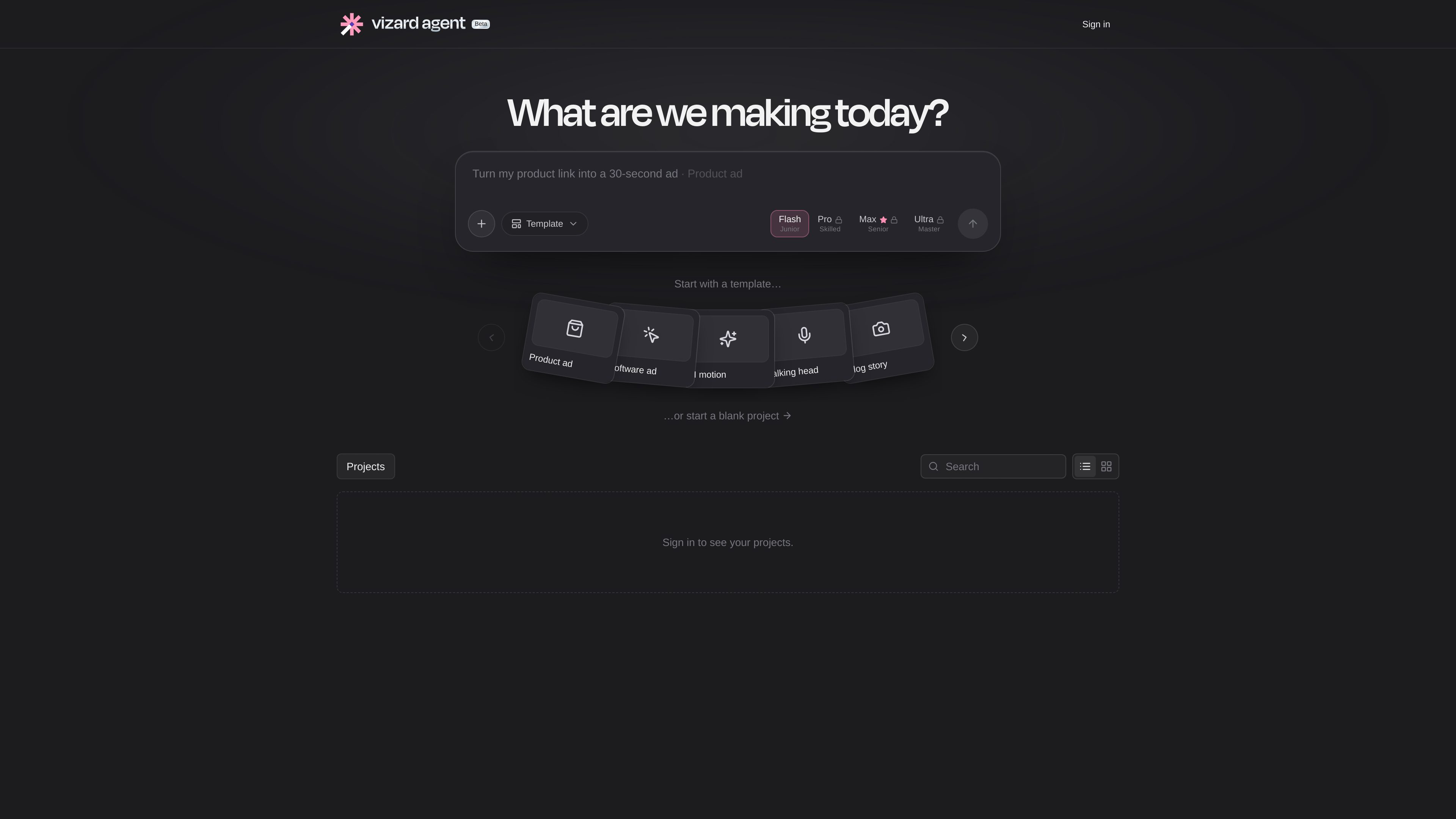
Vizard Agent is an AI video creation product positioned as “the first Video AGI.” Its core promise is simple: tell it what you want, and it produces a finished video either from your footage or from nothing. The interface shown on the site centers on a prompt-based workflow, with examples such as tightening a talking-head take and adding captions or asking an AI avatar to deliver an announcement.
The product appears to support both template-led starts and blank projects. The template menu shown on the site includes options such as product ads, software ads, AI motion, talking head, vlog story, software tutorial, UGC ads, explainer videos, podcast clips, localization, listicles, AI avatar content, customer stories, photo stories, event recaps, trailers, multicam edits, music videos, movie recaps, AI film, mini-docs, and documentaries. That makes it suitable for a range of video workflows, from quick social edits to structured content creation.
Start by describing the video you want, rather than assembling every edit manually. This fits users who want a faster path from idea to exportable video.
The site shows a library of video templates and formats, which helps users begin with a structure tailored to the type of content they are making.
Users can also start without a template, which leaves room for custom projects that do not fit a preset format.
The interface includes an option to have an AI avatar deliver an announcement, suggesting support for avatar-led presentations or updates.
The home page example references tightening a talking-head take and adding captions, indicating the tool can work on supplied footage rather than only generating from scratch.
The site includes a projects area and sign-in flow, implying saved work is organized behind user accounts.
Teams can use the product to turn product ads, software ads, UGC ads, or explainer concepts into finished video assets.
Creators who record themselves on camera can use the tool to tighten a recording and add captions.
Software tutorials and educational explainers fit the template options shown on the site, making it useful for step-by-step instructional videos.
Users who need a presenter-style video without filming a person can ask an AI avatar to deliver the message.
The template list includes podcast clips and localization, which suggests workflows for adapting existing content into shorter or region-specific versions.
Vizard Agent is an AI video product that generates finished videos from either your footage or a blank start, based on what you tell it to make.
Yes. The home page example shows a workflow for tightening a talking-head take and adding captions, which indicates it can edit supplied footage.
Yes. The site shows a template-based start with many video formats, including ads, tutorials, podcasts, avatar videos, and recaps.
Yes. The pricing page text includes an option to start a blank project.
No pricing amounts are included in the provided page text, so the available evidence only shows that a pricing page exists.