
Template-based creation
Start from a built-in thumbnail template rather than a blank canvas.

PreviewMyProfile’s YouTube Thumbnail Maker is a free web tool to create, preview and download 16:9 JPG thumbnails for YouTube without sign-up.
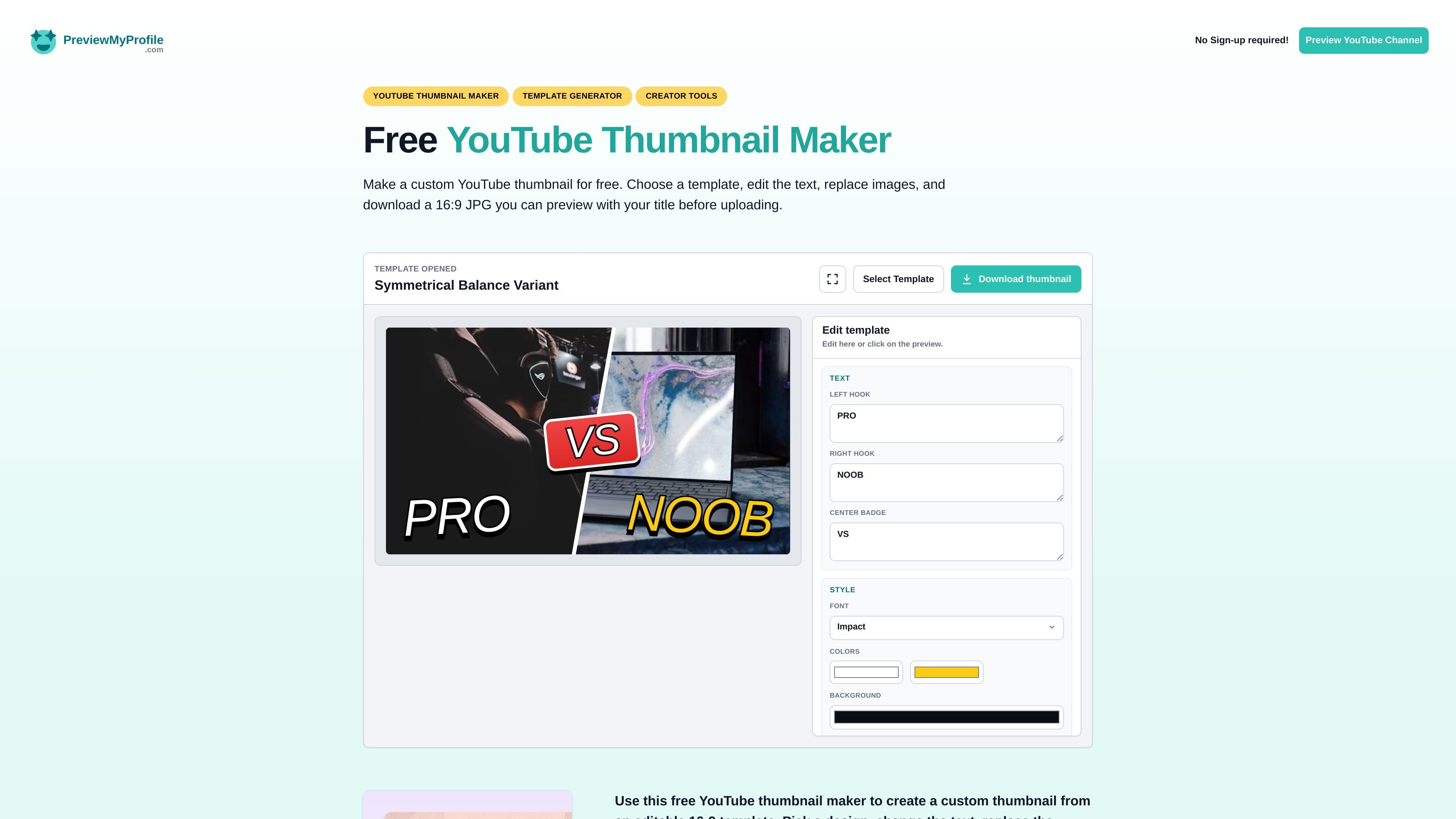
PreviewMyProfile’s YouTube Thumbnail Maker is a free web tool for building and checking YouTube thumbnails before upload. It lets you choose a template, edit text, replace images, and download a 16:9 JPG that can be previewed with the video title.
The product is designed for creators who want a quick thumbnail workflow without sign-up. The surrounding PreviewMyProfile platform also focuses on comparing and polishing social profiles across major networks, and the thumbnail tool fits that broader preview-and-optimize use case for YouTube channel assets.
Start from a built-in thumbnail template rather than a blank canvas.
Edit headline text directly in the preview so you can shape the composition before downloading.
Replace the left and right images, then position them with cover, contain, zoom, and X/Y controls.
Use multiple font options and color controls to adjust text styling and visual hierarchy.
Export the finished thumbnail as a JPG sized for standard 16:9 YouTube use.
Preview the design alongside the video title before publishing, which helps catch cutoff and legibility issues.
Use the template workflow to make a thumbnail for a new upload, then check how it reads next to the title before publishing.
Try different text and image combinations when a thumbnail concept needs a faster versioning process than starting from scratch.
Adjust image crop, zoom, and position when source photos or graphics do not fit the frame cleanly.
Use the free tool to prepare a polished thumbnail without creating an account first.
Preview the thumbnail in a YouTube context when you want to reduce title cutoff or readability problems before upload.
Yes. The page says the YouTube Thumbnail Maker is free and does not require sign-up.
You can choose a template, edit text, replace images, and download the finished thumbnail as a 16:9 JPG.
The page says it is meant for previewing a YouTube thumbnail with your title before uploading, and the blog notes the editor exports a 1280 x 720 JPG.
The source does not describe team collaboration features or shared workspaces for the thumbnail maker.
The source does not list any paid tiers or pricing limits for this free tool.